Installation Problems
75
Chapter 4 Troubleshooting
Installing the Software and the Electronic‑format Manuals Separately
Log on to Windows as the computer's administrator (or as an "Administrators" account).
Insert the DGSHAPE Software Package CD into the computer's CD drive.
When the automatic playback window appears, click [Run menu.exe]. If a [User Account Control] window appears, click
[Allow] or [Yes], and then continue with the installation. The setup menu screen appears automatically.
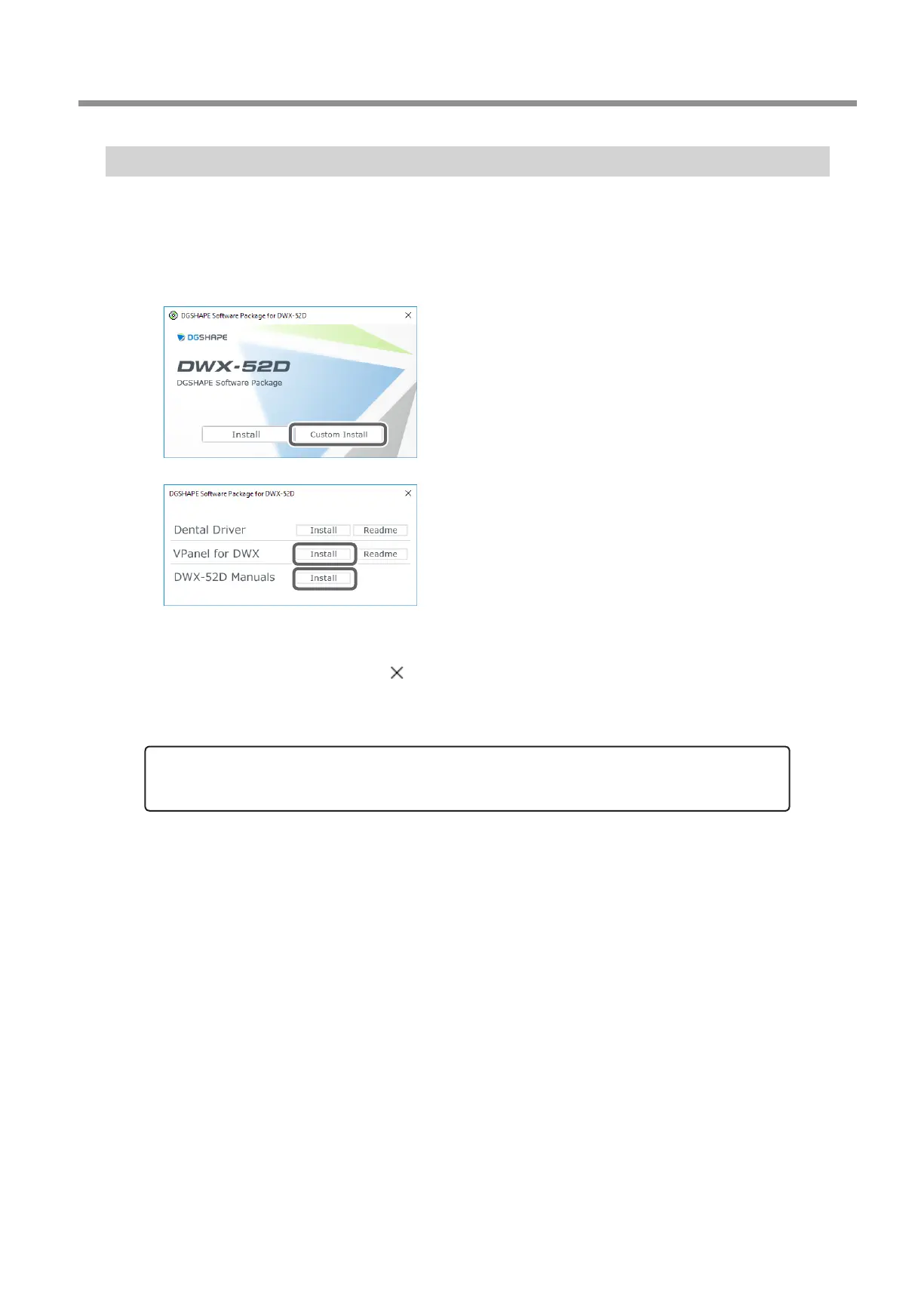
Click [Custom Install].
Click [Install] for "VPanel for DWX" or "DWX52D-Manuals."
Follow the on‑screen instructions to proceed with the installation.
When the installation nishes, click on the setup menu.
Remove the DGSHAPE Software Package CD.
With this machine, you can also install the driver, software, and electronic-format manuals all at once. To install them all
at once, see the "Setup Guide" ("Installing the Software").



 To Next Page