Starting Milling
33
Chapter 2 Milling
STEP 2: Attaching the Adapter to the Machine
For Pin‑type Workpieces
Procedure
Switch on the machine's power switch.
" P. 21 "Switching the Power On"
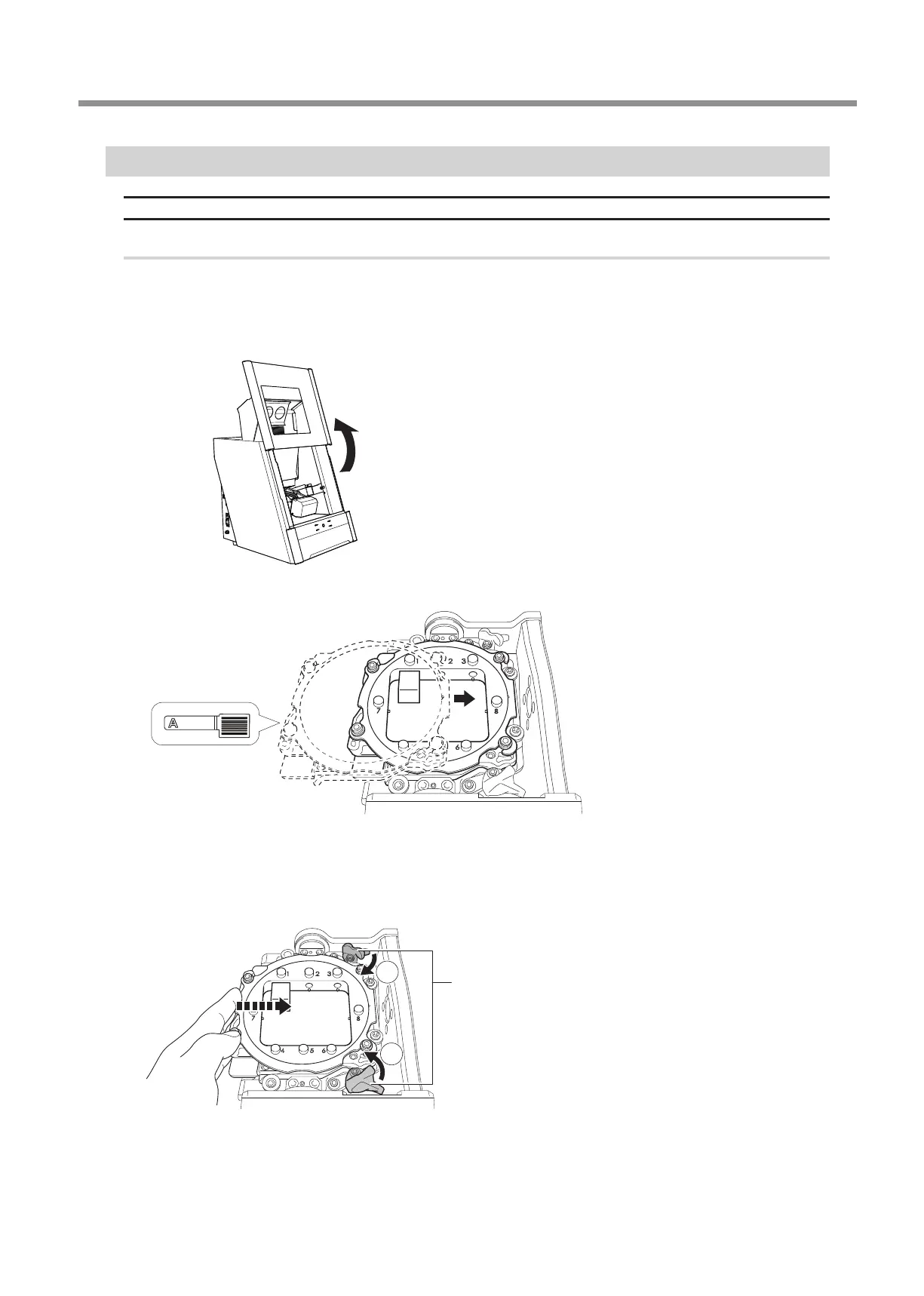
Once initialization completes, open the front cover.
Orient the parts as shown in the gure, and then insert the adapter into the clamp.
Secure the adapter.
As shown in the gure, turn the xing knobs (in two locations) in the directions of the arrows while pressing in on the
adapter.
2
1
Fixing knob



 To Next Page