Displaying or Exiting VPanel
6
Chapter 1 Operation Screen
VPanel Display in the Task Tray
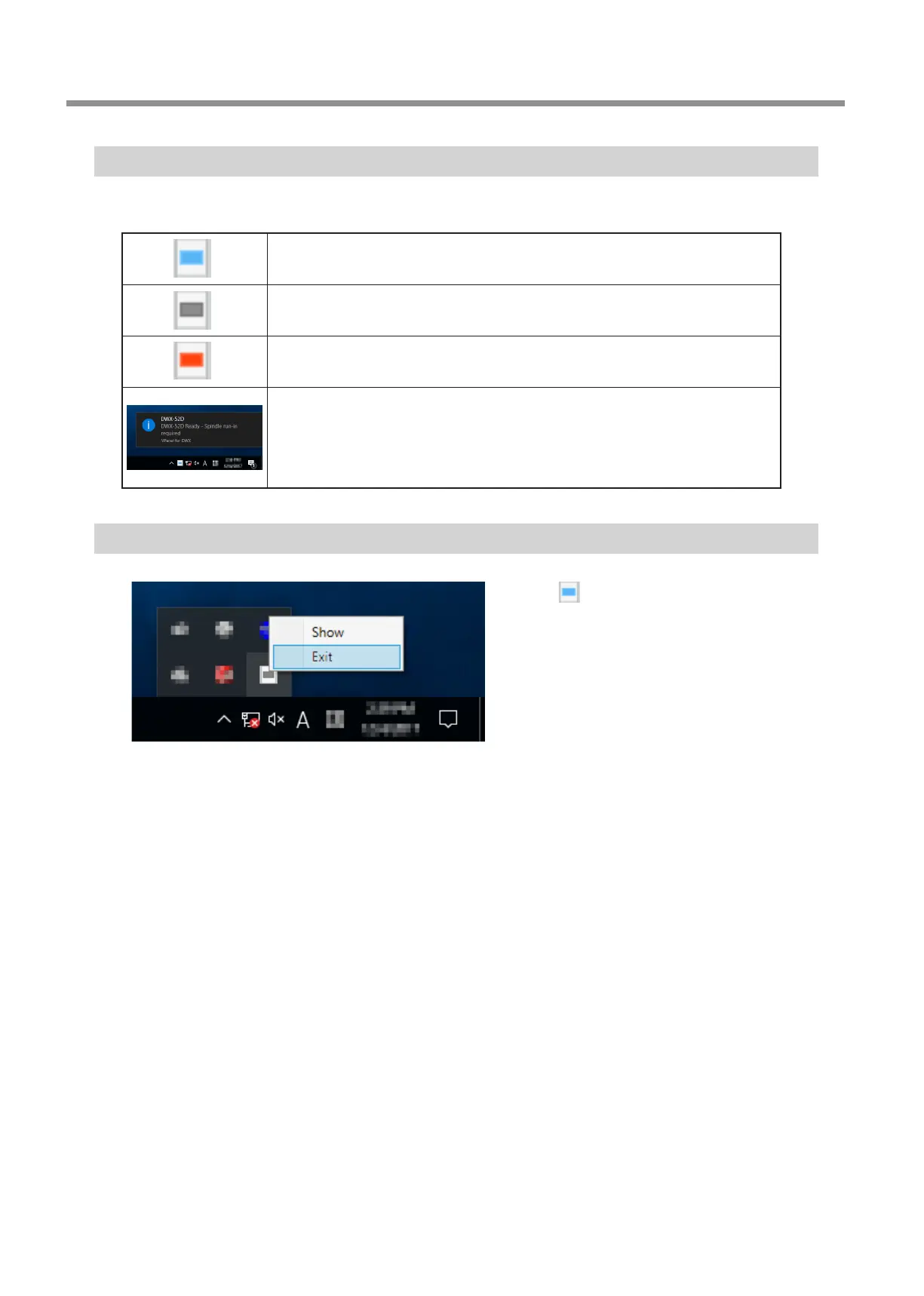
When the VPanel icon is displayed in the task tray, the status of a connected milling machine is always monitored. The display of the
VPanel icon changes depending on the status of the milling machine. The meanings of the displays are shown below.
Indicates that at least one of the connected milling machines is on (is online).
Indicates that all the connected milling machines are o.
Indicates that an error has occurred on at least one of the connected milling machines.
If you hover the mouse pointer over this icon, you can check which machine has the error.
Messages are displayed automatically if an error occurs, during cutting, and in similar
situations. Even after the message disappears, if you hover the mouse pointer over this
icon, the status of each connected machine (such as Ready, Milling, Finished, Completed, or
Oine) will be displayed.
Messages prompting you to perform maintenance (such as "Spindle run-in required") will also
be displayed. In these situations, perform the maintenance work indicated by the message.
Exiting VPanel
Right-click in the task tray and click [Exit].



 To Next Page