VPanel Window and Functions
10
Chapter 1 Operation Screen
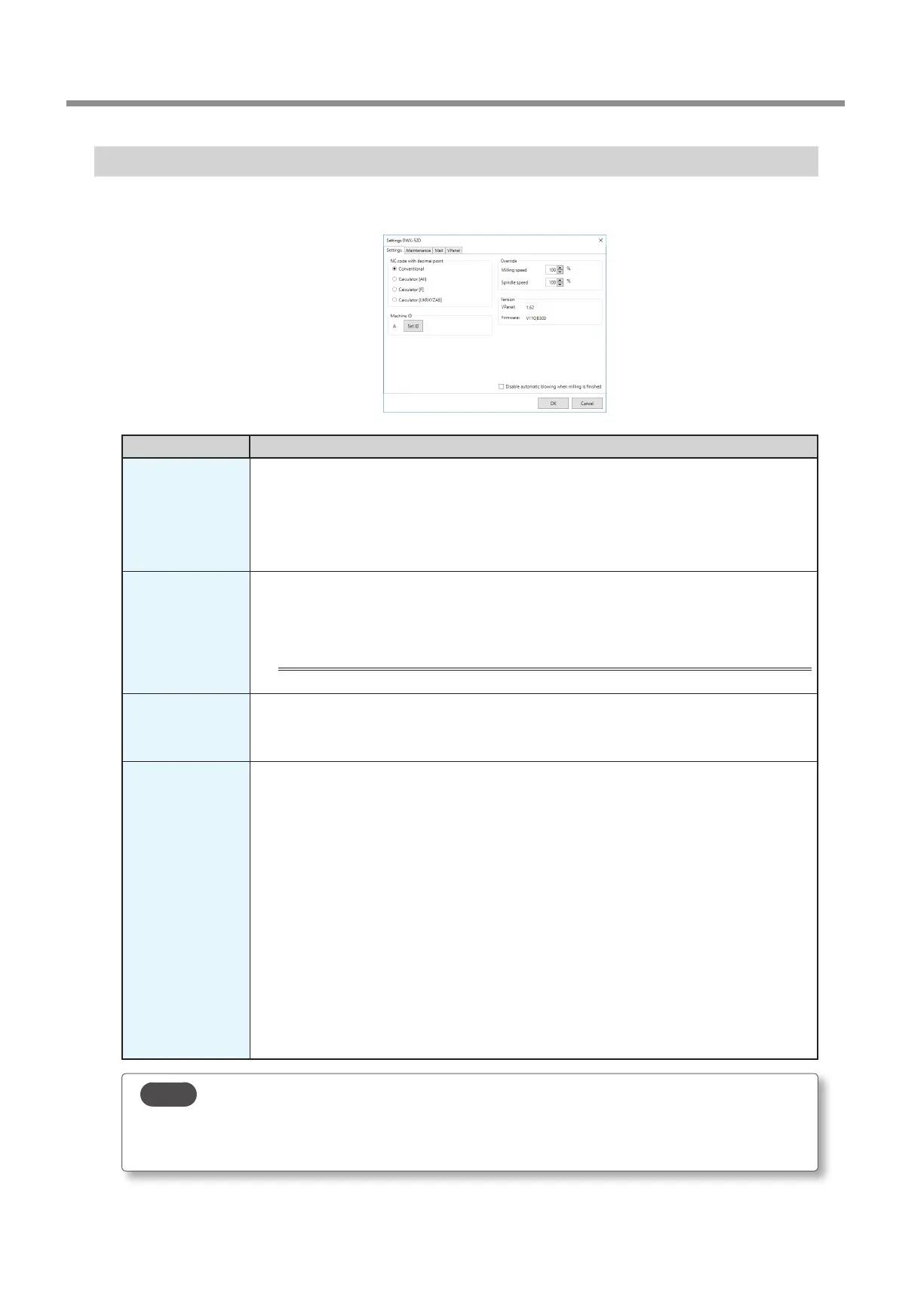
"Settings" Tab
On this tab, you can congure settings related to the machine IDs and NC codes. When more than one machine is connected, the
machine selected in the top window becomes the target for the setting.
Display Explanation
NC code with
decimal point
Select how to interpret numbers in NC codes.
With "Conventional," the unit is interpreted as millimeter (or inch) when there is a decimal point, and as
1/1000 millimeter (or 1/10000 inch) when there is no decimal point.
With "Calculator," the unit is always interpreted as millimeter (or inch) regardless of whether there is a
decimal point. Select the scope of the application when selecting "Calculator." Select an appropriate
setting according to your CAM or NC code.
Initial setting: Conventional
Machine ID
When multiple machines are connected to one computer, it's necessary to set IDs for the machines.
Select the machine to use in the VPanel top window.
Initial setting: A
" "Setup Guide" ("Connecting Multiple Units")
Important
To change an ID, be sure to follow the procedure explained in the "Setup Guide."
Version
VPanel: VPanel version
Firmware: Connected machine's rmware version
When more than one machine is connected, information for the machine selected in the top window is
displayed.
Override
You can adjust the milling speed and the spindle speed. This is useful when you want to change settings
such as the milling speed on the y while monitoring the milling status. Overrides are specied in
percentages.
For example, if the milling data command sent from the computer is 10,000 rpm, setting the override to
150% will cause the rotation speed to be 15,000 rpm.
Milling speed
Allows adjustment of the milling bur movement speed when milling the workpiece. The speed specied
by the command in the milling data is taken to be 100%. Inputting a large value will result in faster
speeds. Inputting a small value will result in slower speeds.
Spindle speed
You can adjust the spindle speed during milling. The number of rotations specied by the command in
the milling data is taken to be 100%. Inputting a large value will result in increased rotations. Inputting a
small value will result in decreased rotations.
The override will return to 100% when the milling machine is turned OFF.
In the top window, the spindle speed is shown as the speed specied by the milling data command
and not the speed after the override.
Setting an override does not let you perform operations beyond the machine's maximum or
minimum speeds (rotation speeds).
Point
Select the "Disable automatic blowing when milling is nished" check box to stop the automatic blowing function*.
*: This is a function that automatically blows air on the workpiece when milling is nished in order to blow o the milling
waste.



 To Next Page