20
Chapter 2 Milling
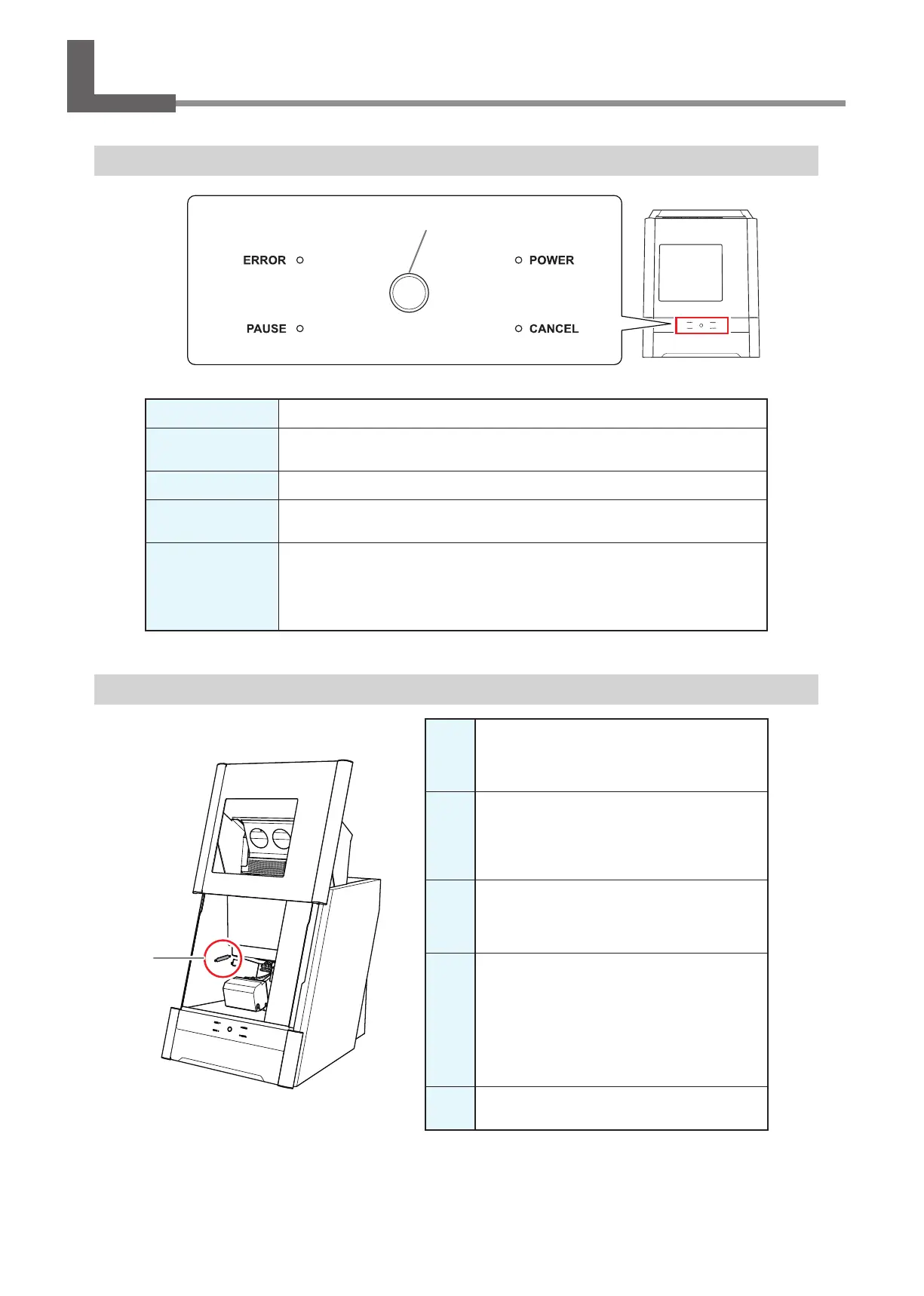
Using/Reading the Built‑In Panel
Using/Reading the Built‑In Panel
ERROR
Flashes when an error has occurred.
PAUSE
Lights when operation is paused.
POWER
Lights when the power is turned on.
CANCEL
Flashes when data is being cancelled and during the initial operations.
Milling data received while this light is ashing will be cancelled.
Operation button
Pressing this button during milling will pause or restart the machine.
Pressing and holding this button during milling will abort milling or clear some errors.
Pressing this button in standby will rotate the rotary axis position 180 degrees.
Flashes during the initial operations, during spindle rotation, and during similar
operations. The button will light when the machine is on and in any other status.
Statuses Indicated by Status Light Color
Blue
The machine is in standby or is performing the initial
operations. The light will turn o if no operation is
performed for 30 seconds when in standby, causing the
machine to sleep.
White
When lit white, milling is being performed or
has been paused, or the front cover is open. Also
ashes in white when the dust collector is in
standby.
Yellow
When lit in yellow, an error has occurred and the
machine has been paused. Check the error details
shown on VPanel. Press the operation button on
the built-in panel to resume milling.
Red
When lit or ashing in red, an error has occurred
and milling has been stopped. Milling cannot be
resumed.
Check the error details shown on VPanel. When lit
in red, holding down the operation button on the
built-in panel will cancel milling and return the
machine to the ready status. When ashing in red,
turn o the power and start the machine again.
Off
The light turns o when the machine is in the sleep
state or the power is turned o.
Status light
Operation button



 To Next Page