VPanel Window and Functions
16
Chapter 1 Operation Screen
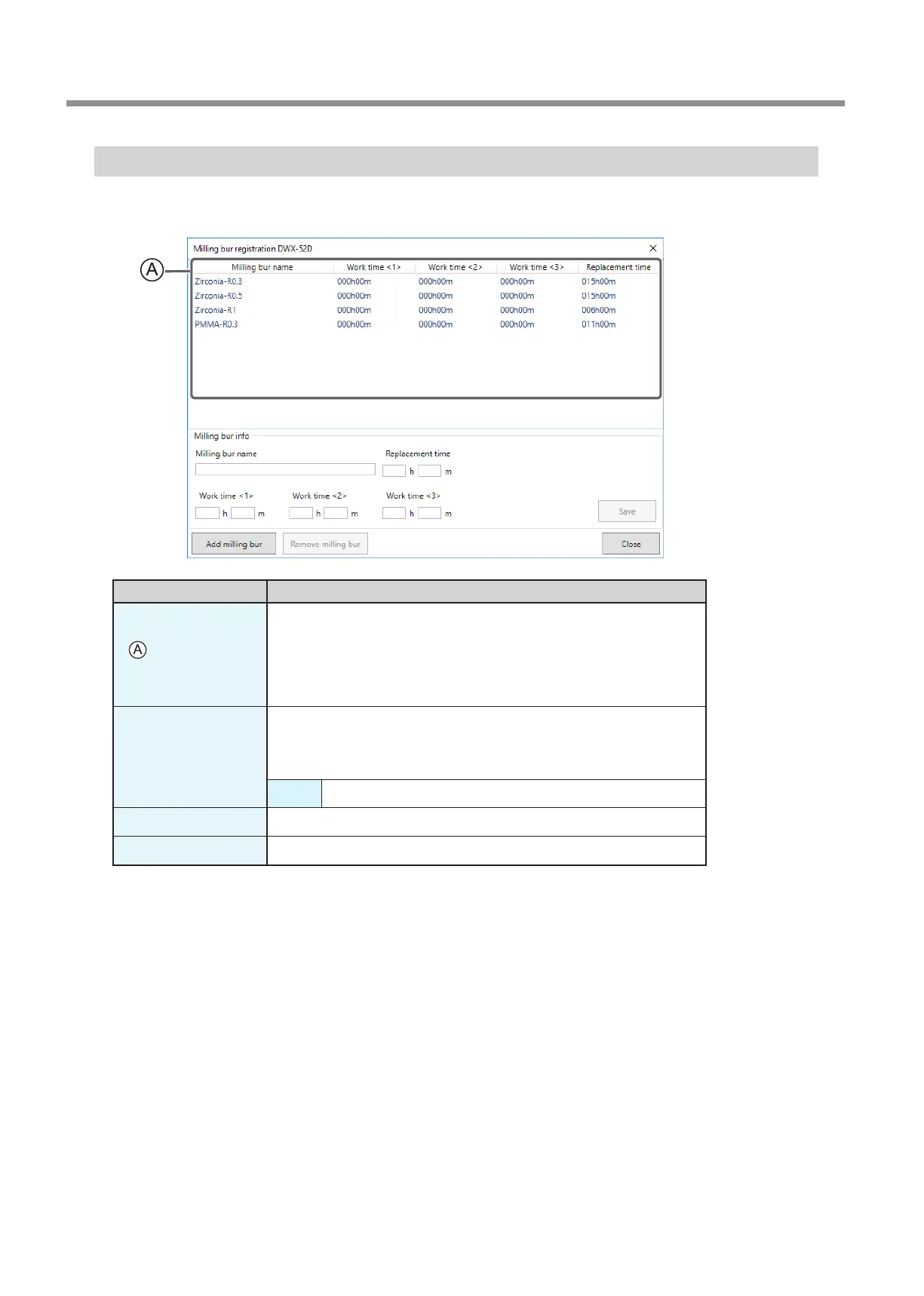
"Milling bur registration" Dialog Box
A milling bur's registration information can be changed in order to change the work time or the replacement time. When more than
one machine is connected, the milling bur for the machine selected in the top window will be the target.
Display Explanation
Displays the names, work times, and replacement times of the registered
milling burs. If you are using the Intelligent Tool Control function, the work
time for the milling bur set as the second milling bur is displayed under Work
time <2> and the work time for the milling bur set as the third milling bur is
displayed under Work time <3>.
" P. 17 "Intelligent Tool Control (ITC) Function Settings"
Milling bur info
Allows the milling bur name, work time, and replacement time of the milling
bur selected in the list to be edited. Because replacement times depend on the
type of milling bur or workpiece as well as the milling conditions, adjust the
replacement time value as necessary.
Save Saves the edited content (the existing content is overwritten).
Add milling bur
Registers additional milling burs. You can register up to 20 milling burs.
Remove milling bur
Removes the milling bur selected in the list.



 To Next Page