VPanel Window and Functions
12
Chapter 1 Operation Screen
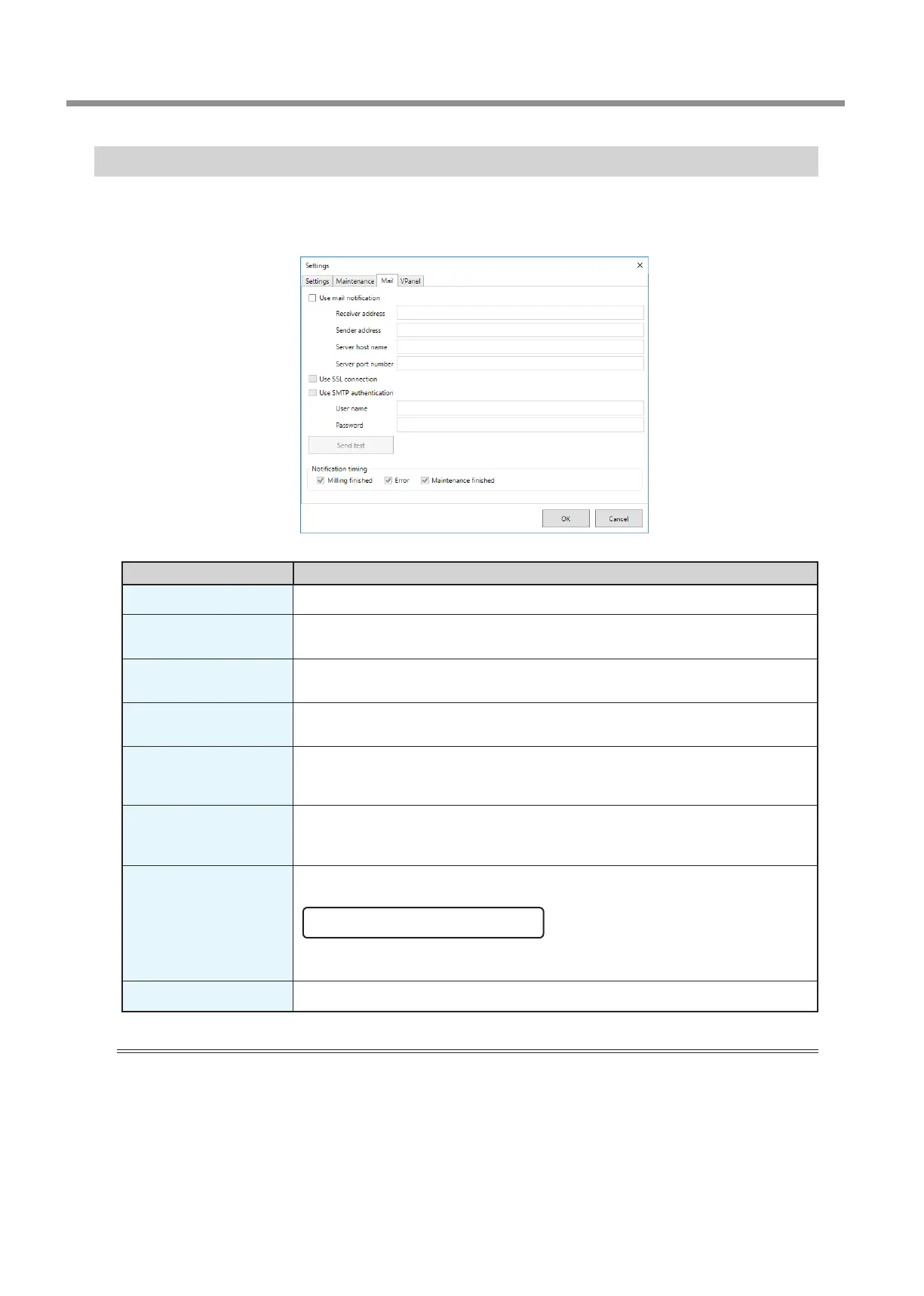
"Mail" Tab
Settings on this tab can be congured so that a notication email is sent when milling nishes, when an error occurs, or when
maintenance is complete. When more than one machine is connected, all of the machines become the targets for the settings.
Select the "Use mail notication" check box to enter each item.
Display Explanation
Receiver address
Enter the receiver's email address. You can enter multiple addresses by separating them with commas.
Sender address
Enter the sender's email address. Enter the email address being used on the computer on
which VPanel is installed.
Server host name
Enter the name of the outgoing mail server (SMTP server name) for the email address entered
for the sender’s address.
Server port number
Enter the port number of the outgoing mail server for the email address entered for the
sender’s address.
Use SSL connection
Select this check box to use a security-protected connection (SSL). Select or clear this check
box according to the settings of the outgoing mail server for the email address entered for the
sender’s address.
Use SMTP
authentication
User name / Password
Select this check box to perform authentication before sending emails. Input the user name
and password for authentication. Select or clear this check box according to the settings of the
outgoing mail server for the email address entered for the sender’s address.
Send test
Click [Send test] to send a test email. If the following email is received at the address specied
with "Receiver address," the conguration of the settings is complete.
Subject: <Machine name> Body: Test
If the sending of the email fails, the message "The email could not be sent." will be displayed.
Check the content in the input elds again.
Notication timing
Notication emails will be sent for the items whose check boxes are selected.
Important
* It may be impossible to send emails because of the settings of software such as security software. If emails cannot be sent, check
the settings of the security software being used as anti-virus software or for a similar purpose.
* For detailed information about the email settings, consult your network administrator.
* VPanel does not support SMTP over SSL (SMTPs).



 To Next Page