Installation Problems
74
Chapter 4 Troubleshooting
Follow the on‑screen instructions to proceed with the installation.
When the installation nishes, click on the setup menu, and then remove the DGSHAPE Software
Package CD.
Turn on the power to the machine.
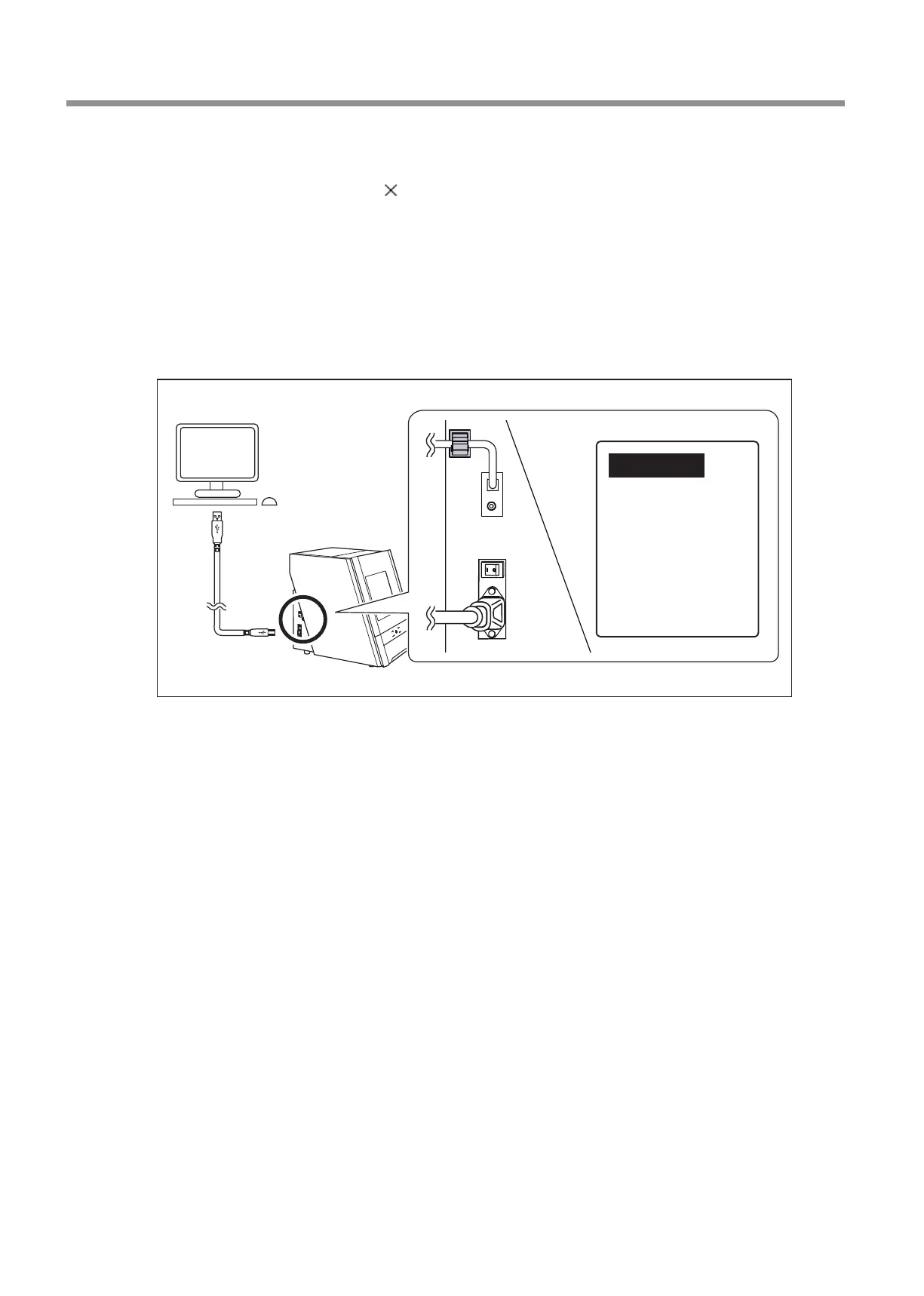
Connect the machine to the computer using the USB cable.
If connecting more than one unit of this machine to a single computer, see the "Setup Guide" ("Connecting Multiple Units").
Use the included USB cable.
Do not use a USB hub. Connection may not be possible.
Secure the USB cable with a cable clamp.
The driver will be installed automatically.
IMPORTANT!
Do not bind the power
cord with the cable
clamp.
Binding the USB cable
and the power cord
may produce noise or
the like, resulting in a
malfunction.



 To Next Page