28
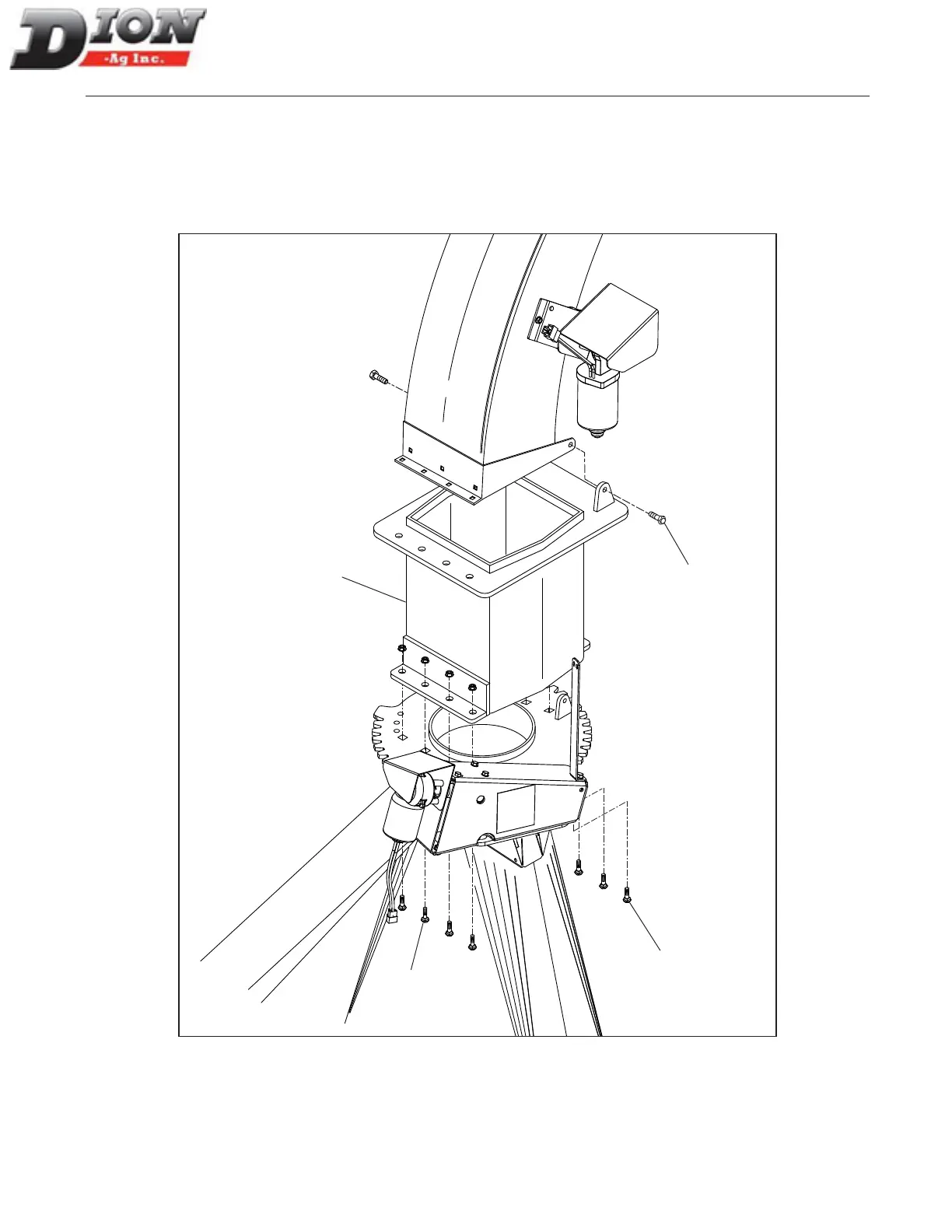
INSTALLING THE 12” (30cm) SPOUT EXTENSION
(F41 MODEL ONLY) FIGURE 12
1. Remove the two hinge bolts (item 3);
2. Remove all seven carriage bolts (item 2);
3. Install the 12” (30cm) extension (item 1) with the
same seven 1/2” X 1 1/4” lg carriage bolts (item 2);
NOTE: The spout and the extension rotate together
when the spout assembly is rotating.
ASSEMBLING INSTRUCTIONS
2
2
3
1
Figure 12 Installation of the 12” (30cm) spout extension
Manual No. F4117E987E V1.1



 To Next Page