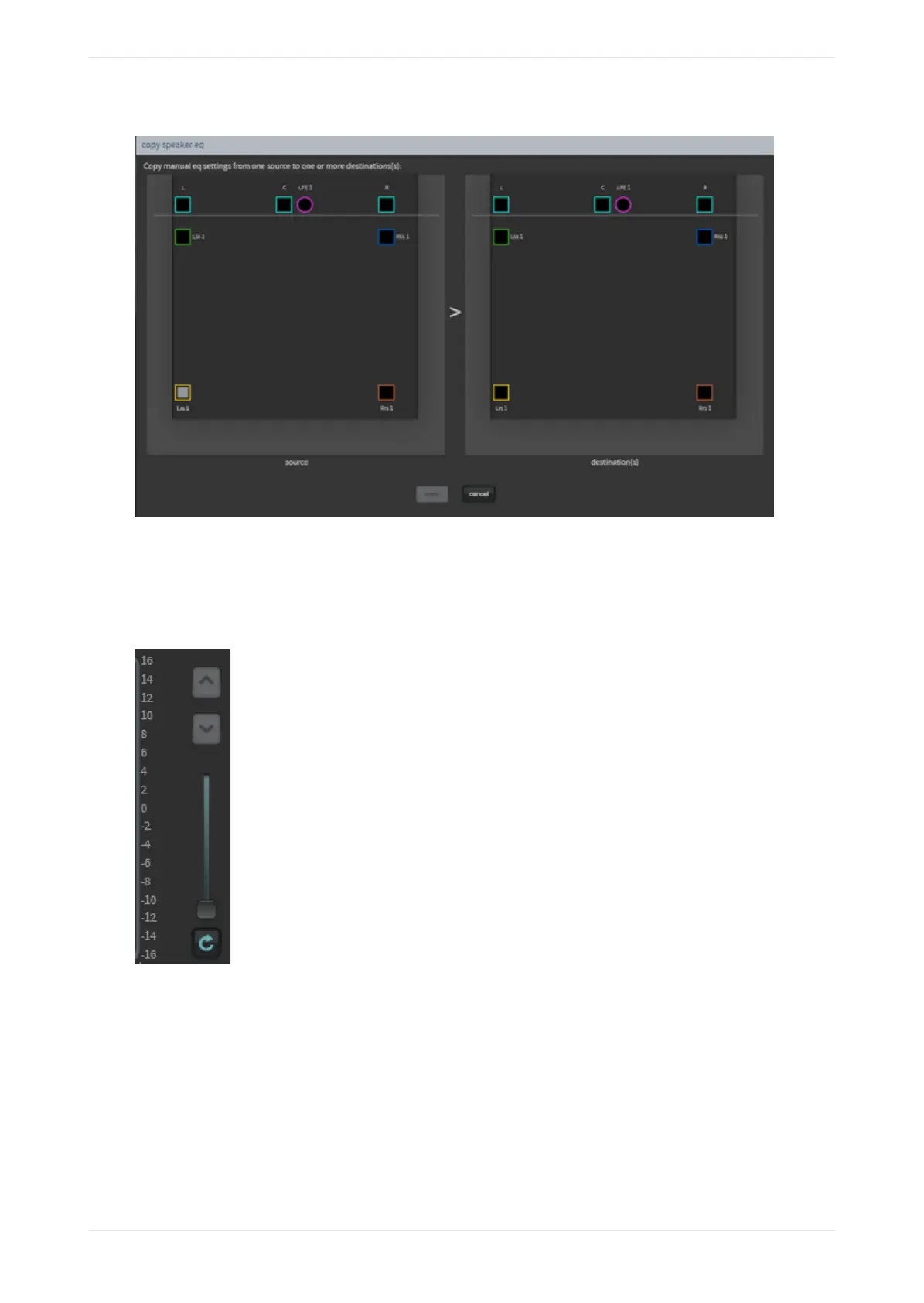
Figure 73: Manual speaker EQ
Real-time analyzer EQ display slider
Drag the slider or click the up and down arrow buttons (shown in the following figure) to zoom in on areas of
the real-time analyzer EQ display.
Figure 74: Real-Time Analyzer EQ display slider
Graphic equalizer
Click on the graphic eq button, as shown in the following figure, and drag each slider to adjust the gain
throughout the range of frequencies, as shown on the real-time analyzer EQ display. This is the standard one-
third octave EQ. Click the flatten button to flatten the curve.
Working with the web client user interface
Dolby Cinema Processor CP950 and Dolby Atmos Cinema Processor CP950A Manual 60
Issue 9 Part Number 8800298 19 January 2022



 To Next Page