DuraLabel.com | 800.788.5572
13.11 Barcode | 33
LABEL-EDITING FUNCTION KEYS
The Time/Date stamp updates only when a new unique label is being printed; when
multiple copies of labels are being printed, the copies will have the same Time/Date
stamp.
For more information about printing, see the Print function key section.
13.11 Barcode
The barcode creation menu gives you several barcode formatting options. Not all options
will be available on all barcode types.
The barcode menu items and their functions are as follows:
Code lets you choose from 9 barcode types: CODE39, CODE128, 125, EAN8, EAN13,
EAN128, UPC-A, UPC-E, and CODABAR.
NOTE: Some barcode types require specic data formatting, or a specic number of
digits. If the data entered does not match the necessary format, Lobo will attempt to
create a valid barcode by adjusting the data. Always check your barcodes for accuracy.
Human Readable shows (ON) or does not show (OFF) a copy of the barcode’s content
in human-readable characters. For smaller labels where space is limited, you may need
to turn off human-readable text so that the barcode is larger and can be more easily
scanned.
Justification gives three justification options for the human-readable barcode
characters: Left, Center or Right.
Position gives two options for where the human-readable characters are positioned: at
the Top or Bottom of the barcode.
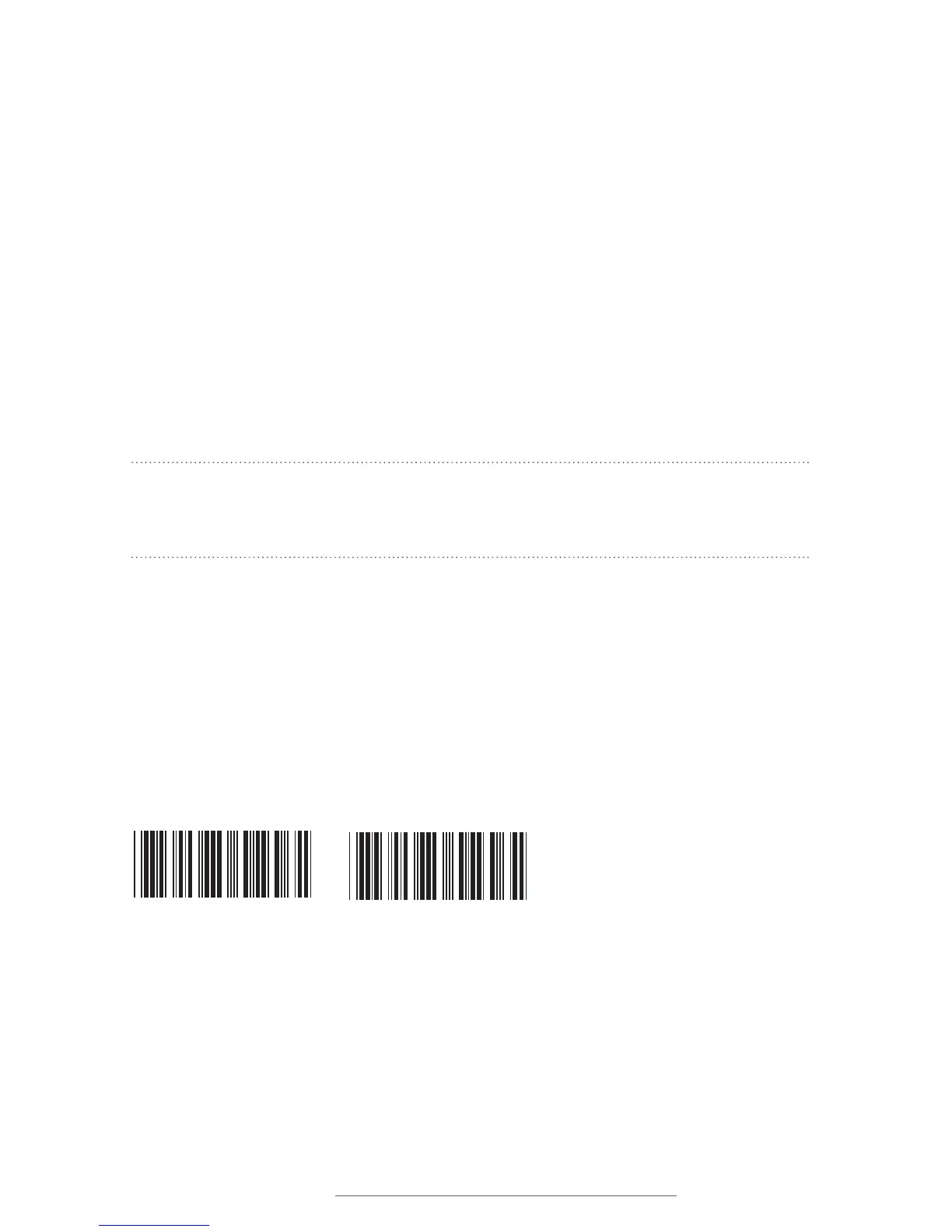
12345
12345
Left: Barcode with left-justied, bottom-positioned human-readable characters.
Right: Barcode with center-justied, top-positioned human-readable characters.



 To Next Page