46 | 15.1 Cutter
DuraLabel.com | 800.788.5572
15. Cleaning Instructions
For all cleaning procedures, follow these steps first:
1. Power off the Lobo printer. Remove battery if installed. Disconnect printer from
power source.
2. Remove cartridge from Lobo printer.
3. To clean, place a cleaning swab between your forefinger and thumb and squeeze
until it snaps. Alcohol will be distributed to the cotton side of the swab. Rub the
swab on the areas indicated on the following components.
4. Always allow 1-2 minutes for the component to dry before reconnecting power and
operating the printer.
15.1 Cutter
CAUTION: The cutter blade is very sharp. Do not place your ngers in the cutter.
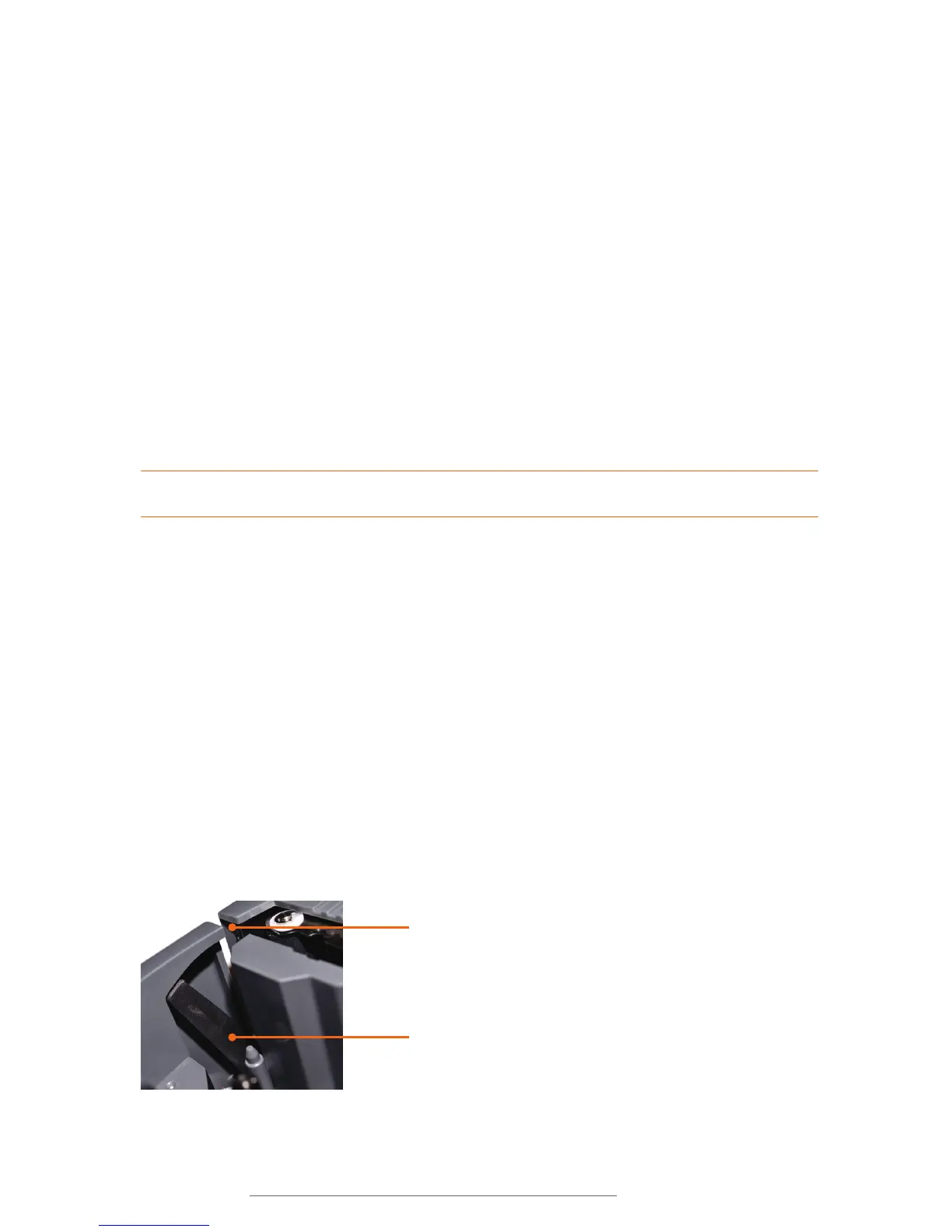
• Locate the cutter mechanism at the left of the cartridge bay. The moving portion of
this mechanism is a scissor-like blade, visible when looking at the left wall of the
cartridge bay.
• Rub the swab along the flat and sharp surfaces of the blade. Try to remove any
build-up present.
• Locate the cutter shear bar. This is another metal part, located to the left of the
platen roller when facing the printer straight on. Clean this part using the cleaning
swabs in the same fashion as the scissor blade. Swab the face, corners, and two
sides of this part.
• Check the label exit chute for buildup. If necessary, clean this portion of the plastic
housing in the same manner.
Shear bar
Scissor blade



 To Next Page