DuraLabel.com | 800.788.5572
16.14 Error message: Supply Out | 53
TROUBLESHOOTING
16.13 Error message: Printer Not Ready, Please Secure
Cartridge Lock
If the display screen reads:
Lock Open
Printer Not Ready
Please Secure Cartridge Lock
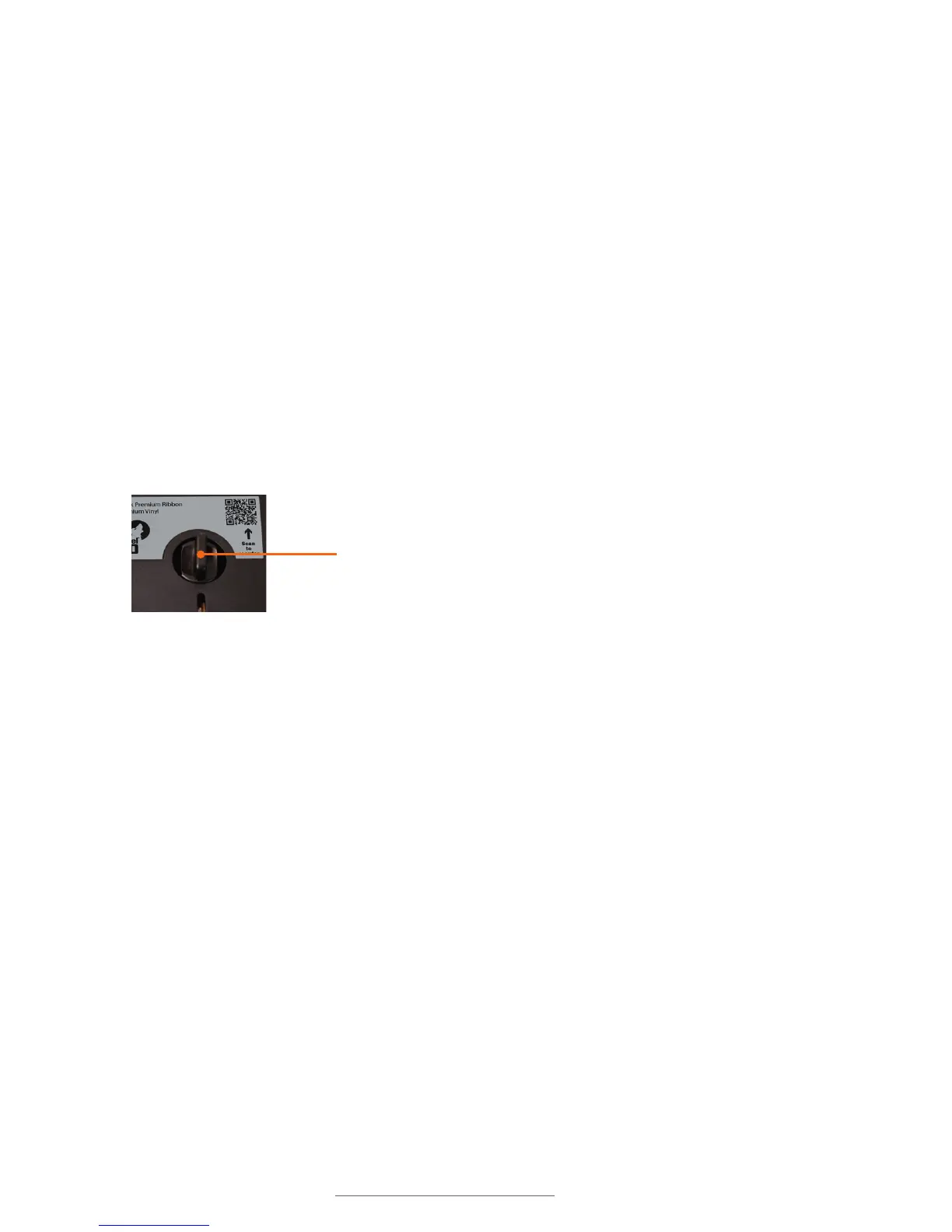
This means that the Lobo is not sensing that the print cartridge is locked. Make sure
the print cartridge is flush with the top of the Lobo and that the Cartridge Lock is turned
clockwise a quarter-rotation so that it locks in place. When locked, the Cartridge Lock
should be in the position shown above.
If the Cartridge Lock is in the locked position and the error is still displayed, there may
be a problem with the Lobo sensing that it is locked. Try unlocking and locking the
cartridge again.
16.14 Error message: Supply Out
If the display screen reads:
Supply Out – Insert or Replace
Cartridge
Press ESC to Clear Error
This means that the Lobo print cartridge is empty and needs to be replaced with a new
cartridge.
Once a new cartridge is loaded and locked, press Esc to clear the error message.
Locked position



 To Next Page