50 | 16.4 Canceling a Print Job
DuraLabel.com | 800.788.5572
TROUBLESHOOTING
16.4 Canceling a Print Job
The only way to stop a label that is being printed is to turn off the Lobo. Unfortunately,
any unsaved label information will be lost.
16.5 Label Doesn’t Feed When Print is Attempted
If you have attempted to print a label and you can hear the cartridge advancing but no
label comes out, it means that the label supply reel isn’t able to advance. This is usually
because the label supply has slipped too far back and cannot be grabbed by the platen
roller.
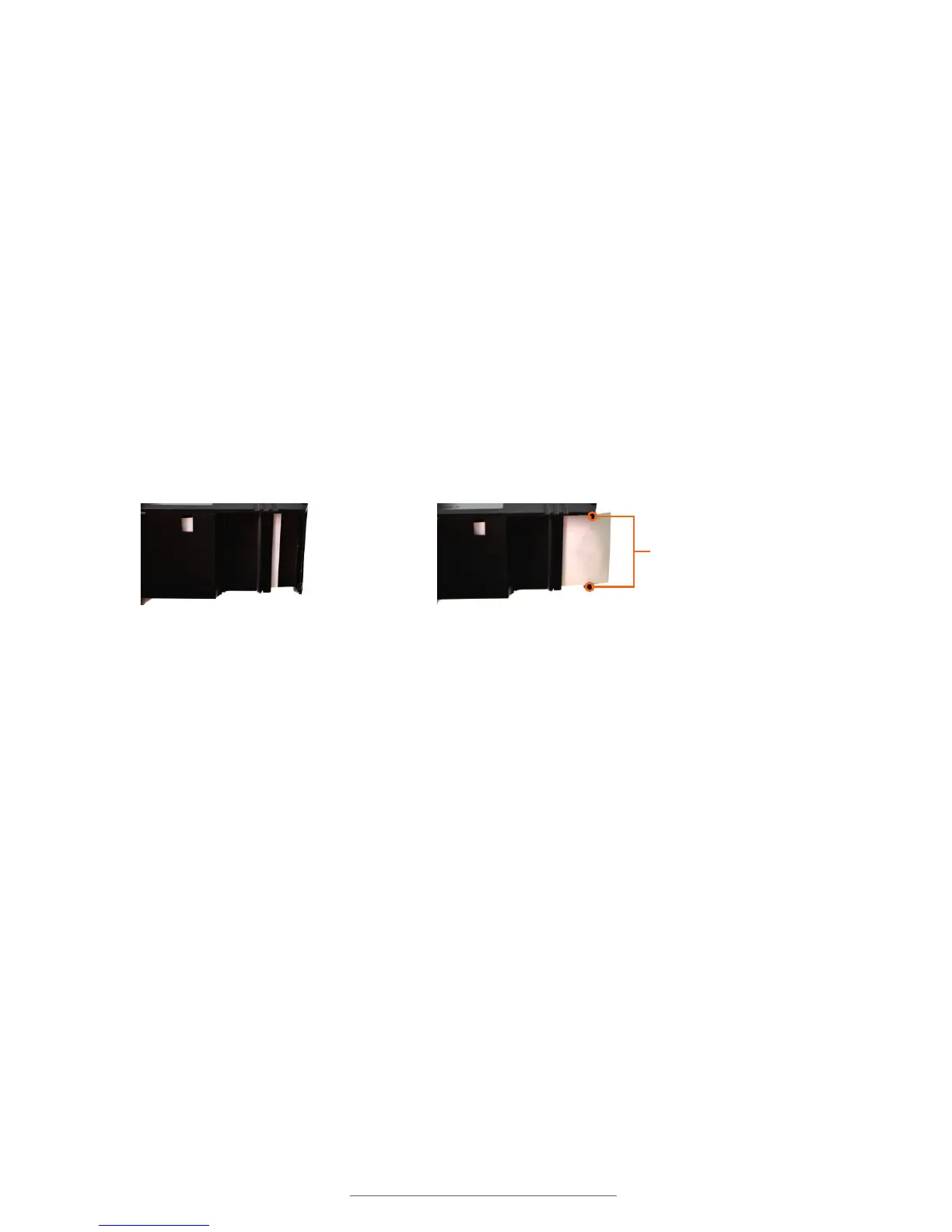
To fix this, remove the print cartridge and see where the label supply is positioned. If
it is too far back, it needs to be pulled forward at least a half-inch past the edge of the
cartridge. Also make sure that the label supply is positioned underneath the cartridge’s
two side guides. (See image right for reference.)
After fixing the label supply position, return the cartridge to the Lobo and lock it.
16.6 Label Print is Not Lined Up Correctly
A label’s print can occasionally come out lined up incorrectly. When this happens, it
will usually be because a new print cartridge’s tape is off-center. To fix this, remove the
cartridge and check to make sure that the tape is aligned correctly between its top and
bottom guides.
16.7 SD Card Isn’t Working
For the Lobo to read an SD card, the card must be read by the Lobo when it is powered
on. If there is no SD card in the card slot when the Lobo is turned on, you will not be
able to read from or save to the card.
If you are working on a label and want to save to an SD card that the Lobo is not reading,
save your label to the Lobo’s internal drive, turn off the Lobo, insert the SD card and turn
the Lobo back on. You will now be able to save to the SD card from the internal drive.
If the label supply is too far
back, it cannot be printed.
The label supply should overlap the
cartridge edge and go under the guides.
Supply guides



 To Next Page