34 | 13.12 Sequence
DuraLabel.com | 800.788.5572
LABEL-EDITING FUNCTION KEYS
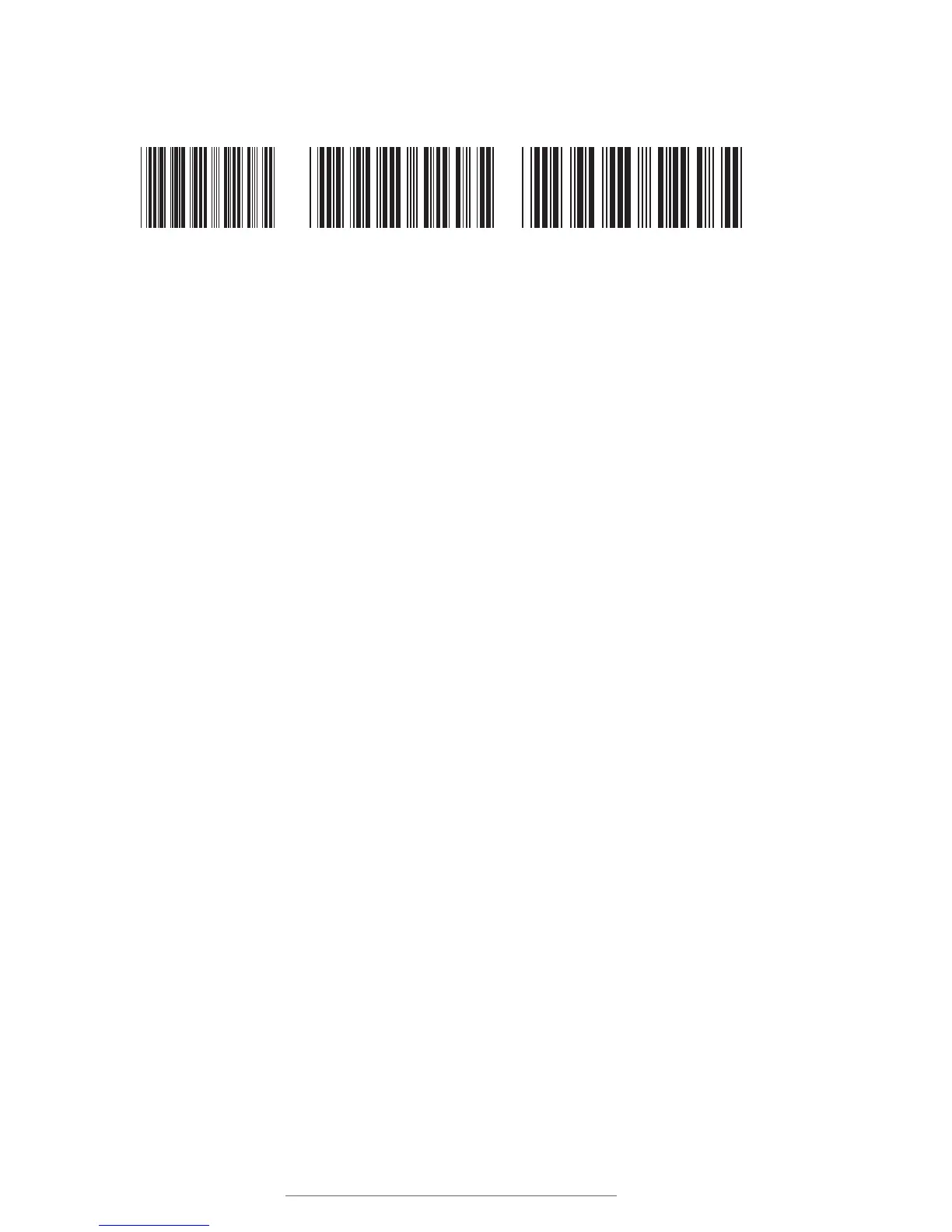
Density lets you adjust the horizontal density (and, therefore, the horizontal size) of the
barcode. The three options are Small, Medium and Large.
Ratio lets you change the ratio of the wide bars to the thinnest bars. The two ratio
options are 2:1 and 3:1, with 3:1 being the default value. A barcode with a ratio of 2:1
has thick bars that are two times the width of the thinnest bars. A ratio of 3:1 means
that the thick bars are three times the width of the thinnest bars.
Check Digit lets you turn the automatically-calculated barcode check digit on or off.
Sequence allows you to use the sequence function for a barcode. Barcodes using the
sequence function can accept a maximum of 13 characters. For more information on
sequencing, see the Sequence description in the next section.
Entering the barcode value: When you have set barcode options, press Enter and you
will be prompted to input the barcode value. If Sequence has been turned on, you will
be walked through a series of sequence data input screens.
13.12 Sequence
A sequence is an item on the label that changes automatically after every print, either
increasing or decreasing. When designing a label, you can add a sequence as its own
field (using the Sequence key) or as part of a barcode (using the Barcode tools).
A sequence has a maximum of 13 characters. In addition to numbers, letters can also
be used in sequence data. As long as the sequence ends with numerals those will be
the numbers that are treated as sequenced data. For example, the sequence 10AB001
would be followed by 10AB002 and then 10AB003.
To add a fixed suffix to a sequence, create a sequence without the suffix and then add a
text field directly after the sequence that contains the suffix text.
12345
12345
12345
Labels with small, medium and large Density settings.
10AB01 10AB02 10AB03
The last numeric string in a sequence will be the numbers that are treated as a sequence.



 To Next Page