Kraftformer KF 170 PD
2018-05-09 | ECKOLD AG 38
Both the selection of the correct set of punch and die and the ram position decide on the quality of the joint.
Once punch and die are selected and mounted, the correct ram position meeting the material quality and the
pairing of sheet metal layers is determined by testing.
For more information regarding the Clinching parameters, please refer to "Clinching Manual" (as accessory
or under www.eckold.com)
7.8 Setting of best ram position for the clinching
1
1st step
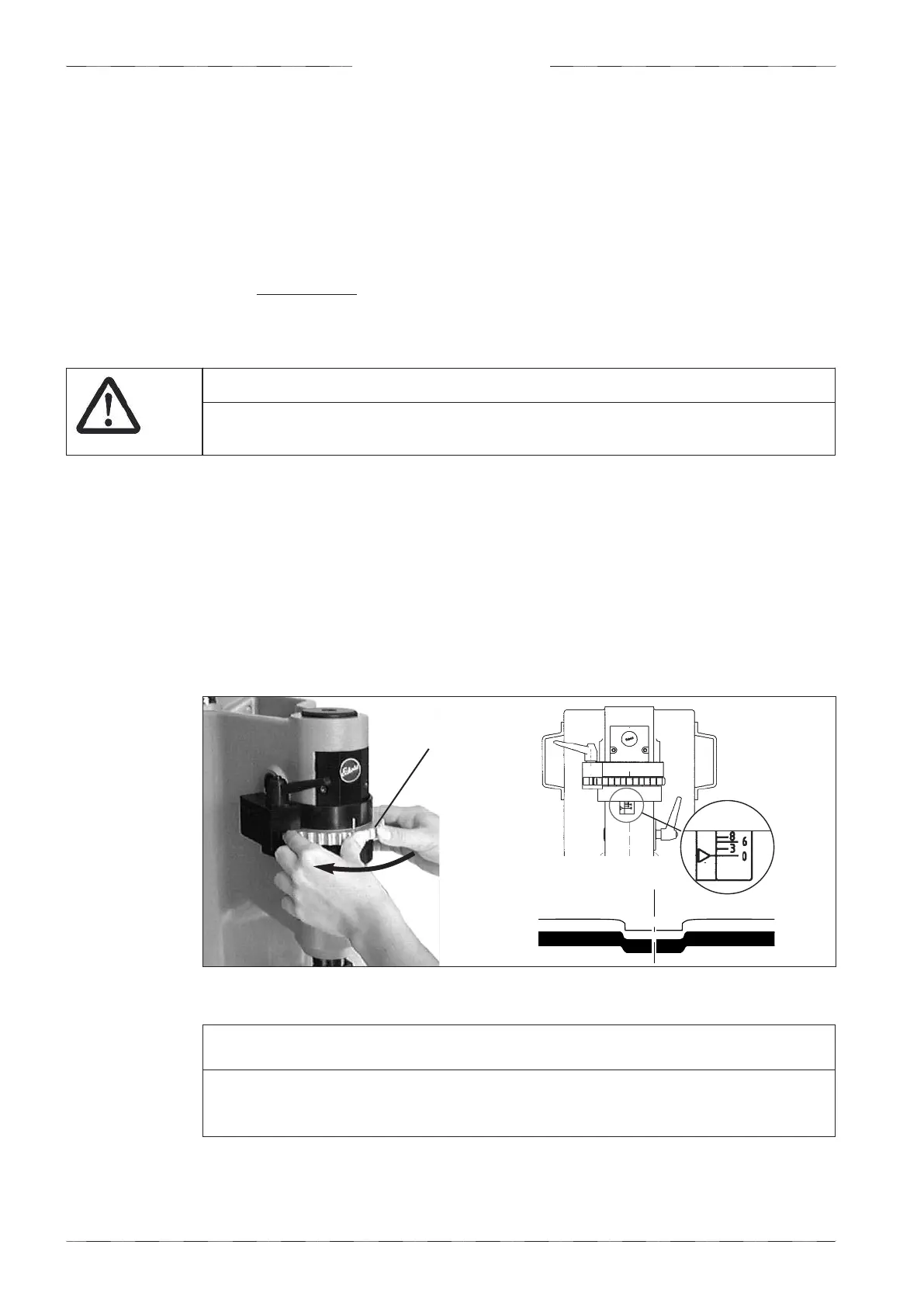
• Turn the handwheel (1) clockwise all the way to scale setting “0” (ram all the way up).
• Insert your material and release one working stroke.
• As a result a first forming of a joining point is developing (more with thicker material, less
or none with thin gauges).
ATTENTION
Do not try the tool without material because this may breake punches and dies.
iIMPORTANT
We strongly recommend to preceed STEP by STEP, beginning from ZERO position.
This way you avoid OVER-LOADING and DAMAGE to punch and die and to the tool.
Pic. 7.8 a - Setting of ram position for the clinching - 1st step
Operation


 To Next Page