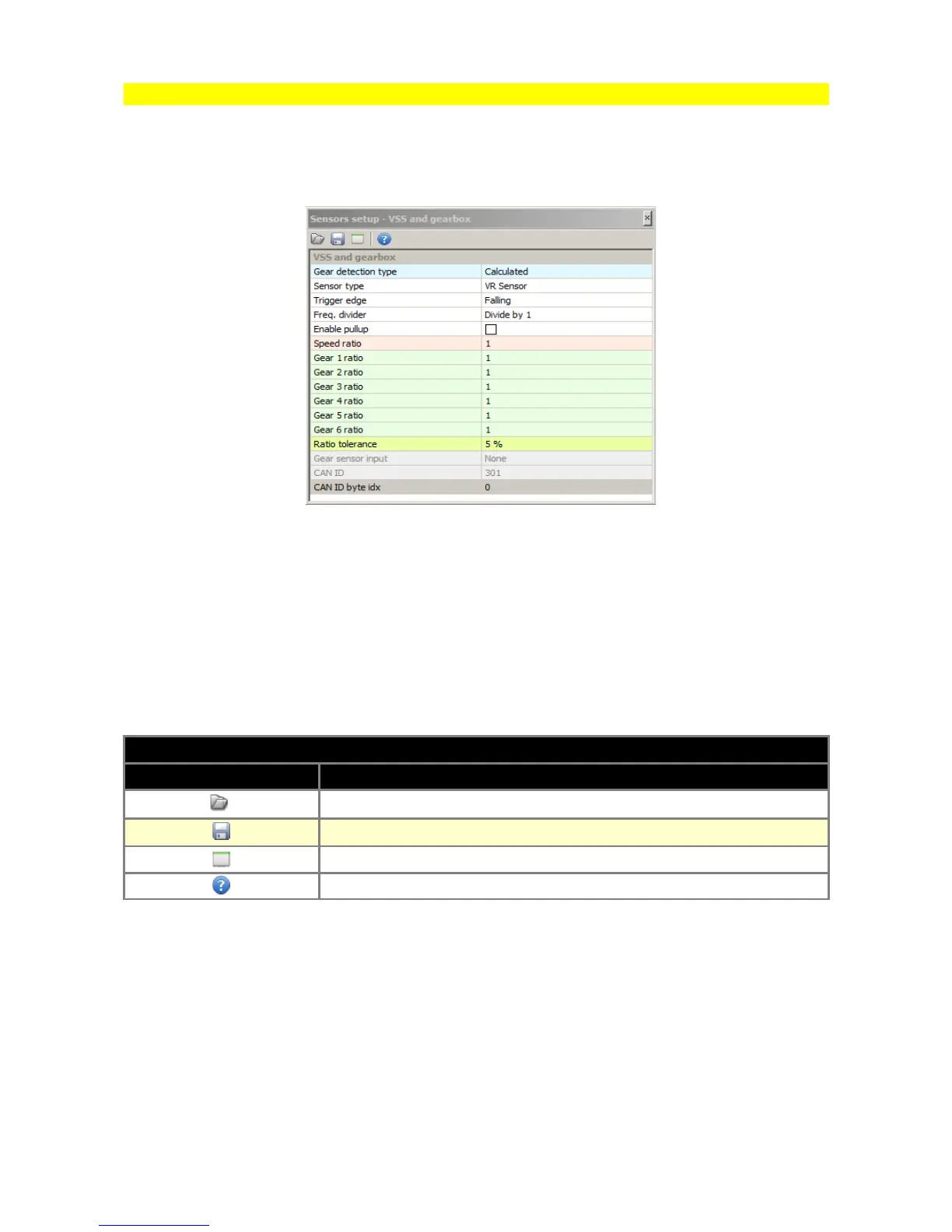
Paramblock (parameters’ block)
It is a table, in which there are included particular options connected with the configuration of EMU
functions. Because of this, it is possible to set all parameters required for the configuration of the
given function.
Paramblock always has two columns, while the number of lines may vary from the example
indicated above, depending on the configured device function. In cells of the left column there are
descriptions of particular options, while in the right column there are its values. After clicking on the
cell in the right column we get a chance to modify its content – this can either be a selection from
the list, "on-off" option or simply a place to enter the value.
On the toolbar of this window there are 3 icons described below:
ICONS DESCRIPTION
ICON DESCRIPTION
Open the file with the configuration of the given parameters’ block
Save the file with the configuration of the given parameters’ block
Restore default values of the given parameters’ block
Help window
Saving particular parameters’ blocks is useful during the exchange of configuration with other
users or to create the base of settings (e.g., configuration of various ignition systems).
Page 20


 To Next Page