Table 2D
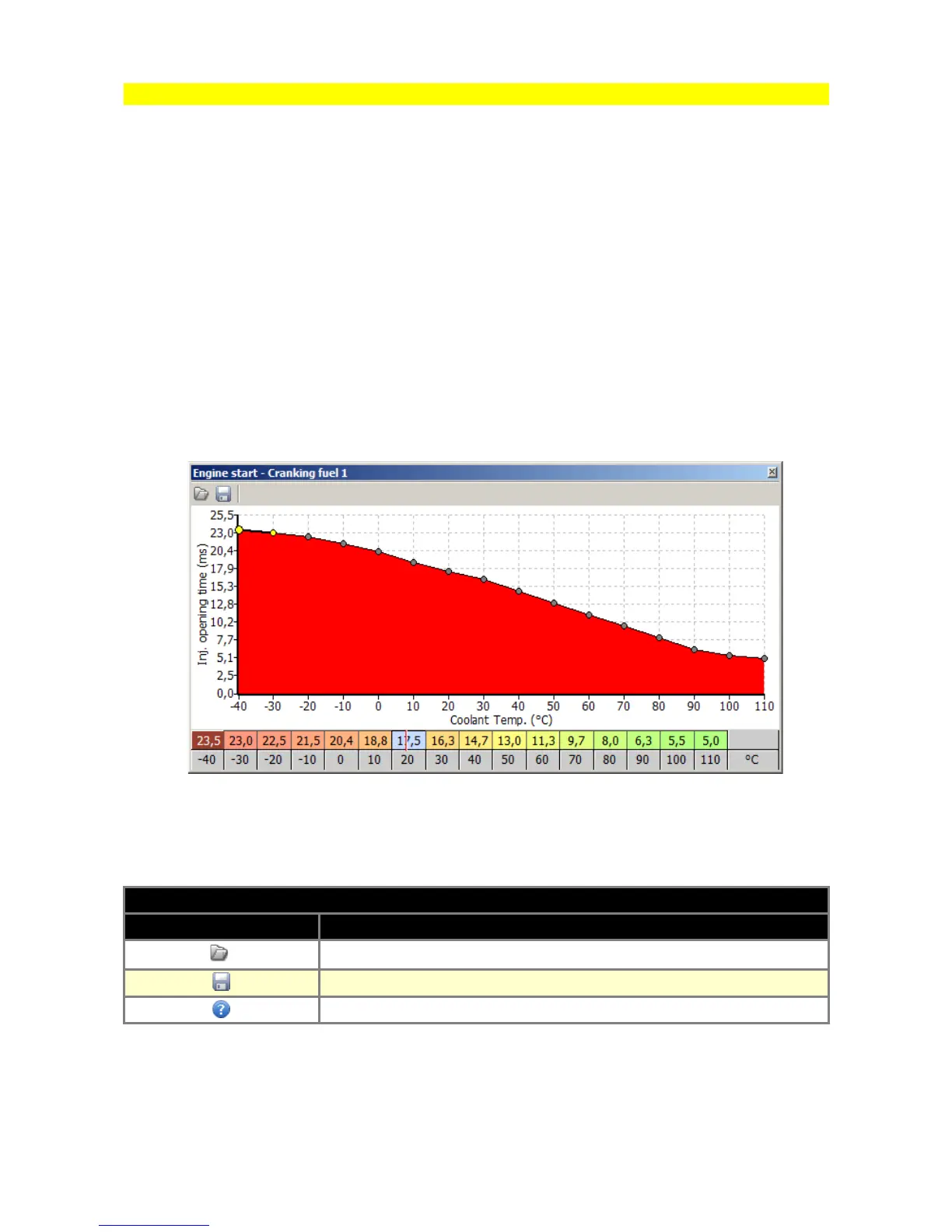
2D tables are used for representing 2 dimensional non-linear functions in an easy to use graphical
form. The values corresponding to the graph are located in the table below it. Any of the cell values
may be modified. The values from the upper row correspond to the vertical axis on the graph, and
values in the lower row correspond to the horizontal axis (bins). In order to change a cell value,
highlight the cell to be modified and then enter the desired value. You can also change the value of
cells using the + and - keys. To make a smaller alteration press the ALT key, and to make a larger
alteration press SHIFT.
To interpolate between table cells, use the context menu (right click on the table area).
In the case of 2D tables only Horizontal interpolation is available. Arithmetic operators may be used
on the selected cells by entering value followed by an arithmetic operator. For example to add a
value of 5 to the selected cells, you should enter 5+. To scale down all the selected cells by 50%,
you should enter 0.5*.
To save or load a 2D table, use the appropriate disk icon on the toolbar. To load a table from an
existing project, change the file extension mask to *.emu in the open dialogue window.
ICONS DESCRIPTION
ICON DESCRIPTION
Open current 2D table from disc
Save current 2D table to disc
Help window
Page 21



 To Next Page