3-26
4200 SIDE SCAN SONAR SYSTEM USER HARDWARE MANUAL 0004842_REV_N
1. With the survey vessel underway at up to two knots, slowly and carefully lower the tow vehicle
into the water, well away from the propeller. However, if practical, the survey vessel should be
put into neutral. Do not let the tow vehicle strike the hull of the survey vessel.
2. Lower the tow vehicle to a depth of about three meters, or just below the propeller wash.
3. Click the Towfish Control tab and select the range for each frequency. This tab is shown in F
IGURE
3-10 for Discover 4200-SP and in FIGURE 3-11 on for Discover 4200-MP.
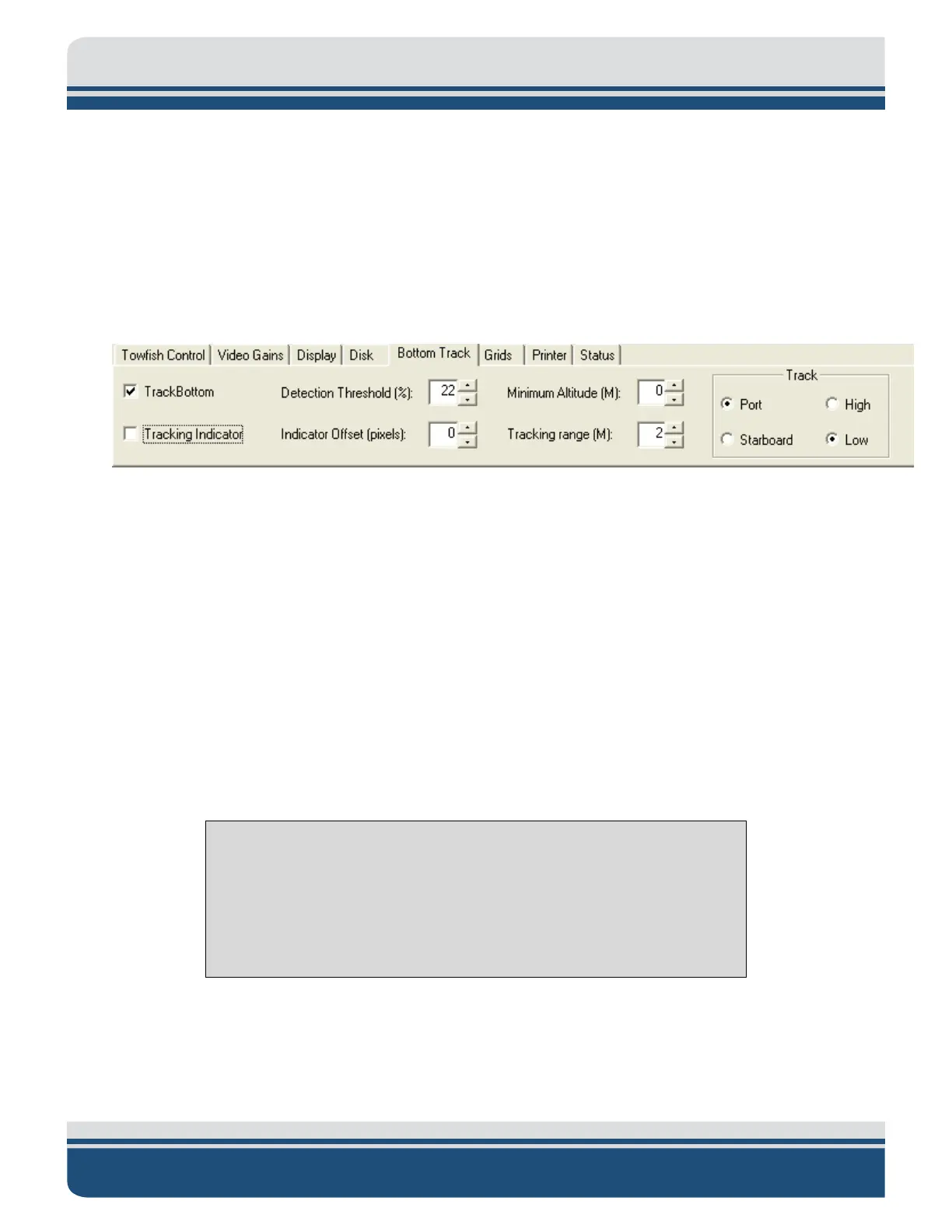
4. Click the Bottom Track tab on the Lower Control panel. This tab is shown in F
IGURE 3-13.
Figure 3-13: Bottom Track Tab
5. On the Bottom Track Tab make the required settings to track the bottom and note the tow vehicle
altitude in the Altitude display. Lower the tow vehicle such that its altitude is 10–15% of the range
selection. Refer to the Discover processor manual for details on the bottom tracking setup.
6. Increase the survey vessel speed to the desired survey speed and adjust the amount of cable out
such that the altitude of the tow vehicle remains at 10–15% of the range selection.
7. If a pressure sensor is installed, verify that the Pressure display indication is correct.
8. Secure the tow cable to the survey vessel.
9. Begin recording data.
3.11 Tow Vehicle Recovery
CAUTION!
The following procedure meant as a general guide. Due to varying
conditions, exact recovery methods will change, and it is up to the end-
user to modify their procedure to match the conditions they are working
under.



 To Next Page