A-5
Oper Status ........ : Startup HShake ...... Statup Progress ..... : 0xa0
AC Mode item ....... : fbm ................. AC Ttr R Offset ..... : 0
AC Pilot Request ... : Enable .............. EC Fdm Mode ......... : FDM
Pwr Mgmt Mode ...... : L2L3NotAllwd ........ Profile ............. : Main
Adv Capability ..... : Annex A
UpstreamBitswap .... : Enable .............. Memory Mode ......... : Disabled
UpstreamLatency .... : - ................... DownstreamLatency ... : -
MaxSNR Margin ...... : Disabled ............ SRA ................. : Disabled
Defaults ........... : G.dmt ............... Logging ............. : Disabled
$_
$exit
Detailed Zoom Modem Setup Guide
The following setup guides for the Zoom ADSL X3 Modem Models 5560A, 5560, and 5654 are provided in
detail.
A.2.1 Adding a Temporary Host IP Address
To add a temporary host IP address:
1. From the Control Panel, select Network and Internet Connections and then choose Network
Connections.
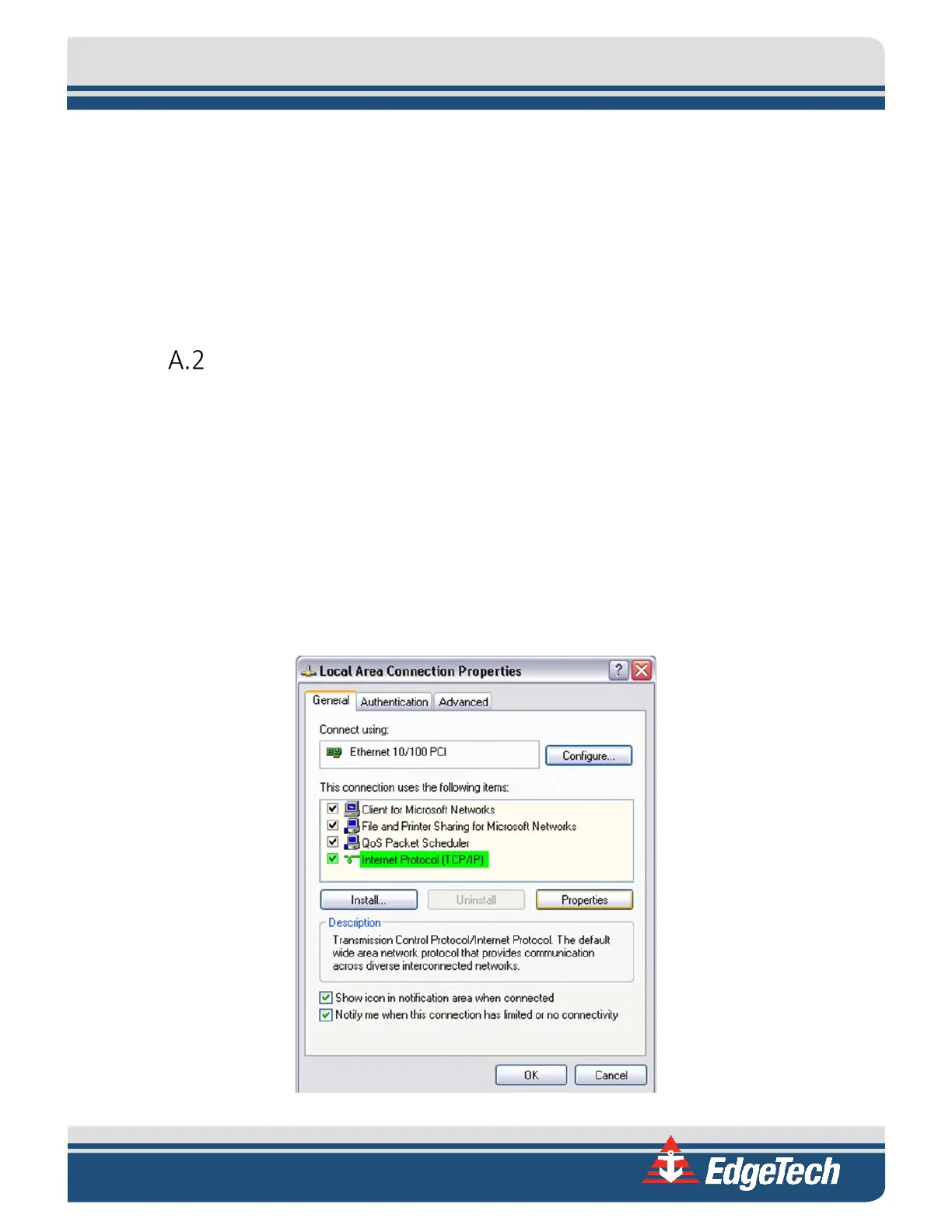
2. Right-click Local Area Connection, and then choose Properties.
The Local Area Connection Properties dialog box opens:
Figure A-1:



 To Next Page