12 TP-00347-01
Chapter 1: Introduction
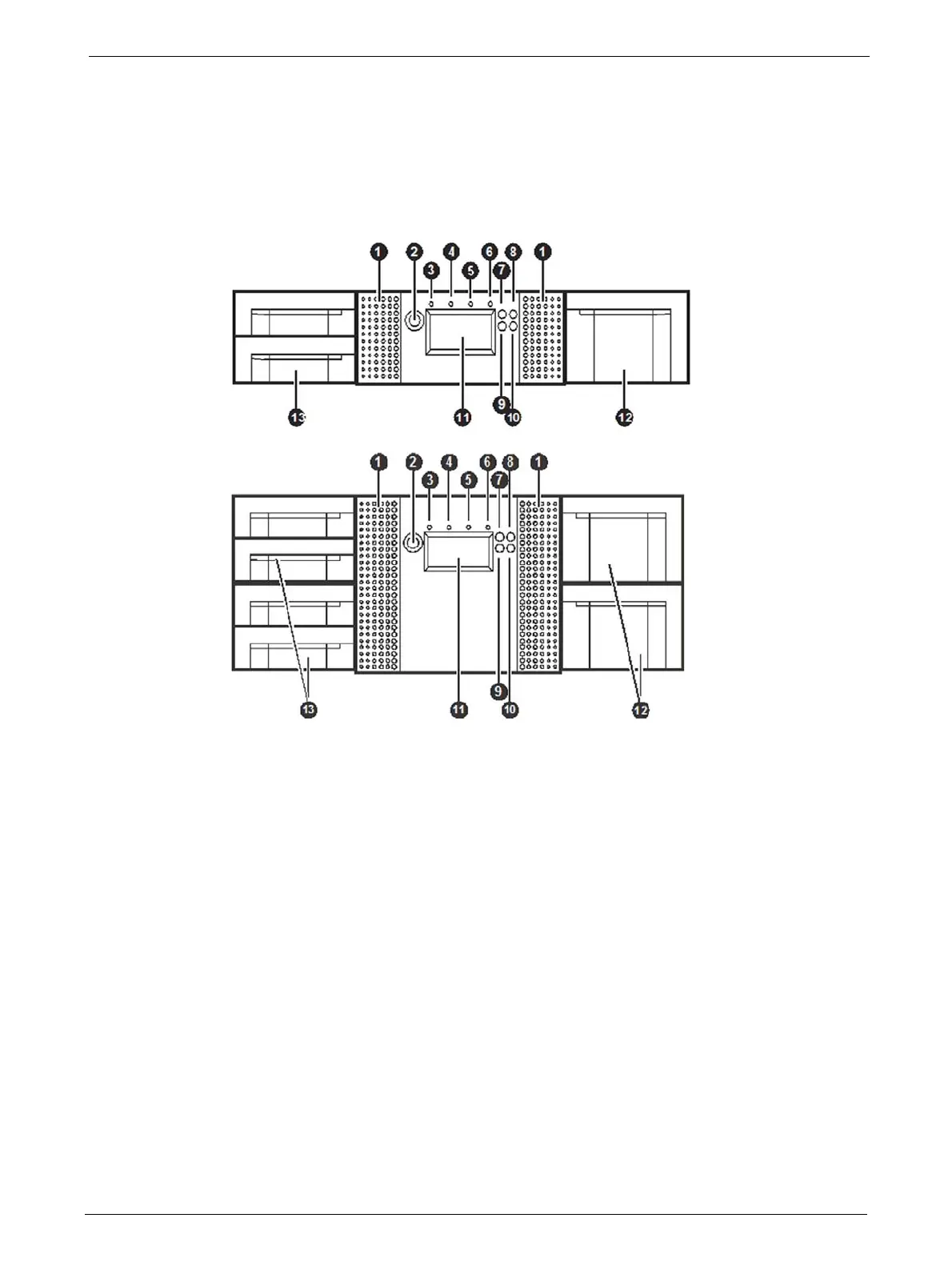
Controls and Indicators
Front Panel
1. Air vents
2. Power button: Pressing the button will initiate a controlled power down of the library (soft
pow
er down)
3. LED <READY> (green): is illuminated during power on
; blinking during tape or library media
changer activity.
4. LED <CLEAN> (amber): is illuminated when the tape drive has determined that a cleaning
tape sh
ould be used. Cleaning is only necessary when the library directs to do so. Additional
cleaning is not necessary.
5. LED <ATTENTION> (amber): is illuminated when th
e library has detected a condition that
requires attention by the operator.
6. LED <ERROR> (amber): is illuminated wh
en an unrecoverable tape drive or library error
occurs. A corresponding error message is shown on the LCD screen.
7. <UP> button [▲]: is used to na
vigate backward through menu items.
8.
<CANCEL> button [
X]: is used to cancel a user action and return to the last menu item.
9. <DOWN> button [►]: is used t
o navigate forward through menu items.
10. <ENTER> button [ ]: is used to enter to a sub menu or execute an action.
11 Operator control panel (OCP) consisting of a 128
x
64 pixel screen. The OCP displays actions
and status information, menu items or error messages relevant to the operational mode.
12 Right magazine(s)
13 Left magazine with mailslot(s)



 To Next Page