46 TP-00347-01
Chapter 4: Operation
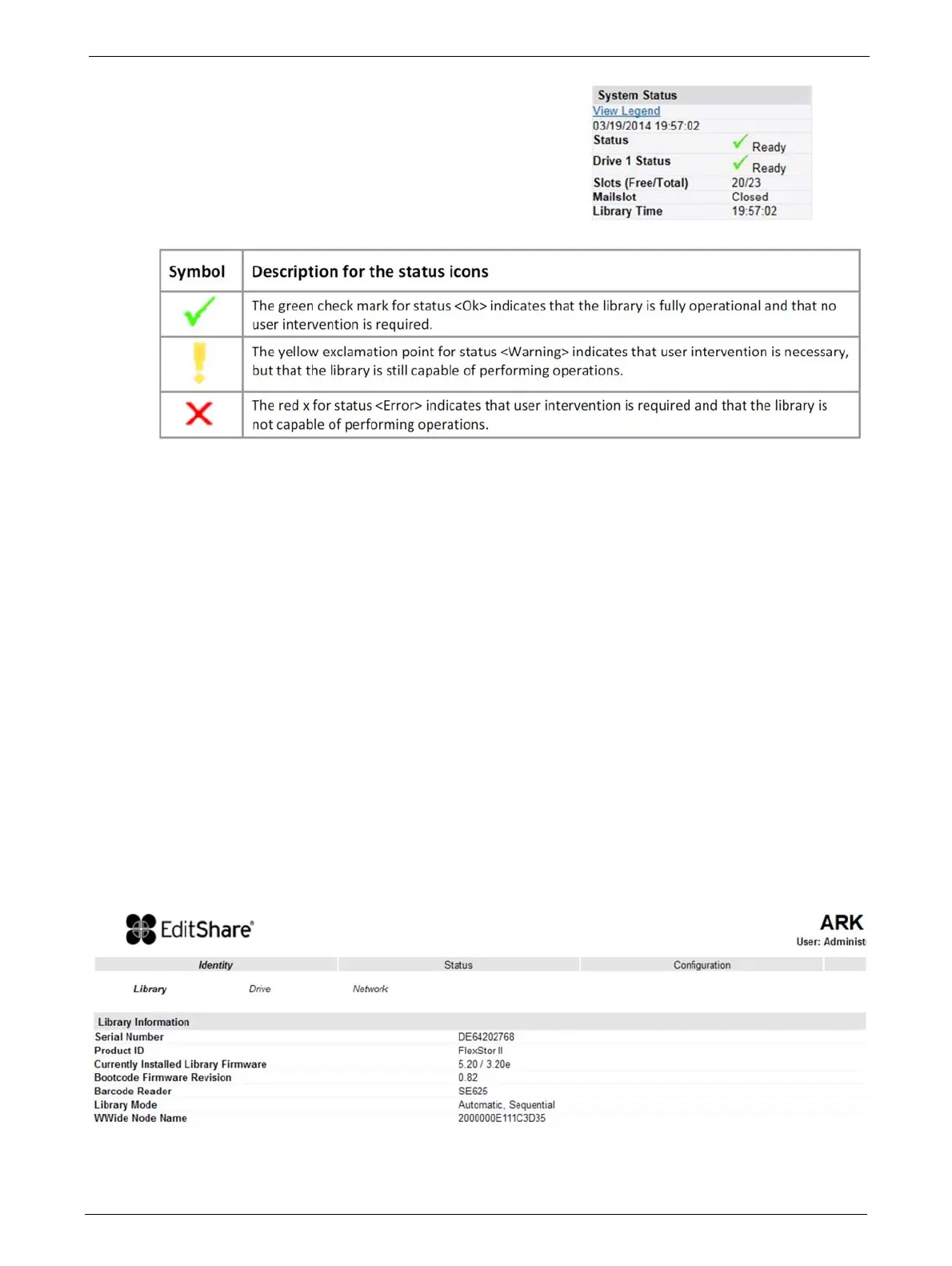
At the right side of every screen, a summary of the
system status is displayed and continually updated:
The status icons that may be displayed are as
follows:
The information displayed is as follows:
Identity
Viewing Static Library Identity
This page provides access to the static information about the system. No changes can be made
from this page.
Date/Time
Status: Overall library status
Drive Status: Individual drive status (there will be one entry for each installed drive).
Slots (Free/Total): Total library slot capacity
Mailslot: Open/Closed
Library Time: Time stamp displayed in 24 hour format
Auto Clean Status: If Auto Clean Option is configured, its status displays here



 To Next Page