TP-00347-01 27
Cable Connections
1. Plug the female connector of the power cord into the power connector (AC connector) on
the rear panel of the power supply.
• For 24Q power supplies, refer to the diagram "24Q Library" on page 14.
• For 48Q power supplies, refer to the diagram "48Q Library" on page 14.
2. Plug the male connector into an appropriate electrical socket.
Connecting Fibre Channel Cables
To connect the fibre channels:
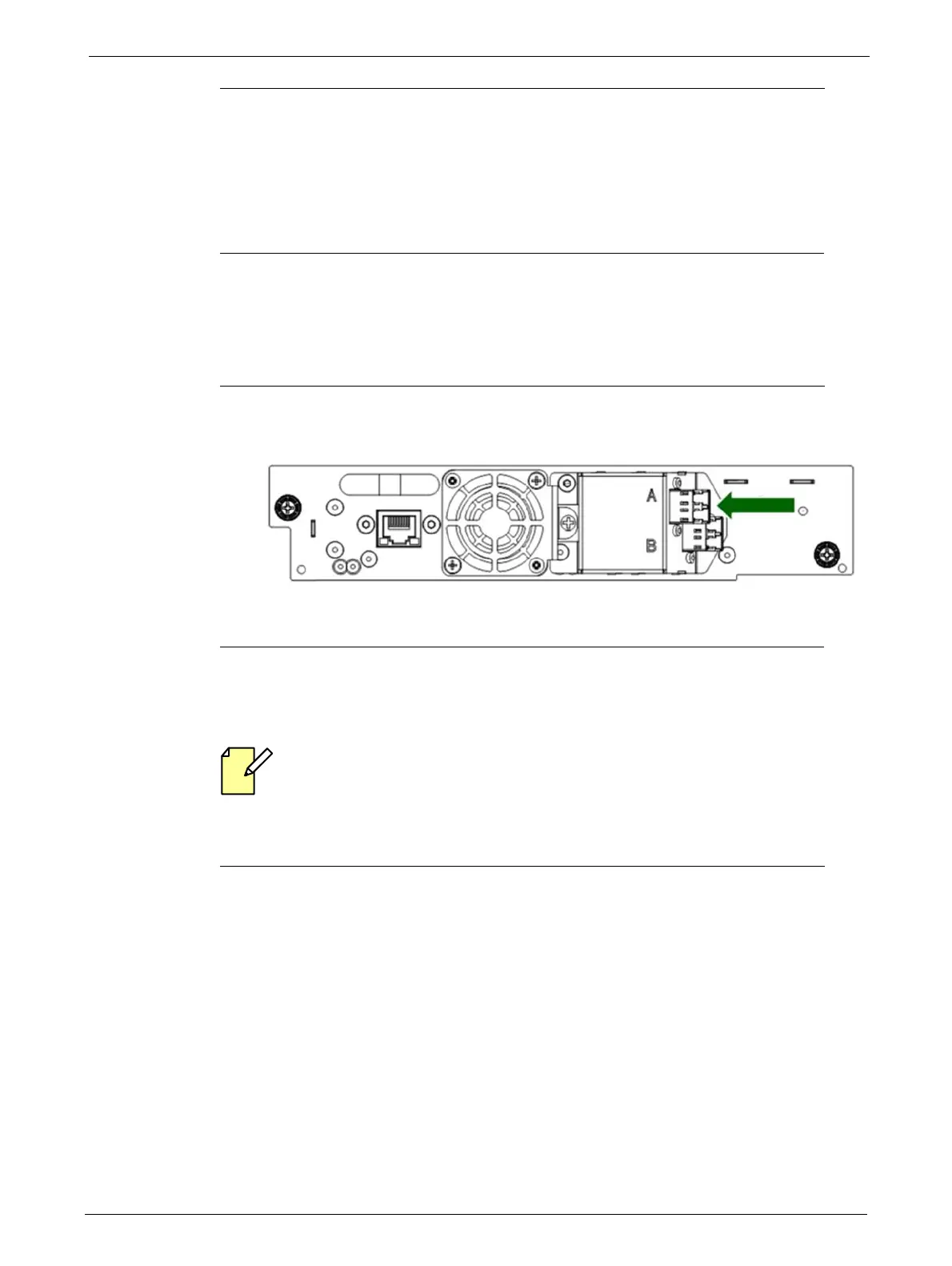
1. Remove the FC port caps if necessary. Attach one end of the FC cable to port A on the tape
drive.
2. Attach the other end of the FC cable to the HBA installed in your EditShare Ark Tape server.
Refer to the EditShare Ark Setup and User’s Guide for additional information.
Connecting SAS Cables
SAS signal rates require clean connections between the HBA and tape drive. Do not use
adapters or converters between the HB
A and the tape drive. For reliable operation, use a
maximum SAS cable length of six meters.
To connect the SAS cables:
1. Attach the HBA end of the SAS cable into the connector on the HBA. If you are using a SAS
fanout
/ Hydra cable, the end of the cable with only one connector should be plugged into
the HBA.



 To Next Page