Cerabar S/Deltabar S Level measurement (ToF Tool)
Endress+Hauser 77
!
Note!
1. You can also perform calibration with reference pressure by means of the QUICK SETUP
menu. → See Page 94 ff, ToF Tool, table 2: QUICK SETUP menu.
2. You can also specify customer-specific units. See parameter description for PRESS. ENG. UNIT
(→ Page 100), HEIGHT UNIT (→ Page 105), UNIT VOLUME (→ Page 106) and MASS UNIT
(→ Page 107).
3. For this level type, the measured variables %, level, volume and mass are available.
→ See Page 105 ff.
4. The EMPTY PRESSURE (→ Page 108) and FULL PRESSURE (→ Page 109) parameters display
the pressure values belonging to the EMPTY CALIB. and FULL CALIB. parameters.
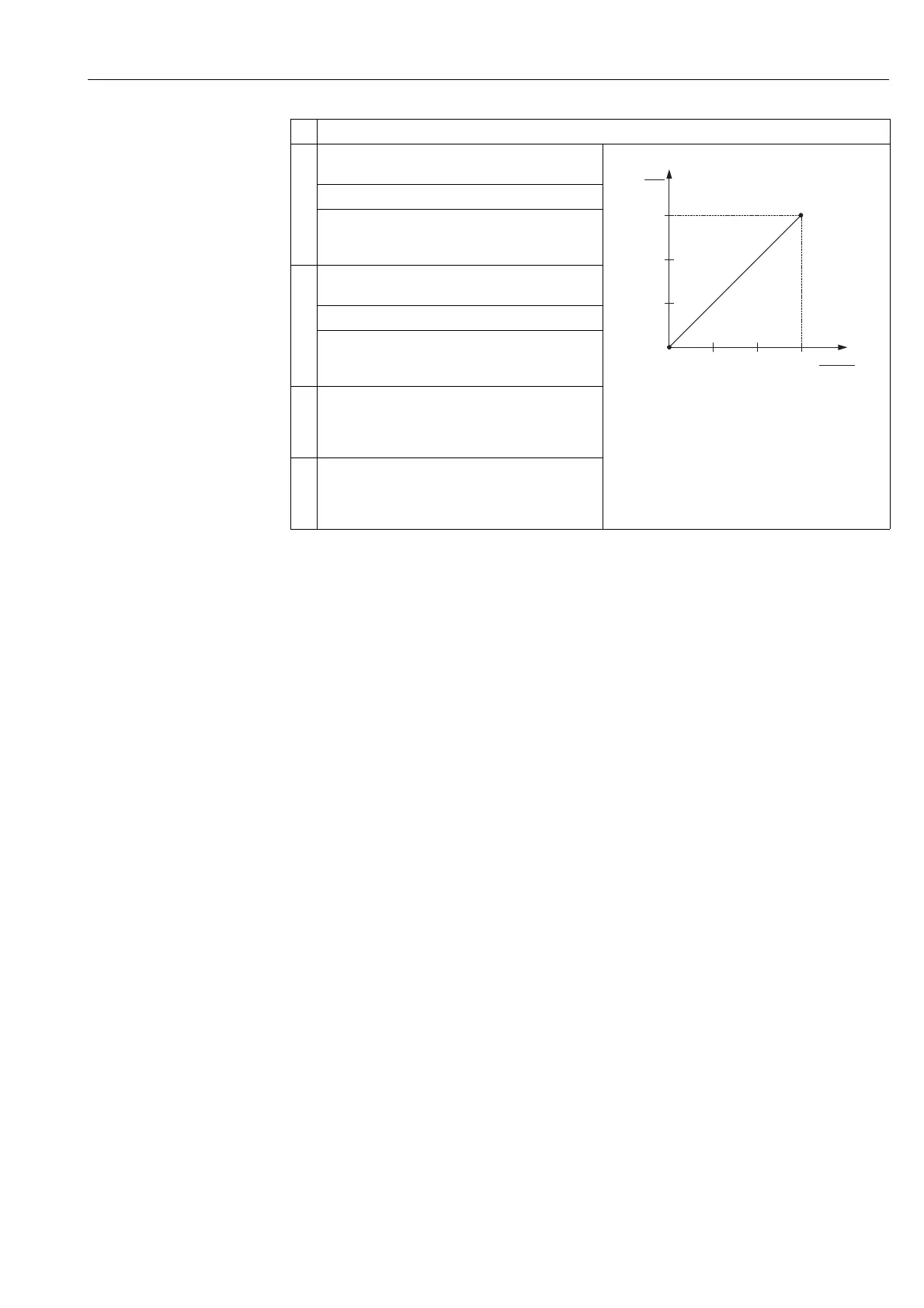
9 The pressure for the lower calibration point is present at
the device, here 0 mbar for example.
P01-xxxxxxxx-05-xx-xx-xx-011
1 See table, step 9.
2 See table, step10.
Select EMPTY CALIB. parameter.
Enter the level value, here 0 m for example. Confirm the
value to assign the pressure value present to the lower
level value.
10 The pressure for the upper calibration point is present at
the device, here 300 mbar for example.
Select FULL CALIB. parameter.
Enter the level value, here 3 m for example. Confirm the
value to assign the pressure value present to the upper
level value.
11 If necessary, use the Analog Input Block to configure the
CHANNEL parameter (→ Page 67), L_TYPE parameter
(→ Page 69), XD_SCALE parameter (→ Page 73) and
OUT_SCALE parameter (→ Page 71).
12 Result:
The corresponding pressure value has been assigned to
the lower and upper level value. The device is ready for
level measurement.
Description
3
0
h
[m]
0 300
p
[mbar]
➀
➁






 To Next Page