1-36
36 | Setting Up the Printer
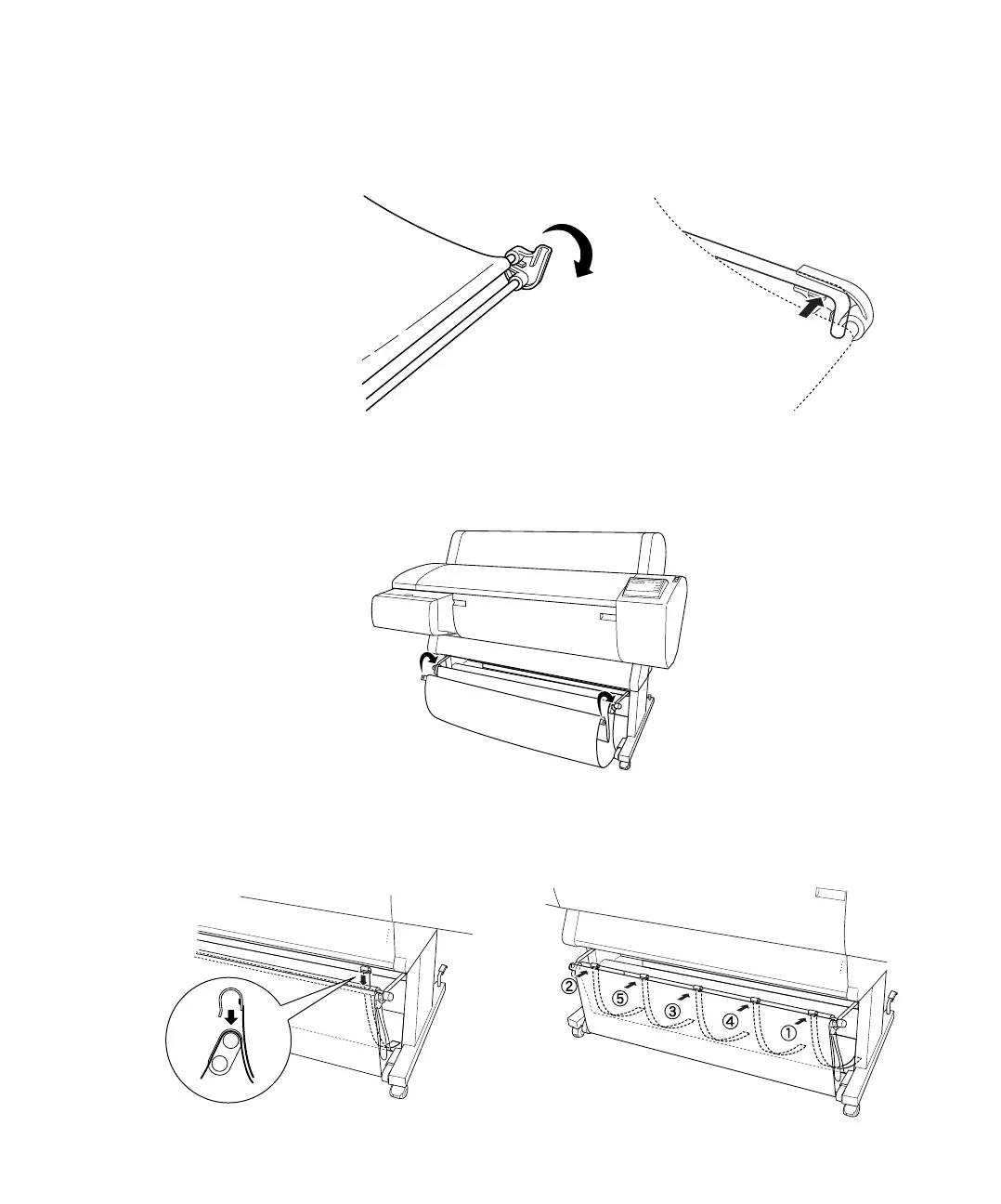
7. Hold the front bar and turn it one revolution. Then attach the lower
basket hooks to the connectors.
8. Push the upper and lower basket hooks back in.
9. Hook the basket rings to take up the slack.
10. Hook the paper supports so they hang along the inside of the basket.
Install them in the order indicated below.














 To Next Page