7 • Test programs
40 / 144
Art.-Nr.: 80116-271
04.06
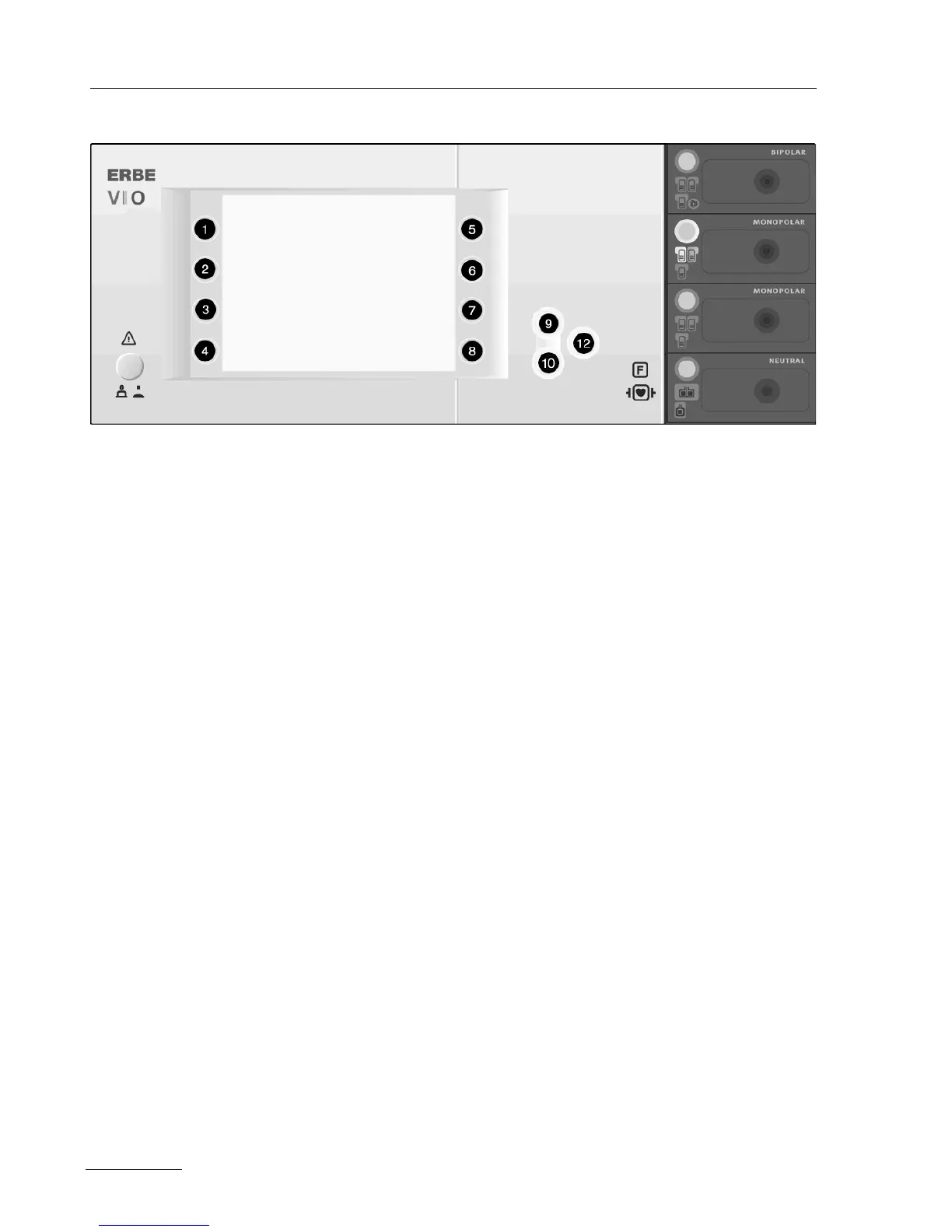
Fig. 7-2
When the unit is ON
(only with V 1.3.x and later)
1. Call up "Guide" window.
2. Select menu item "Other functions".
3. Select menu item "Setup".
4. Use the Down button (10) to scroll to the setting "Service pro-
gram".
5. Select setting "Service program".
6. Enter VIOD as the password:
Use the Up/Down buttons (9/10) to select the letters, confirming
each of the four letters with the adjacent selection button and
then jumping forward to enter the next letter. Repeat this proce
-
dure until all four letters have been entered.
7. Confirm the complete password using the Enter button (12).
8. Use the Down button (10) to scroll to the “Test programs” setting.
9. Press the selection button (1..8) next to the “Test programs” set-
ting.
10. Use the Up button (9) to select the “Hardware TP” test program,
and confirm using the Enter button
(12). The unit switches to test
program mode.
11. Use the Up/Down buttons (9/10) to select the test program you
require.
12. Start the required test program using the Enter button (12).



 To Next Page