8 • Measurement and adjustment
56 / 144
Art.-Nr.: 80116-271
04.06
Spark
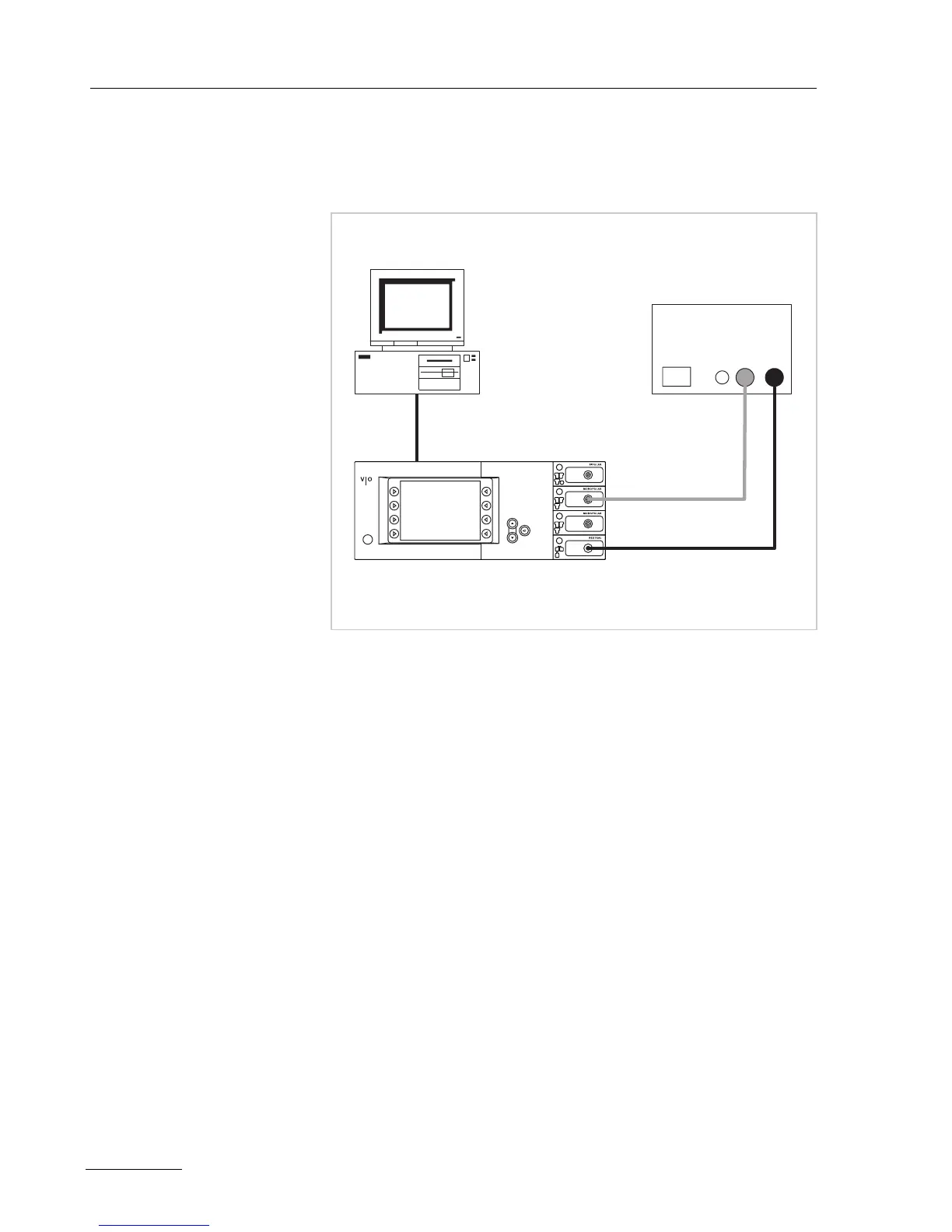
Test set-up
Fig. 8-4
• The test setup is designed as shown in the illustration above.
• The test specimen is connected to the power supply via the power
cord.
• The test specimen is switched on.
• On the PC the "VIO HF Adjustment Tool" software is installed.
Test procedure
1. Perform adjustment step 6 as described in the software.
2. Using the <Continue> button switch to the next test step.
3. Do not switch off the test specimen during rearrangement for
next test step.
ERBE
AE
NE
Desktop PC
ECB connection
Testbox
20100-019
+
-
Power S1 DC70V



 To Next Page