SMART-2 Multi Functional Wireless Weighing Indicator User Manual
________________________________________________________________________________________________
Page 8
MENU SYSTEM
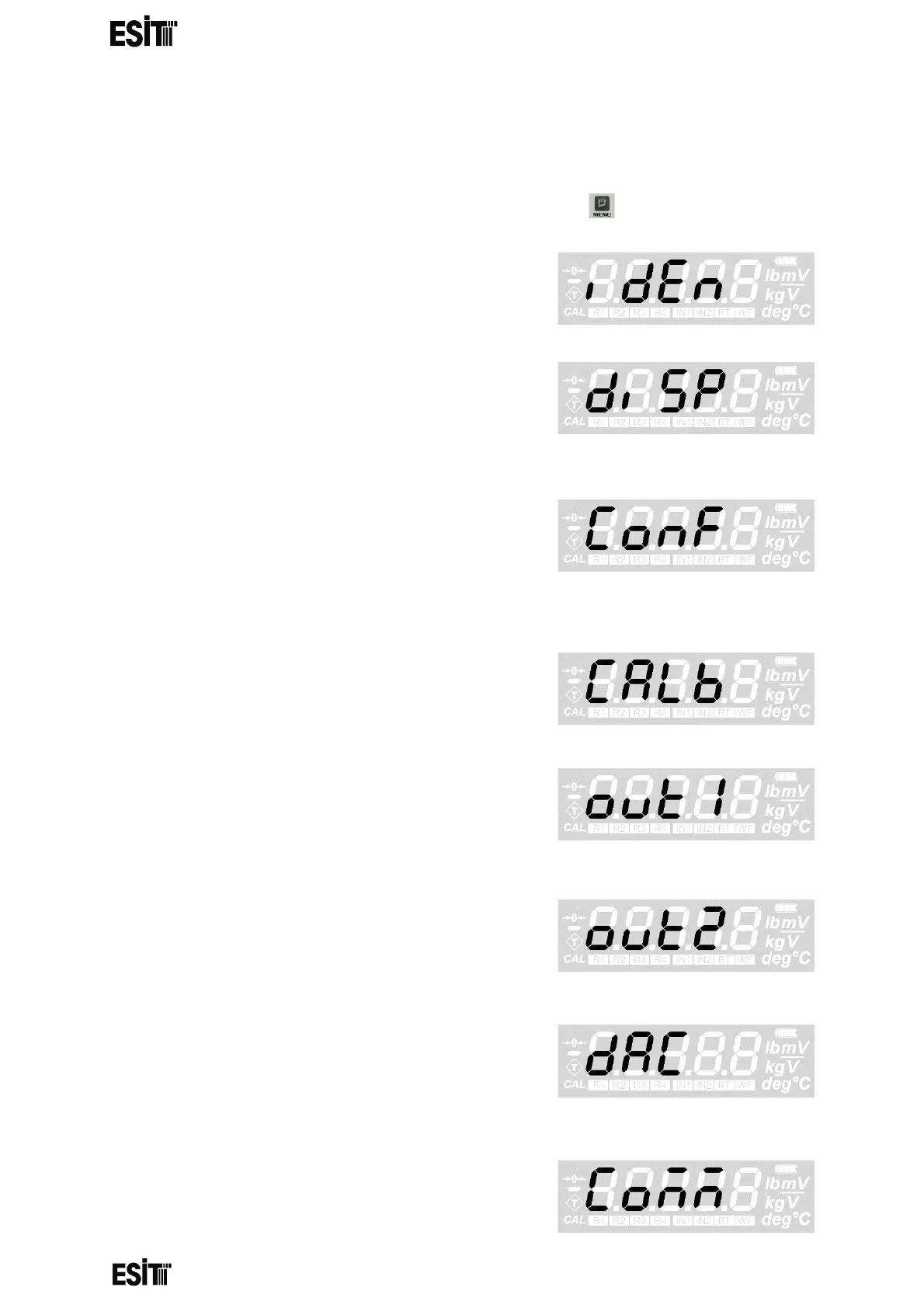
To access the menu system and navigate menus, press the button
IDENTITY MENU: This is the menu for
displaying the serial number and version
information of the indicator.
DISPLAY SETTINGS MENU: This is the menu
where the increment step (e), point location,
weighing capacity value and unit of
measurement are set.
CONFIGURATION MENU: This is the menu
where background light setting, brightness,
average filter size, eco mode, weight change
response speed, weight tracking and ADC gain
value settings are made.
CALIBRATION MENU: This is the menu where
zero and load calibrations are made.
OUT 1 (RELAY # 1) MENU: This is the menu
where set value, hysteresis, delay time and
contact position setting for relay 1 are
performed.
OUT 2 (RELAY # 2) MENU: This is the menu
where set value, hysteresis, delay time and
contact position setting for relay 2 are
performed.
ANALOG OUTPUT (DAC) MENU: This is the
menu for setting lower and upper values and the
display values corresponding to the lower value
for the analogue output.
COMMUNICATION SETTINGS MENU:
This is the menu where the communication mode,
speed and data format settings are made.



 To Next Page