SMART-2 Multi Functional Wireless Weighing Indicator User Manual
________________________________________________________________________________________________
Page 46
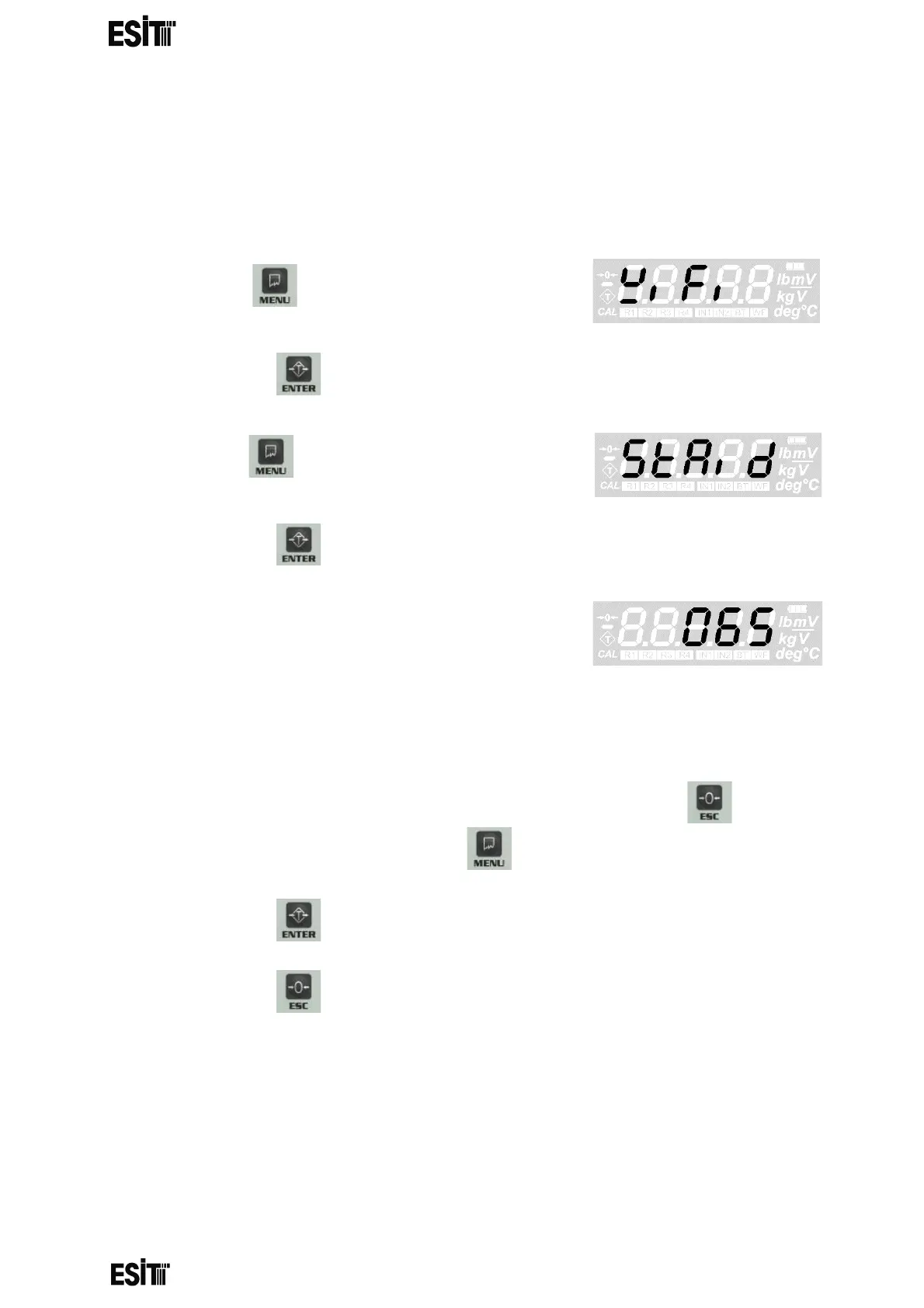
WIFI Station ID SETTING
This menu is active only when device mode is STA.
With this menu, you can change the WIFI Station ID of the device. This ID must match
with the APID of the WiFi device in AP mode in the same environment. WIFI STA ID
must be one of ASCII equivalents of 0-9, a-z, A-Z characters.
(1) Press key until you reach the 'WiFi
settings' menu
(2) Press the key to confirm the menu
(3) Press key until you reach the 'Change
WIFI STA ID' menu
(4) Press the key to confirm the menu
(5) The last recorded WIFI STA ID will be
displayed on the screen and the hundreds
digit blinks at the same time
065 = hex41= “A”
NOTE: WIFI STA ID can be assigned between 0 and 255 and can be selected
only between 0-9, a-z and A-Z character range
(6) Numeric value of the blinking digit can be increased with key. The
place value can be changes with key.
(7) Press the key to save the WIFI STA ID.
(8) Press the key to go back to the measurement screen.



 To Next Page