SMART-2 Multi Functional Wireless Weighing Indicator User Manual
________________________________________________________________________________________________
Page 35
MOD2 communication note:
In this mode, the indicator sends the weight information after receiving the
authorization signal from its counterpart. Thus, more than one device can be
connected to the same communication line. The communication in this mode is the
same as the communication form in MOD1.
If more than one indicator is to be communicated with the computer, the
communication mode must be set to MOD2 and the hardware setting must done as
RS485.
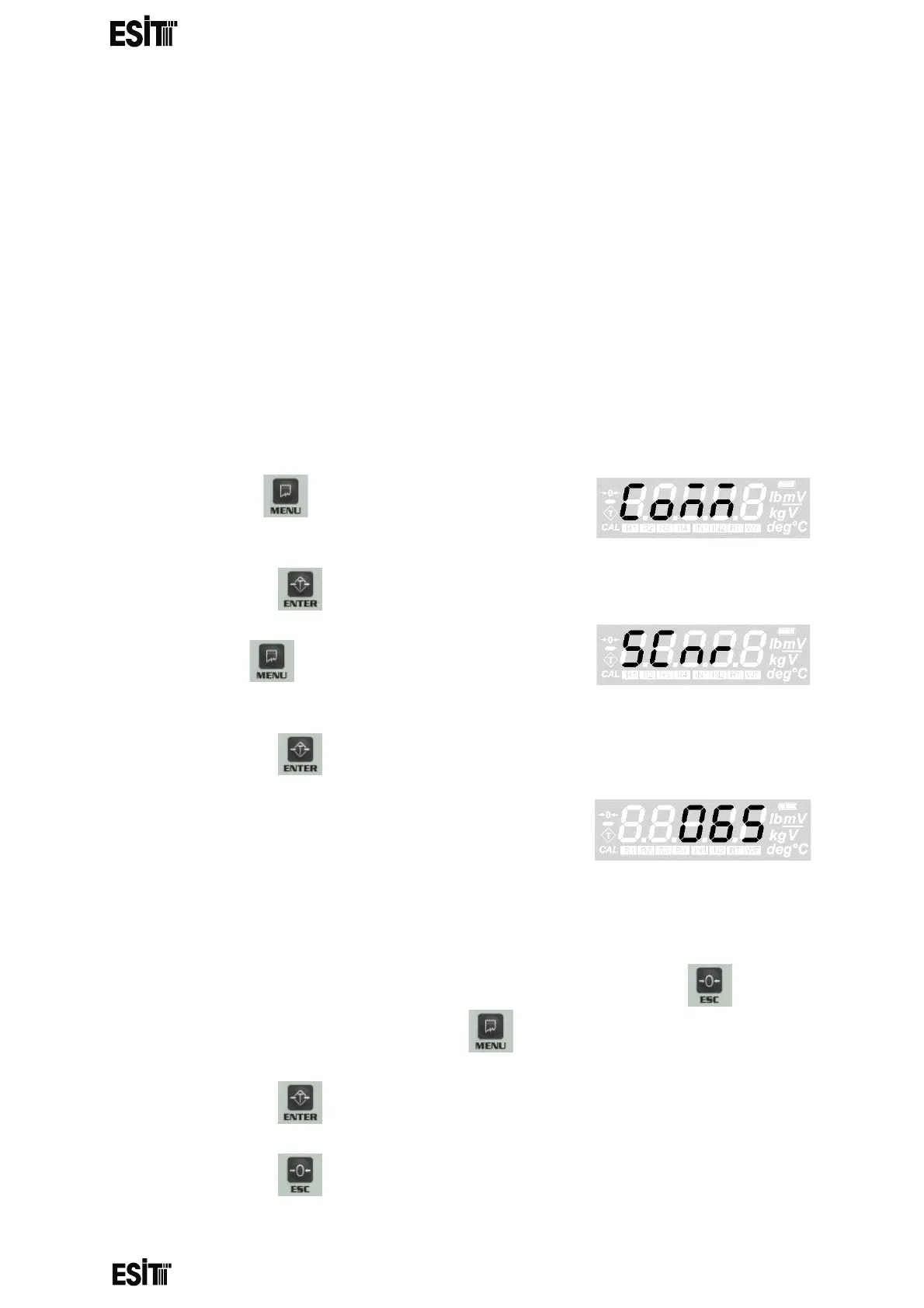
INDICATOR ADDRESS (SCALE IDENTITY NO) SETTING
IT IS ACTIVE AND THE MENU IS AVAILABLE ONLY IF MODE 2
COMMUNICATION IS SELECTED
(1) Press key until you reach the
'Communication' menu
(2) Press the key to confirm the menu
(3) Press key until you reach the 'Indicator
address' menu
(4) Press the key to confirm the menu
(5) The last recorded indicator address will be
displayed on the screen and the hundreds digit
blinks at the same time
065 = hex41= “A”
NOTE: INDICATOR ADDRESS CAN BE ASSIGNED BETWEEN 0 AND 255
(6) Numeric value of the blinking digit can be increased with key. The
place value can be changes with key.
(7) Press the key to save the indicator address.
(8) Press the key to go back to the measurement screen.



 To Next Page