SMART-2 Multi Functional Wireless Weighing Indicator User Manual
________________________________________________________________________________________________
Page 21
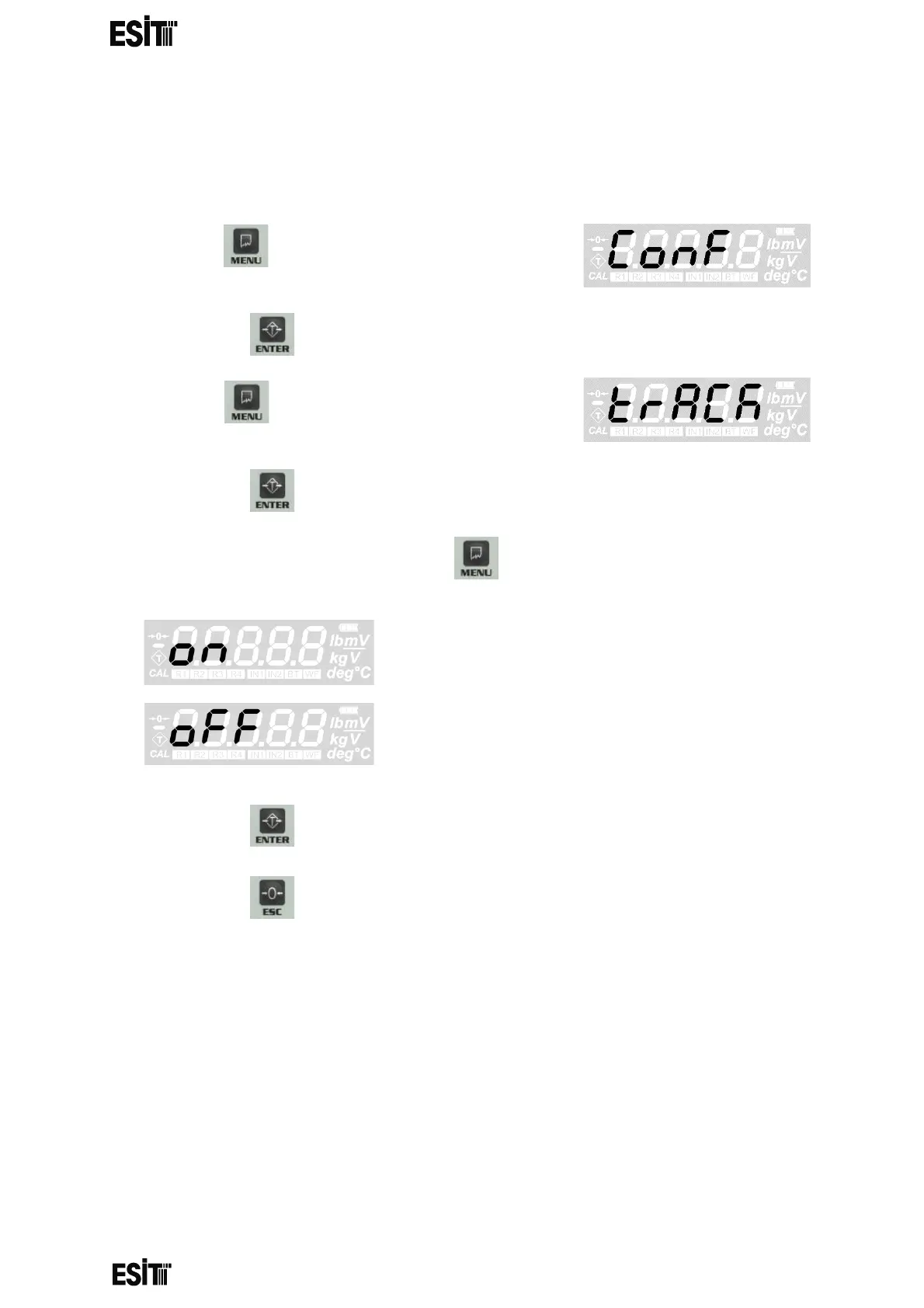
MEASUREMENT STABILITY
When this menu option is on, any change that is les than 2e for 2 sec after the
measurement is stabile, is not displayed
(1) Press key until you reach the 'Average'
menu
(2) Press the key to confirm the menu
(3) Press key until you reach the 'TRACK'
menu
(4) Press the key to confirm the menu
(5) Set the position as you desire with menu key.
then active
then passive
(6) Press the key to save the changes.
(7) Press the key to go back to the measurement screen.



 To Next Page