SMART-2 Multi Functional Wireless Weighing Indicator User Manual
________________________________________________________________________________________________
Page 26
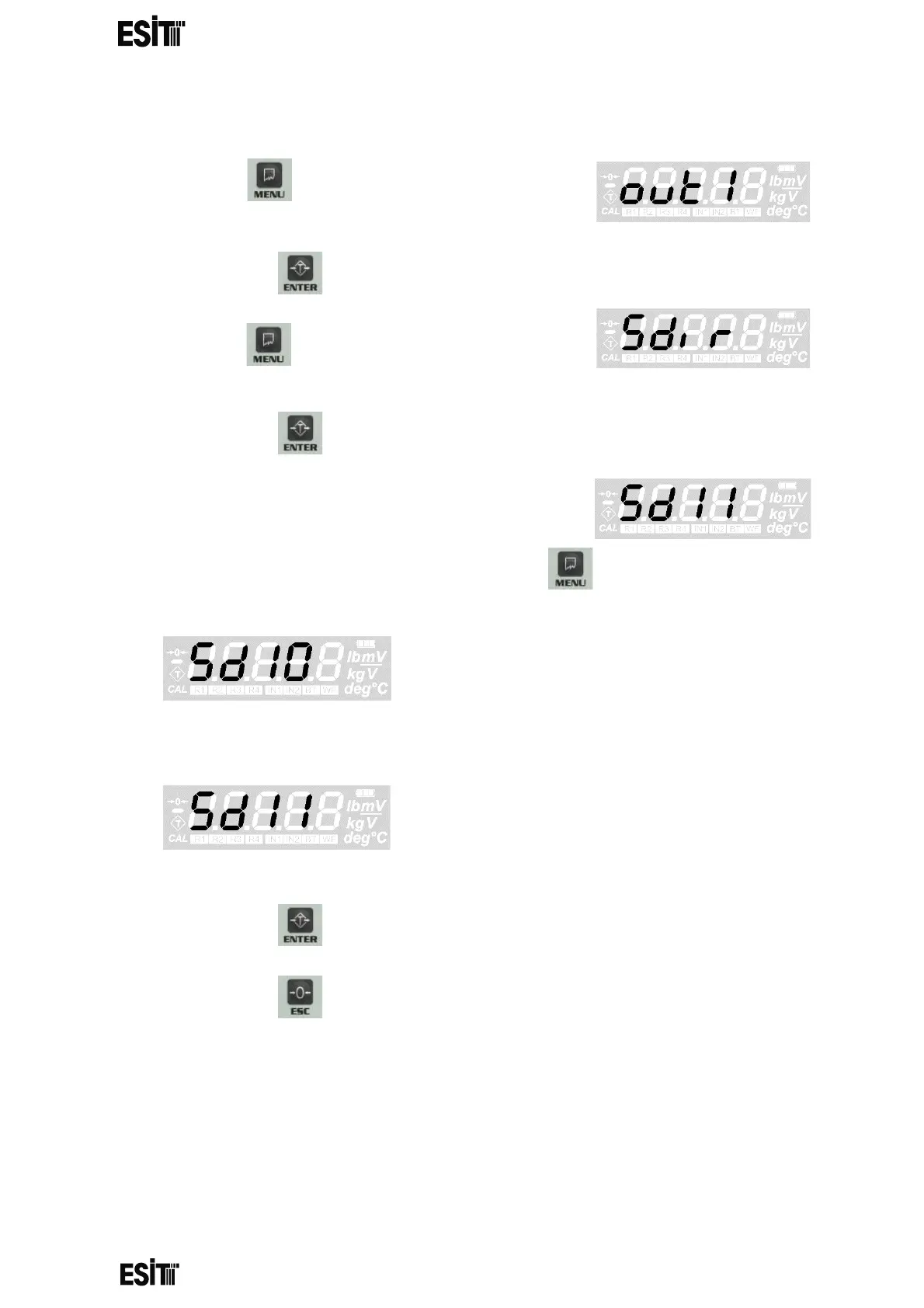
RELAY 1 SET DIRECTION SETTING
(1) Press key until you reach the 'Relay
1' menu
(2) Press the key to confirm the menu
(3) Press key until you reach the 'Relay 1 set
direction' menu
(4) Press the key to confirm the menu
(5) The last recorded relay direction will be
displayed on the screen
(6) Set relay 1 set direction as you desire with menu key.
then relay contacts are closed circuit
when the value
is below the set value
then relay contacts are open circuit
when the value
is above the set value
(7) Press the key to save relay 1 set direction.
(8) Press the key to go back to the measurement screen.



 To Next Page