SMART-2 Multi Functional Wireless Weighing Indicator User Manual
________________________________________________________________________________________________
Page 10
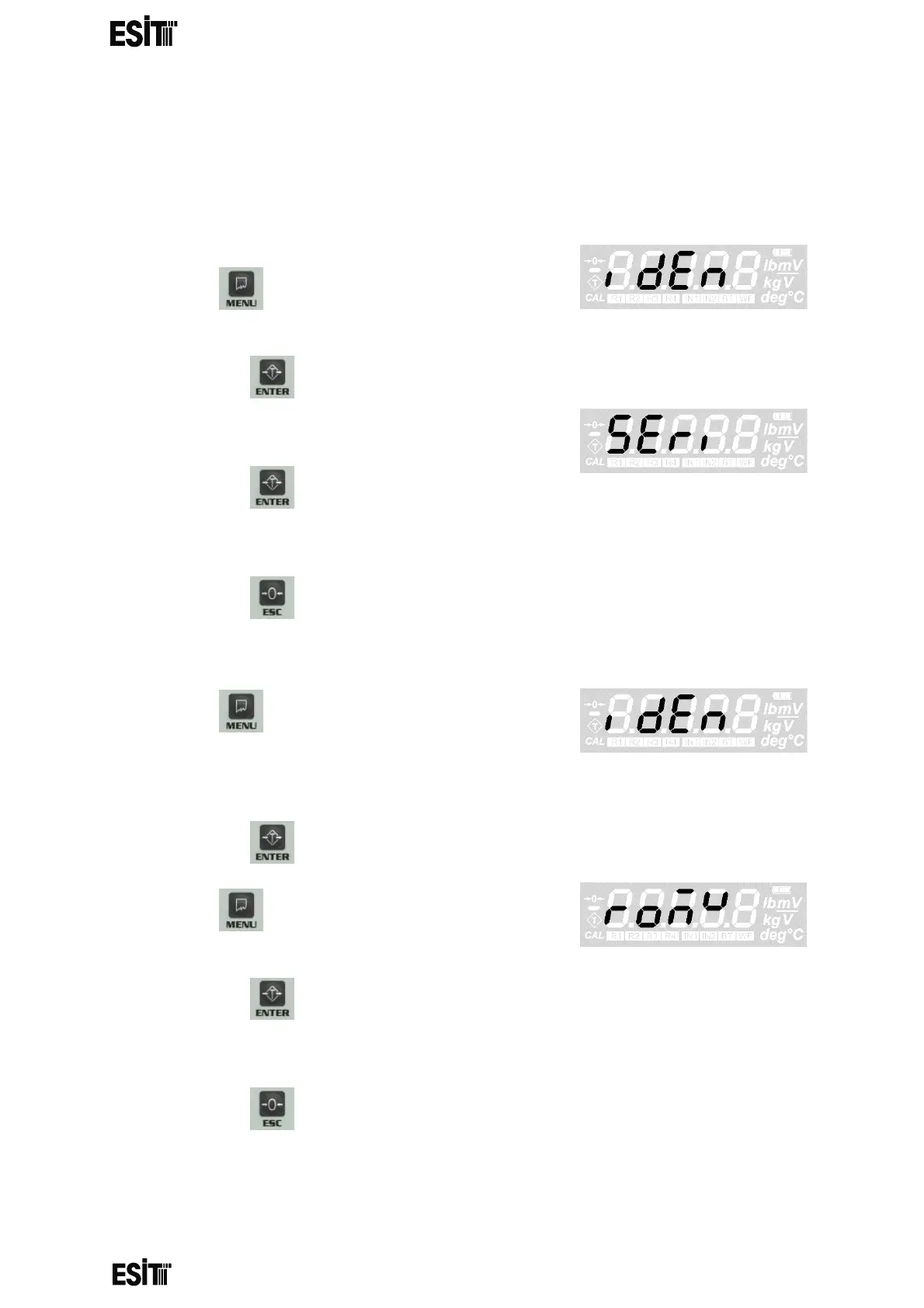
DEVICE IDENTITY INFORMATION
It is possible to display the serial number and version information of the
indicator with this menu.
DISPLAYING THE SERIAL NUMBER
1. Press key until you reach the 'Device
identity information' menu
2. Press the key to confirm the menu
3. The first option is the 'Serial number' menu.
4. Press the key to confirm the menu
5. The value displayed on the screen is the serial number of the indicator
6. Press the key to go back to the measurement screen.
DISPLAYING THE VERSION DETAILS
7. Press key until you reach the 'Device
identity information menu
8. Press the key to confirm the menu
9. Press key until you reach the 'Version
Details' menu
10. Press the key to confirm the menu
11. The value displayed on the screen is the version details of the indicator
12. Press the key to go back to the measurement screen.



 To Next Page