SMART-2 Multi Functional Wireless Weighing Indicator User Manual
________________________________________________________________________________________________
Page 59
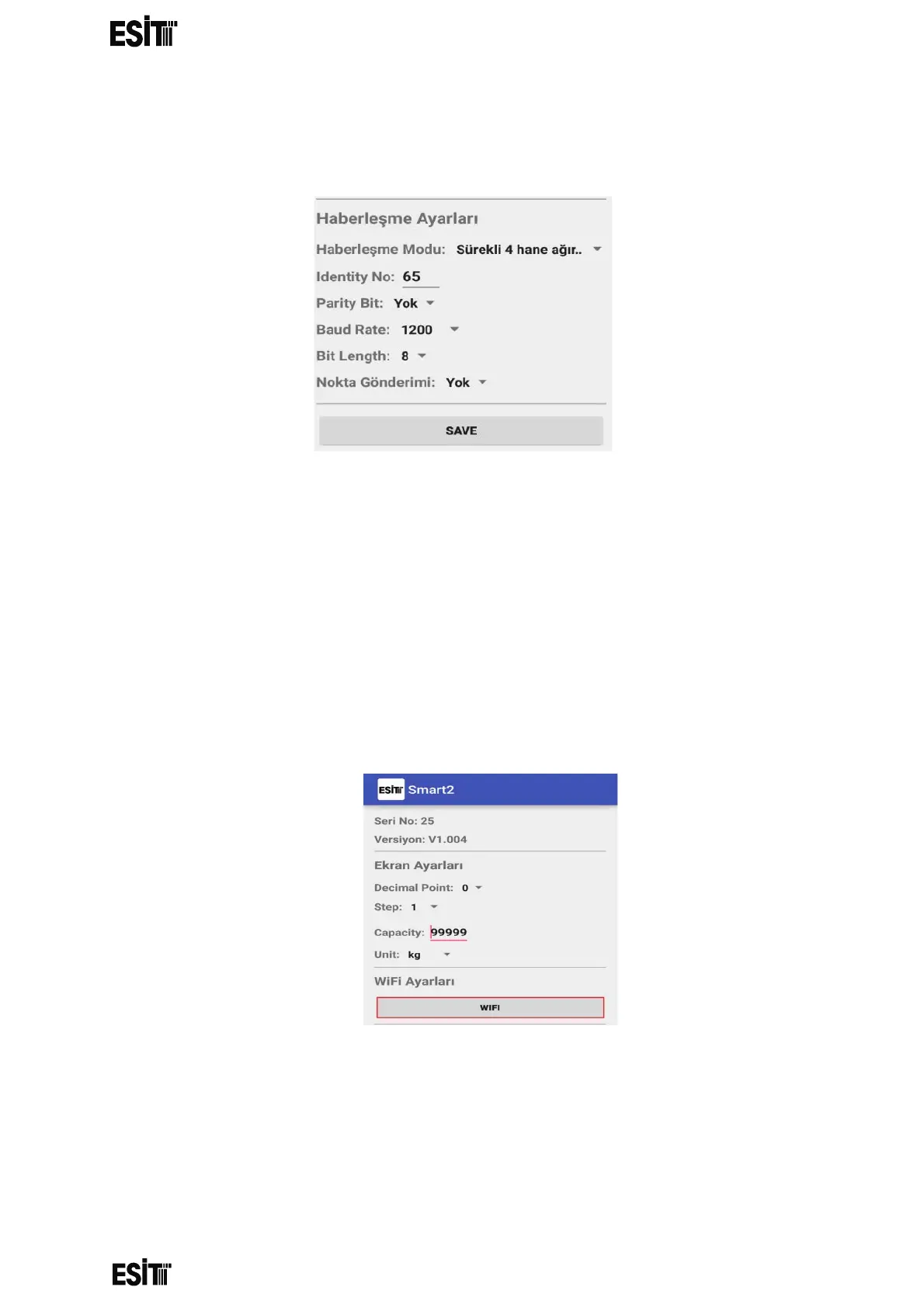
Communication Settings
Make the desired communication settings and press "SAVE" button.
Wifi Connection Setting
If Wifi connection modules are used and it is intended to read weight data from many
smart devices through a local network, the following procedure should be followed for
each smart device.
NOTE: This setting only applies to smart devices with the WIFI module installed. Not
suitable for use with BLUETOOTH devices.
(This setting is made if it is intended to connect to a local network and receive data
simultaneously from many smart devices.)
(1) First make sure that the "wifi mode setting" of the smart is AP.
(2) Click the "WIFI" button in the WiFi settings section of the Android application.
(3) rite the "SSID" and "Pass" in the figure to SSID and password fields of the
network from which you would like to get weight data and click "SAVE" button.



 To Next Page