SMART-2 Multi Functional Wireless Weighing Indicator User Manual
________________________________________________________________________________________________
Page 19
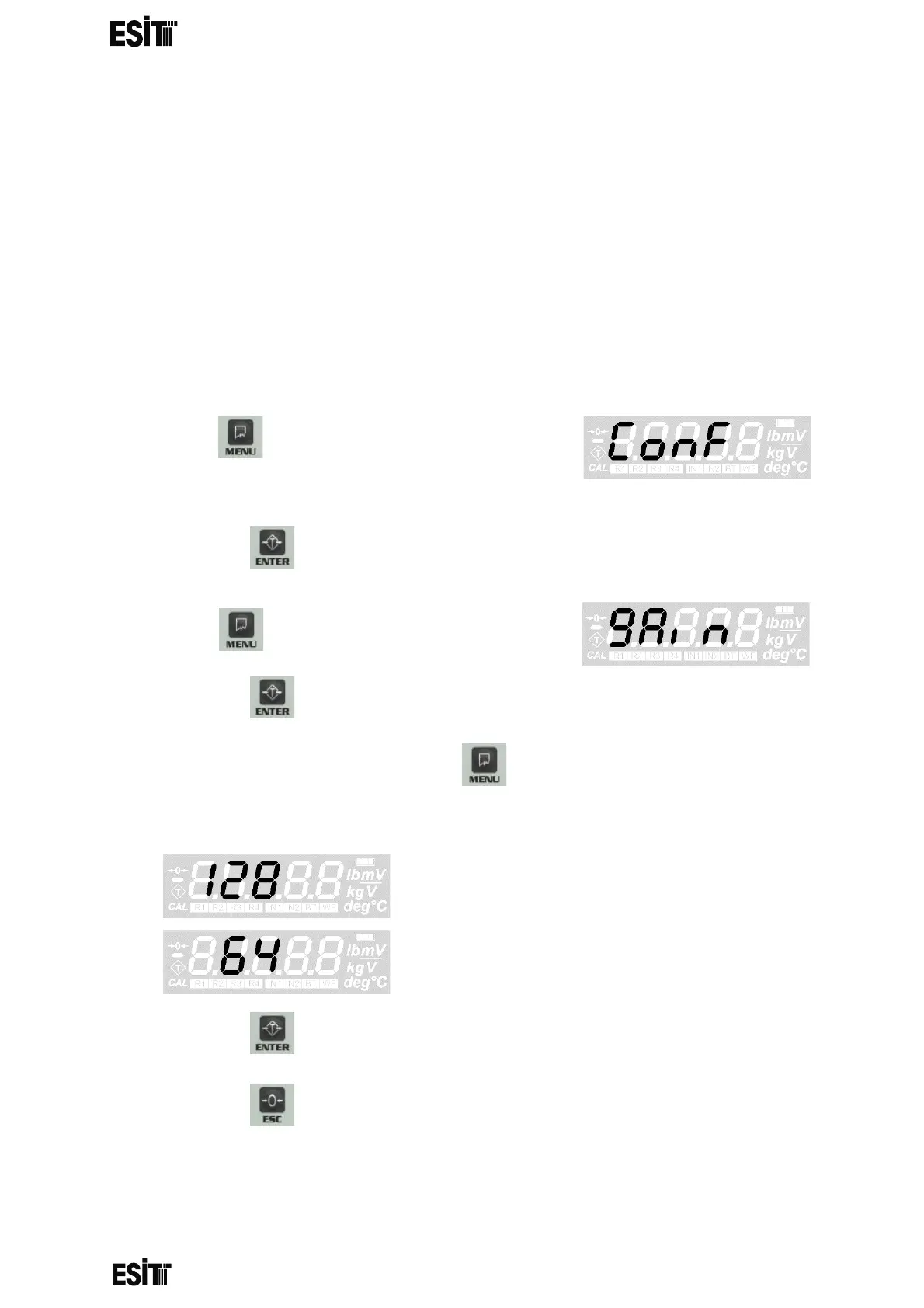
GAIN SETTING
With this value, you can choose the internal upgrade value of the ADC. This value can
be 128 or 64. 128 must be selected for load cells up to 3mV/V and 64 must be selected
for higher ones
(up to 6mV/V) Once the gain value has been changed, calibration must be
performed to ensure proper measurement.
WARNING: In order for these menu functions to be active, the P2 connection inside
the indicator must be open circuit; otherwise only recorded information will be
displayed and they are not allowed to be changed. In this case, a special error code
will also be displayed on the indicator's screen.
(1) Press key until you reach the 'Configuration
Settings' menu
(2) Press the key to confirm the menu
(3) Press key until you reach the 'Gain' menu
(4) Press the key to confirm the menu
(5) Set the gain value as you desire with menu key.
then gain 128
then gain 64
(6) Press the key to save the changes.
(7) Press the key to go back to the measurement screen.



 To Next Page