SMART-2 Multi Functional Wireless Weighing Indicator User Manual
________________________________________________________________________________________________
Page 61
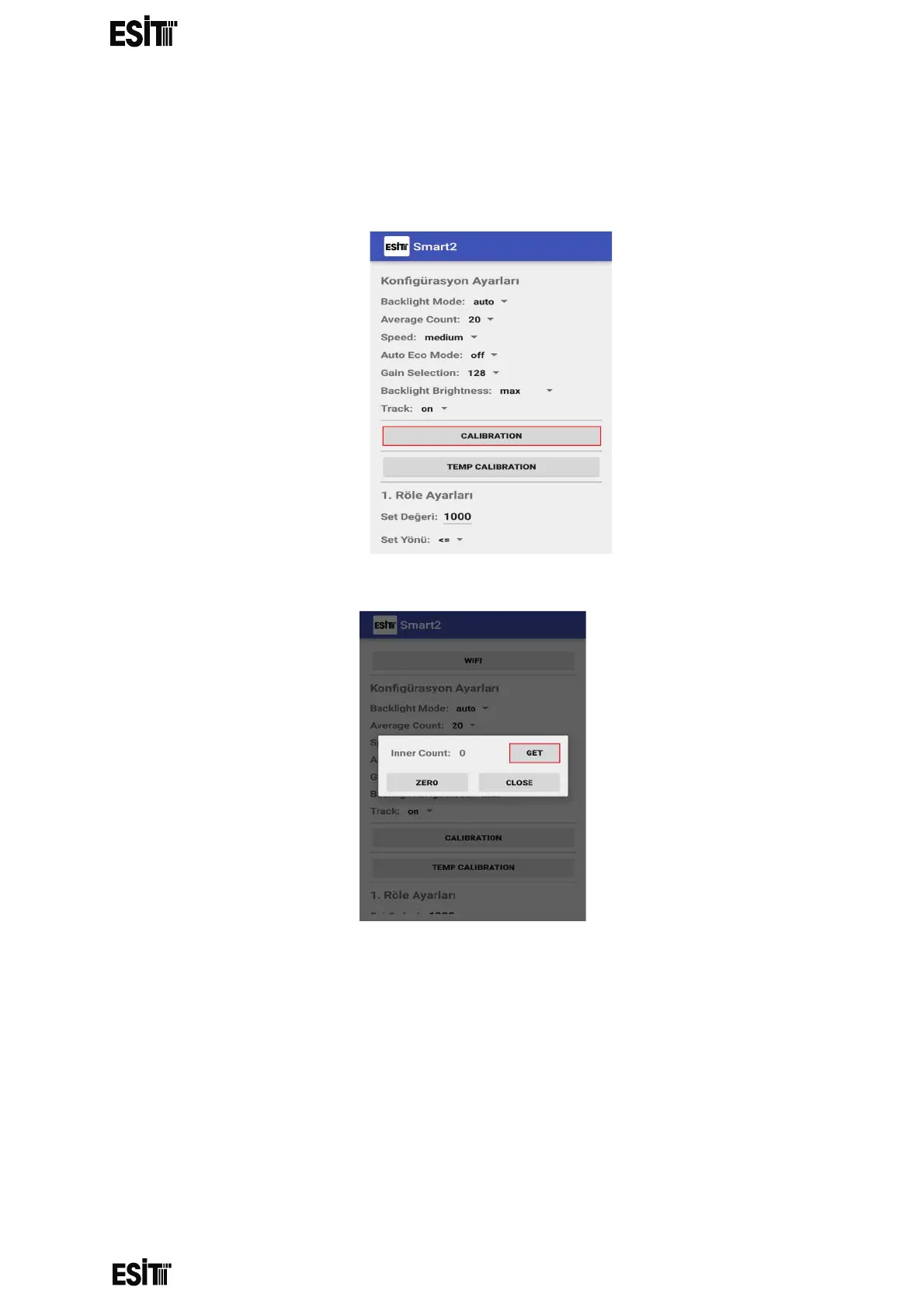
Calibration Setting
It is possible to perform calibration through both Smart and application.
(1) Press the "CALIBRATION" button
(2) If there is no load on the system, press "GET" button.



 To Next Page