SMART-2 Multi Functional Wireless Weighing Indicator User Manual
________________________________________________________________________________________________
Page 18
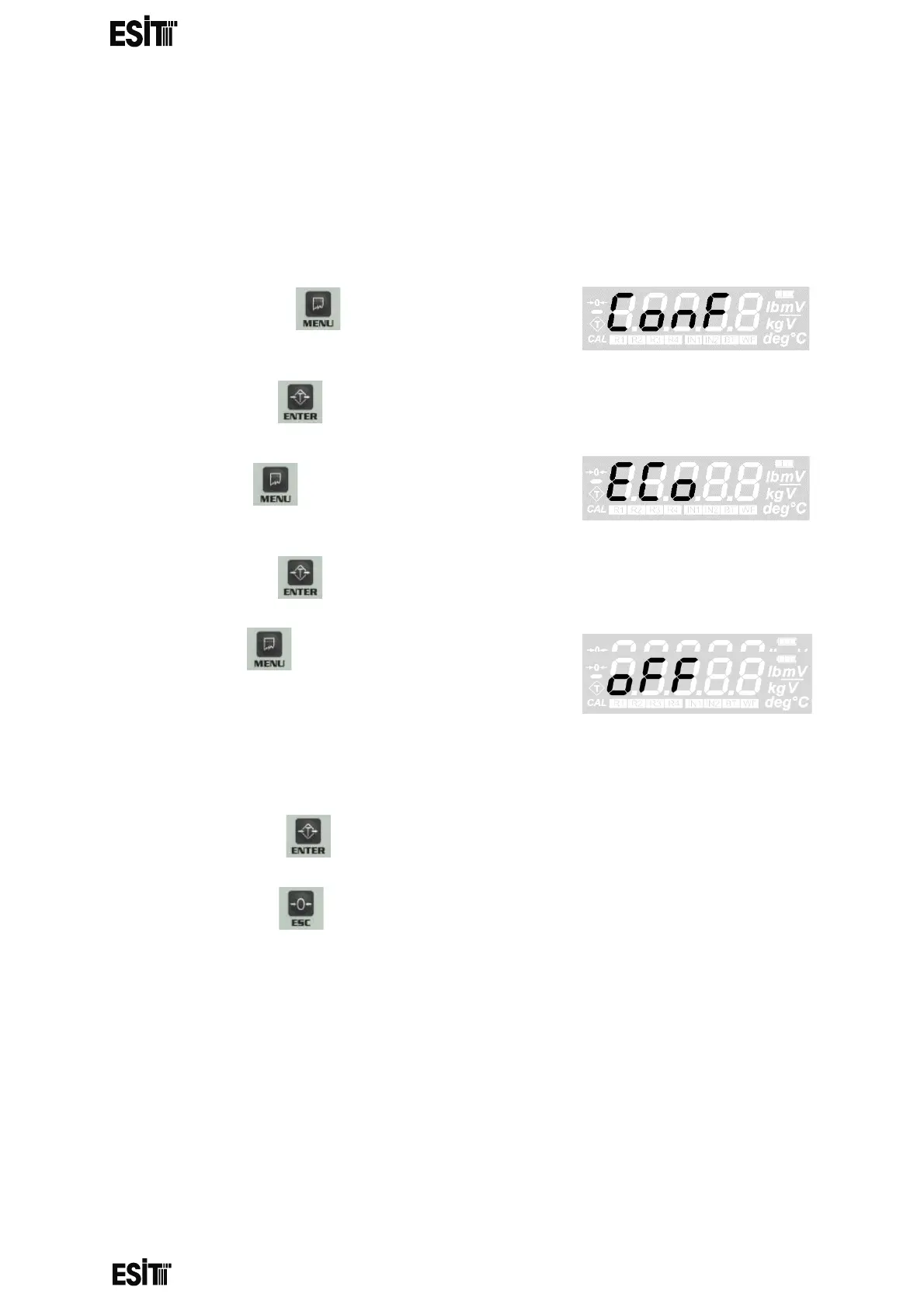
ECO MODE SETTING
With this menu you can turn eco mode on or off. If the measurement value is within ±
10e range around 0 for 10 minutes while Eco mode is on, the indicator goes into eco
mode and automatically switches off the display, backlight, wifi and relays. To exit the
eco mode, either weigh a weight outside the ± 10e range of or press the buttons
other than the off key.
(1) Press key until you reach the
'Configuration Settings' menu
(2) Press the key to confirm the menu
(3) Press key until you reach the 'Eco
Mode' menu
(4) Press the key to confirm the menu
(5) Press key until reaching 'ON' for
activating and 'OFF' for deactivating the Eco Mode
(6) Press the key to save the changes.
(7) Press the key to go back to the measurement screen.



 To Next Page