SMART-2 Multi Functional Wireless Weighing Indicator User Manual
________________________________________________________________________________________________
Page 55
CONNECTION WITH BLUETOOTH MODULE
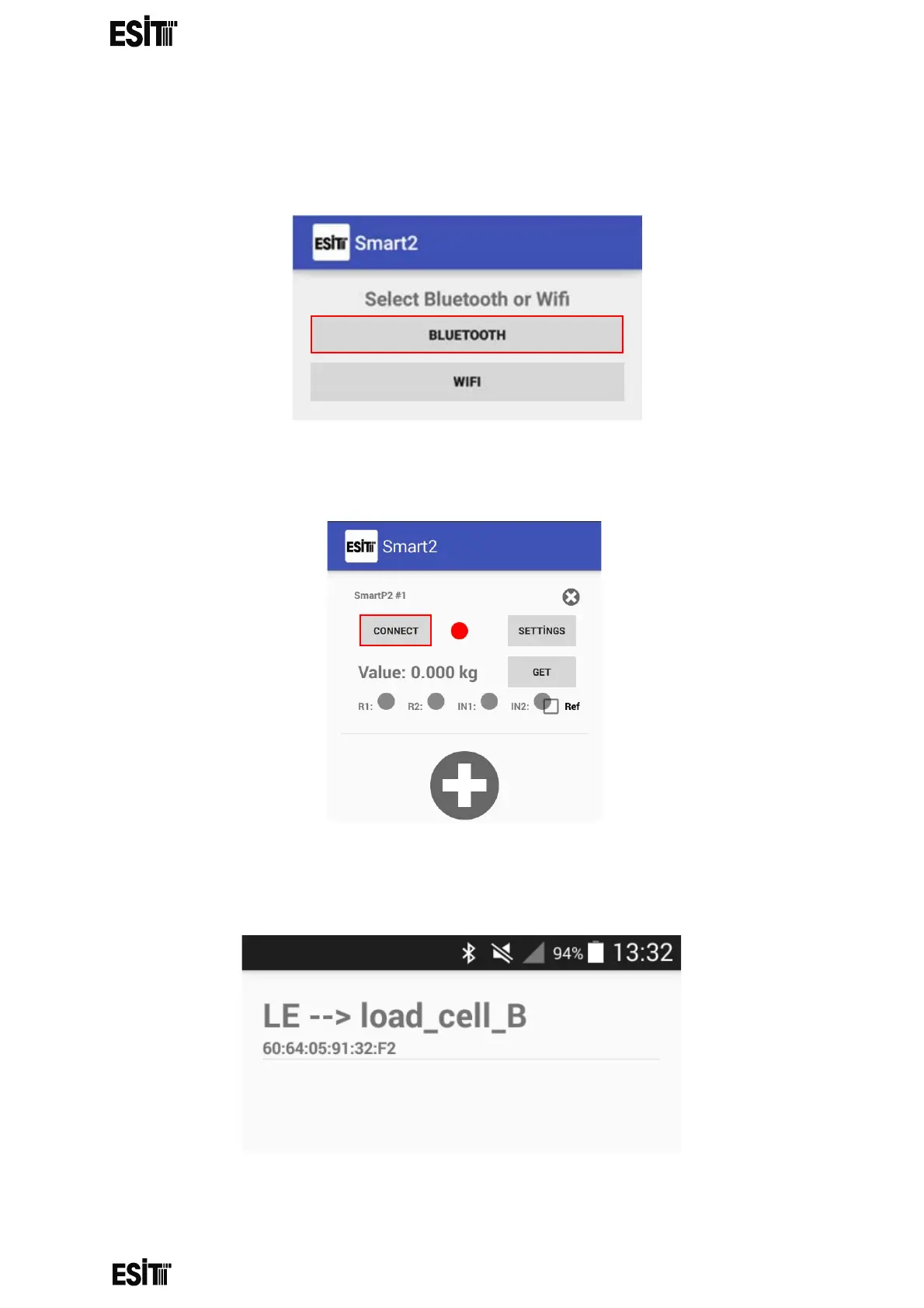
(1) After turning on your Android device's Bluetooth, open the Smart2 application
and click the BLUETOOTH button.
(2) Click on the "Connect" button.
(3) Select the Smart you want to communicate with.



 To Next Page