SMART-2 Multi Functional Wireless Weighing Indicator User Manual
________________________________________________________________________________________________
Page 56
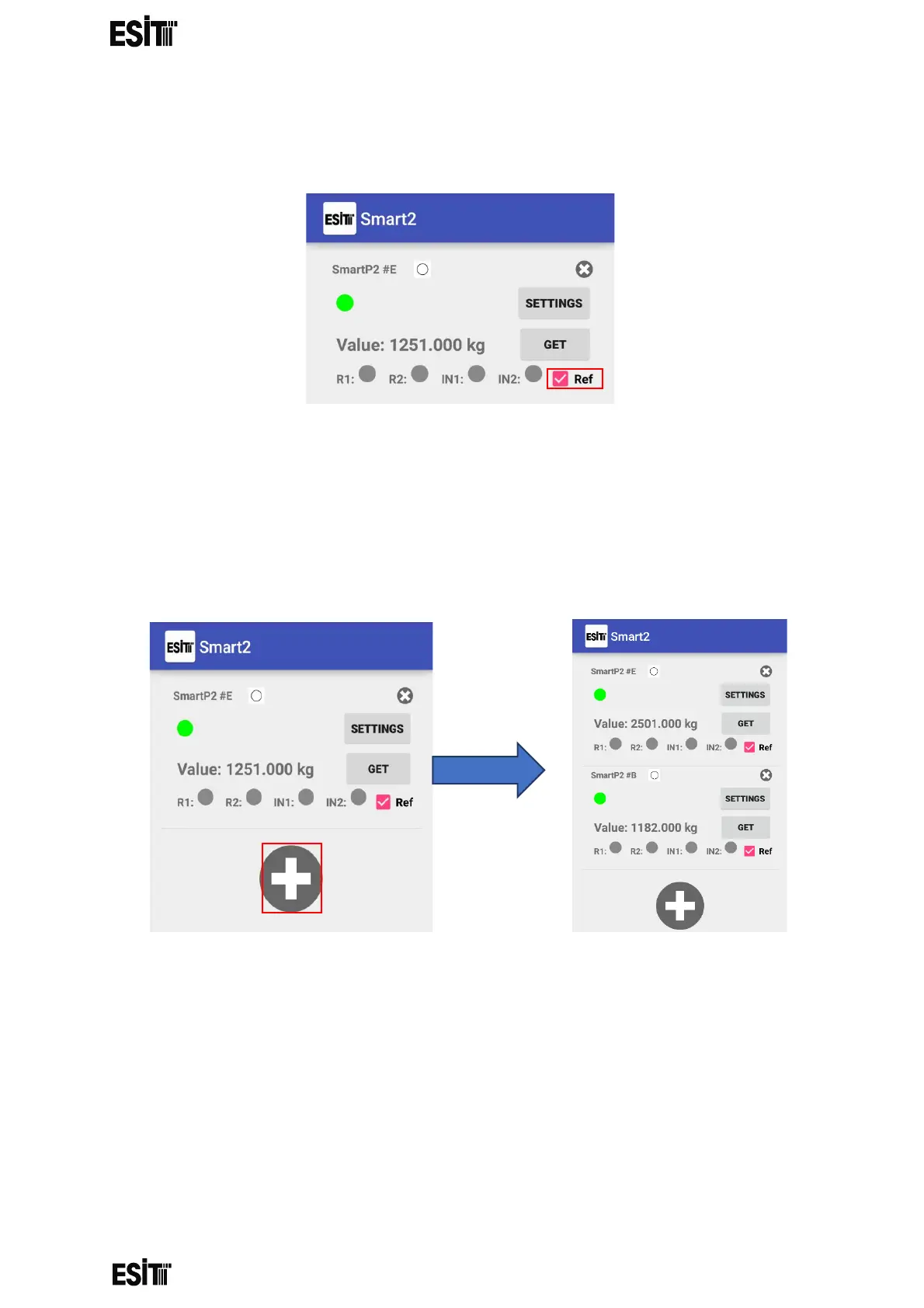
(4) The weight value can be obtained when the "GET" button is clicked on the
pop-up screen. When the "Ref" button is clicked, the weight value is
automatically updated.
(5) More than one smarts can communicate simultaneously via Bluetooth. Click
the "+" button for this. It must be noted that “BLUETOOTH IDs” of the Smart
devices are different. BLUETOOTH IDs can be set from "Change BLE ID"
menu.
When 1 indicator is active When 2 indicators
are active



 To Next Page