SMART-2 Multi Functional Wireless Weighing Indicator User Manual
________________________________________________________________________________________________
Page 48
TEMPERATURE CALIBRATION SETTINGS
With this menu you can change temperature calibration of the device. The device has
5-point temperature compensation feature. When calibrating the temperature, the
load cell must be empty.
There are five ranges in temperature compensation: (, -5 °C) , (-5 °C, 10 °C), (10 °C,
30 °C), (30 °C, 50 °C), (50 °C,). The ranges that cannot be set with this menu are
ignored during compensation. So if 3 values are set, 3 point temperature compensation
is done. This compensation works partial linearly.
WARNING: In order for these menu functions to be active, the P2 connection inside
the indicator must be open circuit; otherwise an error code special for this situation is
displayed on the indicator's screen. IT IS RECOMMENDED NOT TO USE THESE
SETTINGS IF YOU DO NOT HAVE SUITABLE DEVICES
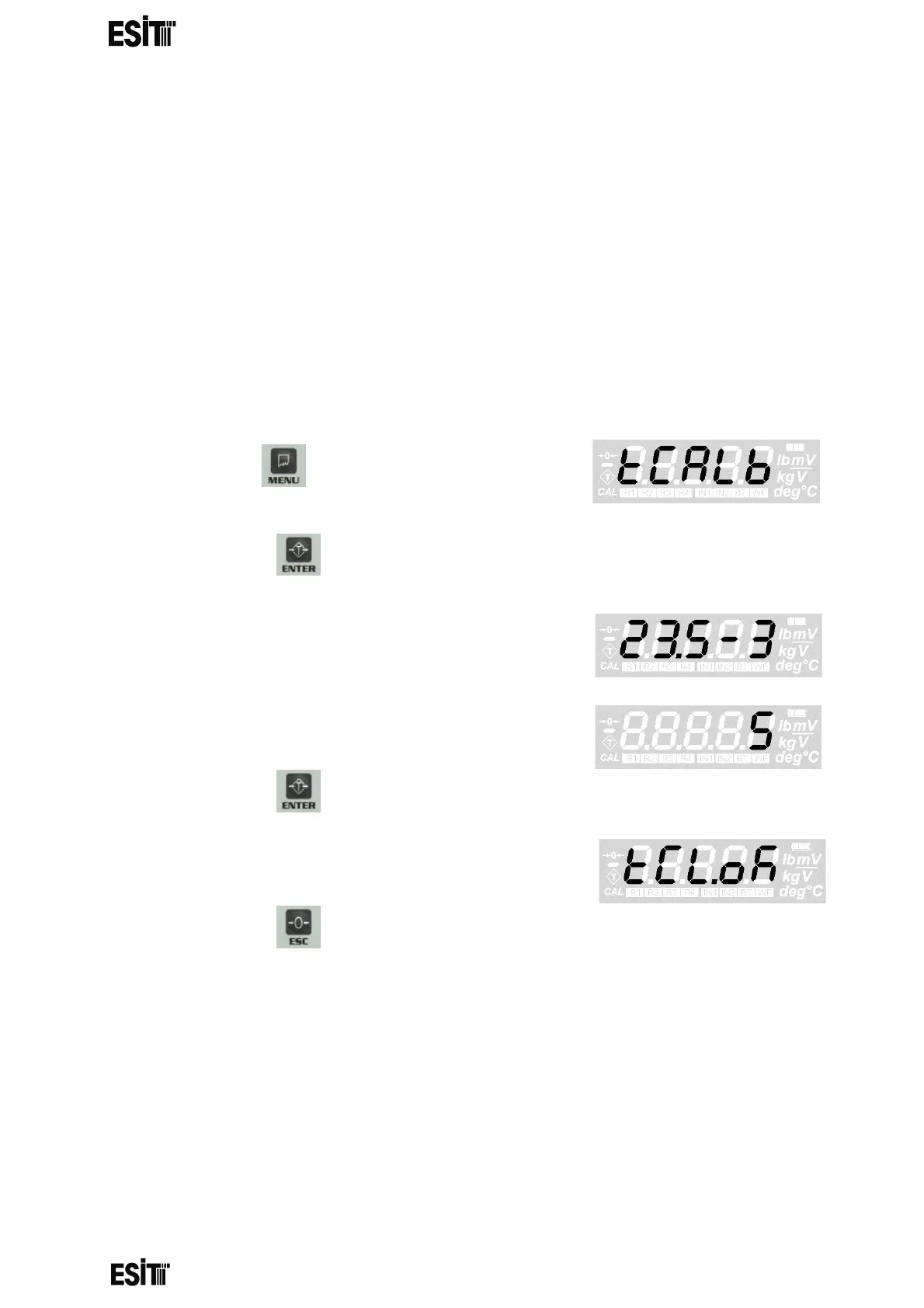
(1) Press key until you reach the
'Temperature Calibration Settings' menu
(2) Press the key to confirm the menu
(3) The display shows the current temperature
value and the number of range covering the
temperature for 2 seconds
(4) Real time internal ADC count value deviation
will appear on the display.
(6) Press the key to save the temperature calibration setting.
(7) "TCLok" will appear showing that the calibration
is successful.
(8) Press the key to go back to the measurement screen.



 To Next Page