SMART-2 Multi Functional Wireless Weighing Indicator User Manual
________________________________________________________________________________________________
Page 34
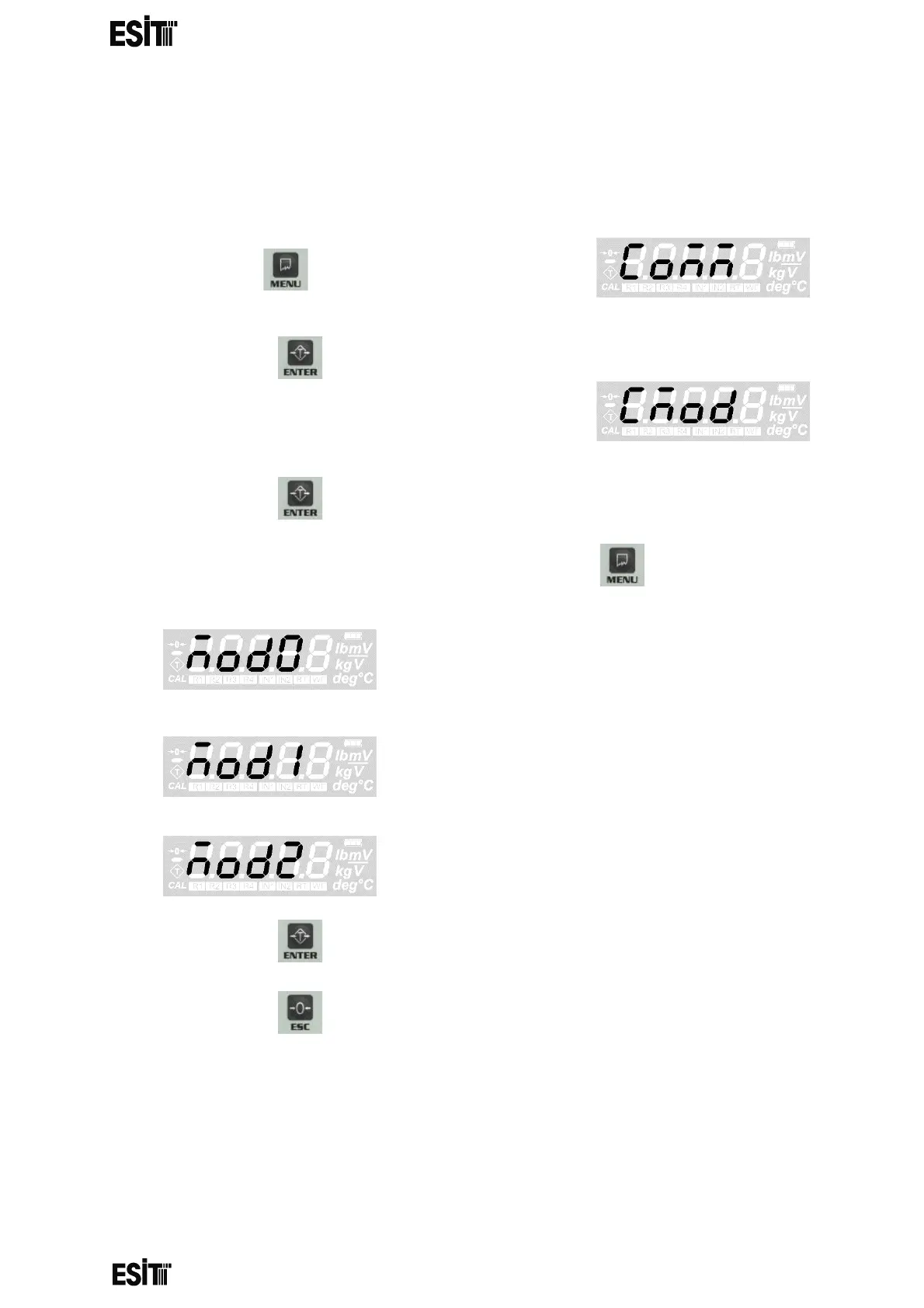
COMMUNICATION SETTINGS
COMMUNICATION MODE SETTING
(1) Press key until you reach the
'Communication' menu
(2) Press the key to confirm the menu
(3) The first option is the 'Communication
mode' menu.
(4) Press the key to confirm the menu
(5) Set the communication mode of your choice with menu key.
NO COMMUNICATION
SENDING 4 DIGIT WEIGHT INFORMATION
CONTINUOUSLY
ADDRESSABLE COMMUNICATION
(6) Press the key to save the communication mode
(7) Press the key to go back to the measurement screen.



 To Next Page