SMART-2 Multi Functional Wireless Weighing Indicator User Manual
________________________________________________________________________________________________
Page 15
CONFIGURATION SETTINGS
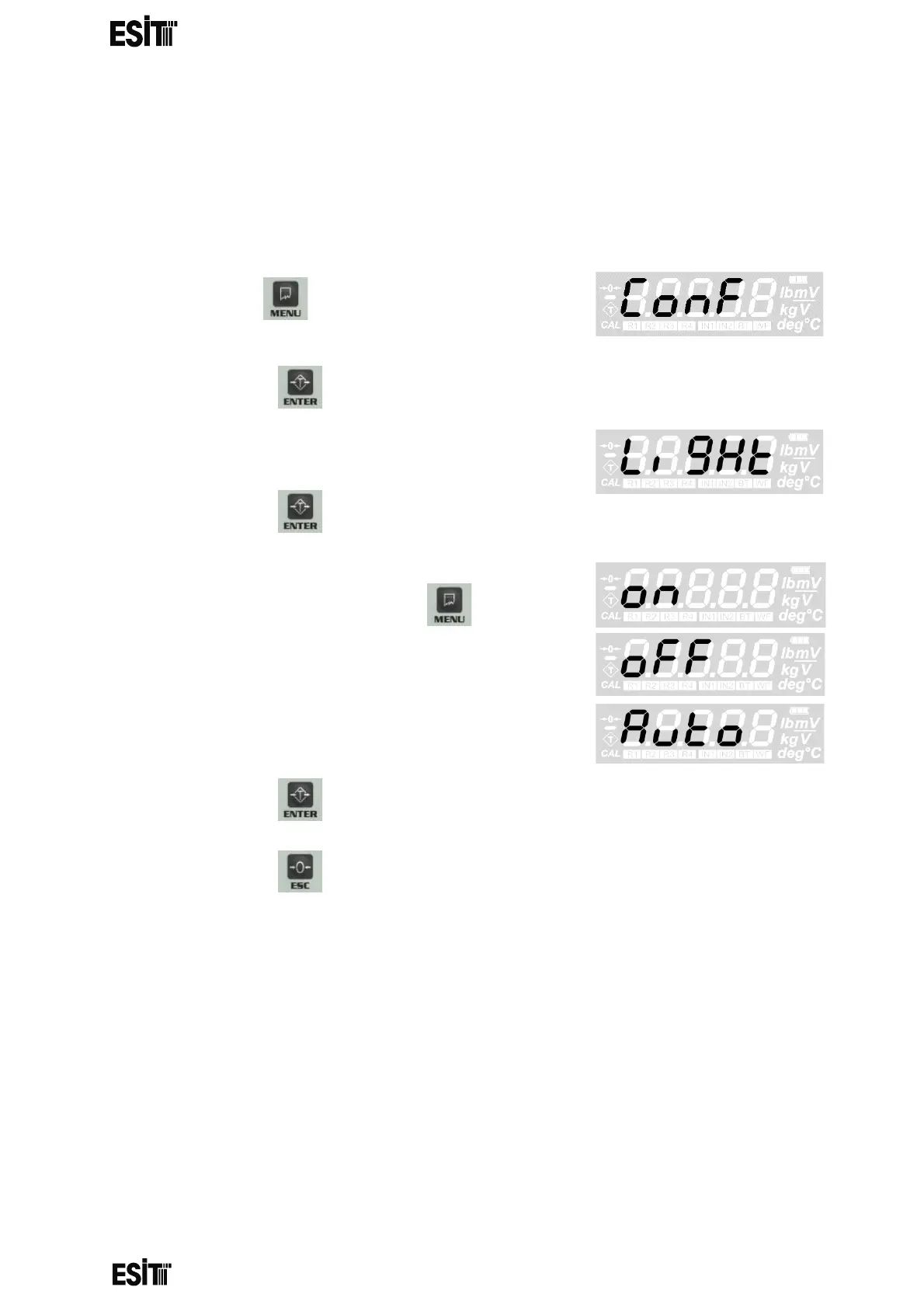
DISPLAY LIGHT SETTING
You can adjust the display light in this menu. In addition to the continuous on and off
options, you can also set the auto light on when the weight value changes by ±5e.
(1) Press key until you reach the
'Configuration Settings' menu
(2) Press the key to confirm the menu
(3) The first option is the 'Display light' menu.
(4) Press the key to confirm the menu
(5) Press ‘ON’ button to turn on, ‘OFF’ button to
turn off the display light and key until the
'Auto' screen is displayed for the auto mode.
(6) Press the key to save the display light setting.
(7) Press the key to go back to the measurement screen.



 To Next Page