SMART-2 Multi Functional Wireless Weighing Indicator User Manual
________________________________________________________________________________________________
Page 54
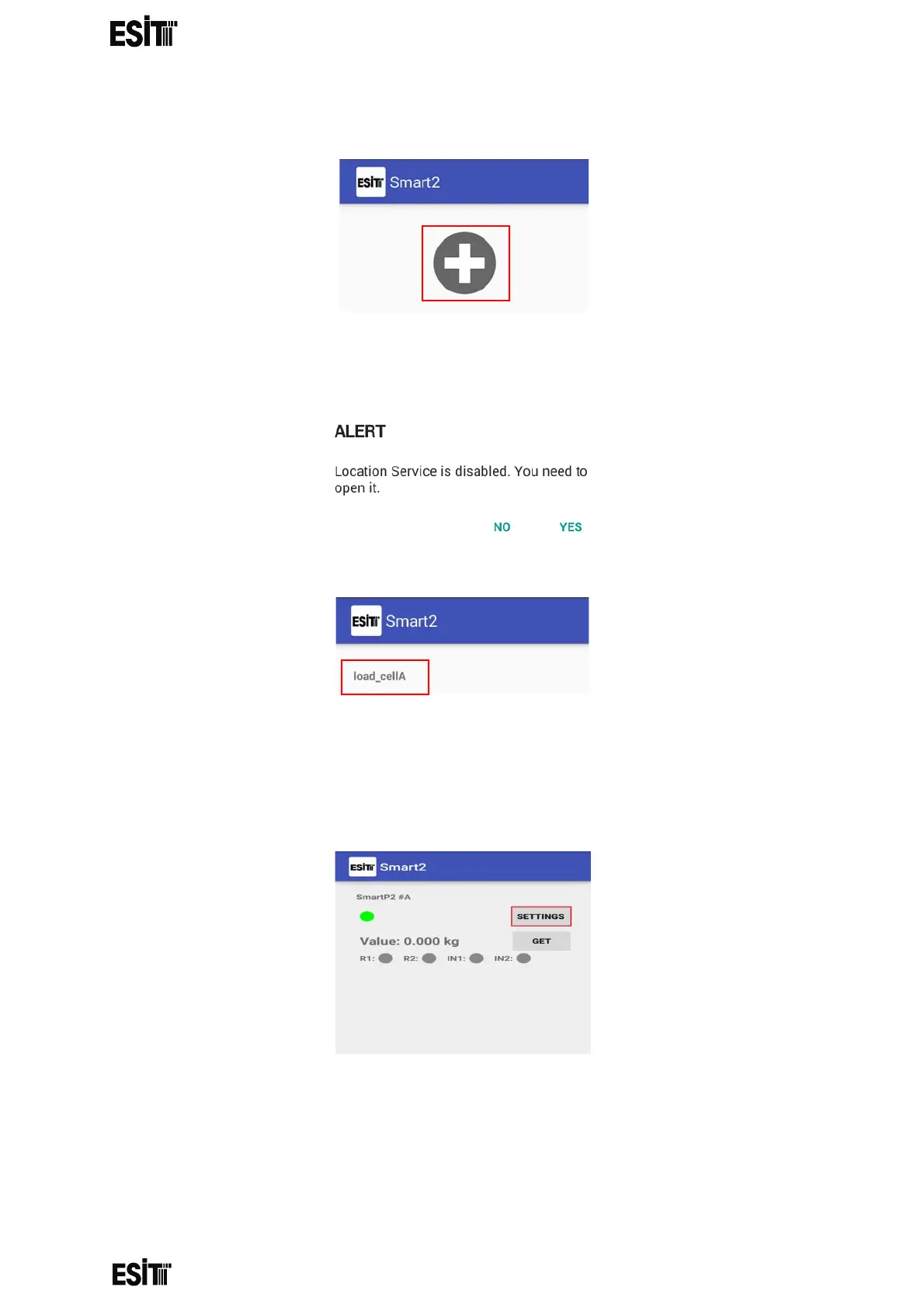
1-Click on the "+" shown in the figure
2-The location service must be turned on after proceed with "Yes" to message
displayed.
3-Select the smart you want to connect to in the opened page.
4-You can see the instant weight information on the smart screen by clicking on the
"GET" button on the pop-up screen. By clicking on the "SETTINGS" button, you can
make the settings you need.



 To Next Page