SMART-2 Multi Functional Wireless Weighing Indicator User Manual
________________________________________________________________________________________________
Page 62
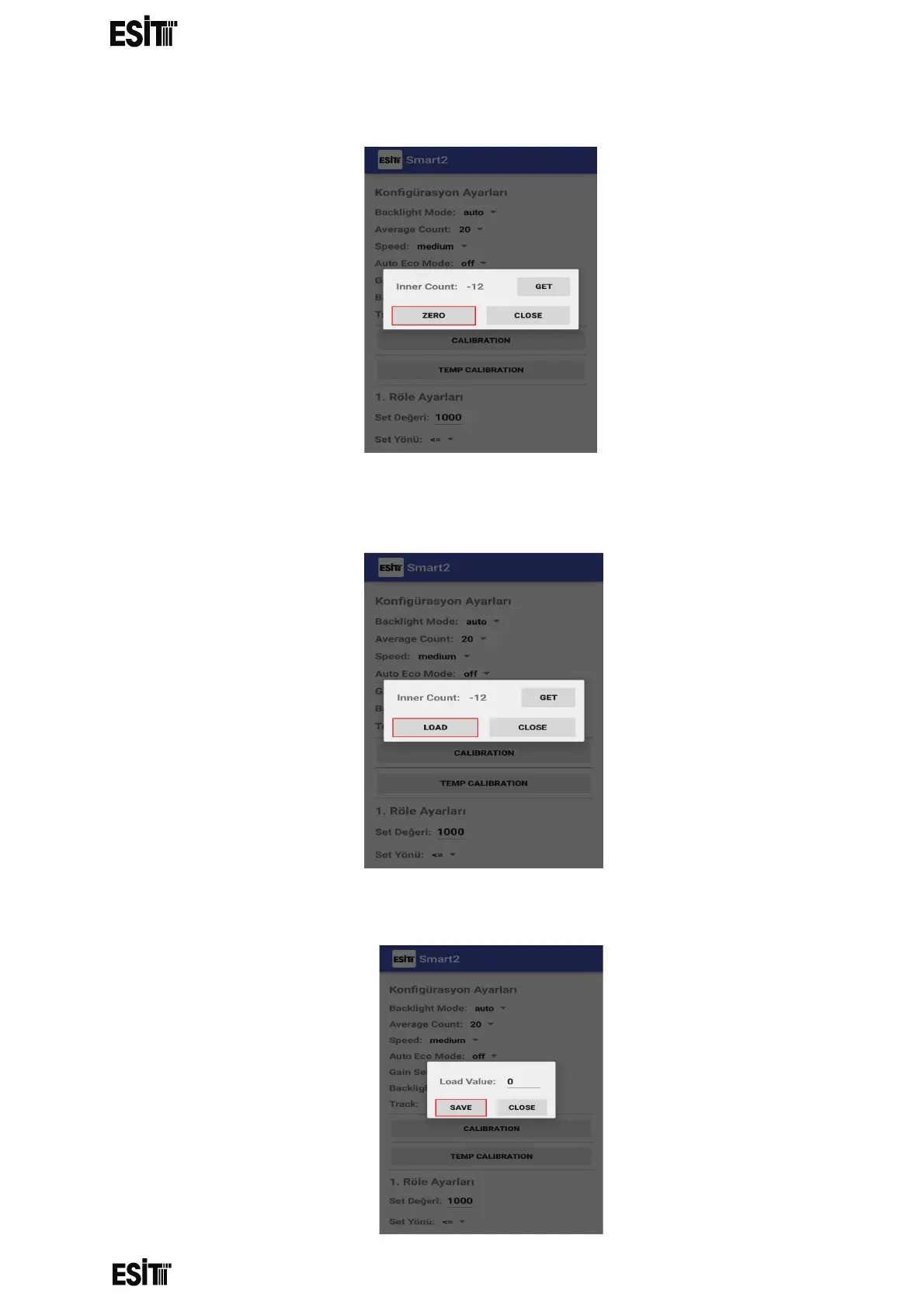
(3) Press the "ZERO" button
(4) Place the weight you want to calibrate in the system and press "Get" button.
Repeat the process several times and press the "LOAD" button after seeing
that the value is stable.
(5) Enter the weight value you want to calibrate in the system to the "Load Value"
section and press "Get" button.



 To Next Page