Calibration of the Machine
3-6 © Essemtec AG Fox Maintenance
0000074/05
/ March 31, 2017
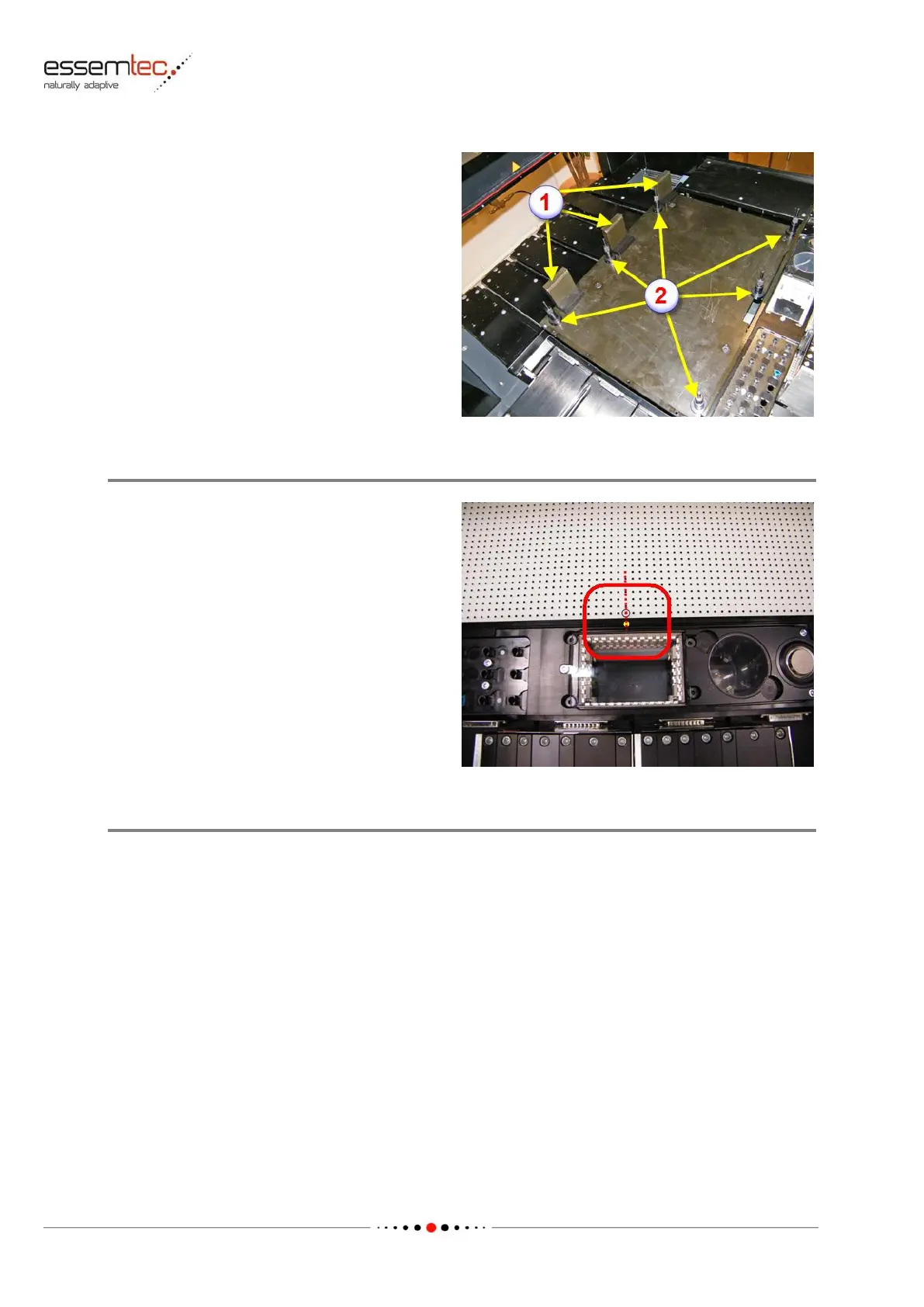
Prepare three magnetic PCB holders at the rear
end of the PCB table (1). Prepare also six support
pins as shown on picture (2). They are necessary
for a safe usage of the glass plate.
Adjust the six support pins in height, that the
glass plate is adjusted to the prism of the PCB
holders and does not sag.
Press the glass plate against the front PCB holder
and fix it with the three prepared PCB holders on
rear. There is a hole in the front PCB holder (in
the range of the bottom camera), this hole has
to be flush with the small circle on the glass
plate (see picture).
Calibrate XY Gantry - Map XY
Go to menu System - Calibration - XY gantry / Calibstation and press Calibrate Y-Y1. Press Map
XY.
Follow the instructions given by the software.
After Calibration leave the glass plate on the production area, it is needed for the head rotation
calibration.



 To Next Page