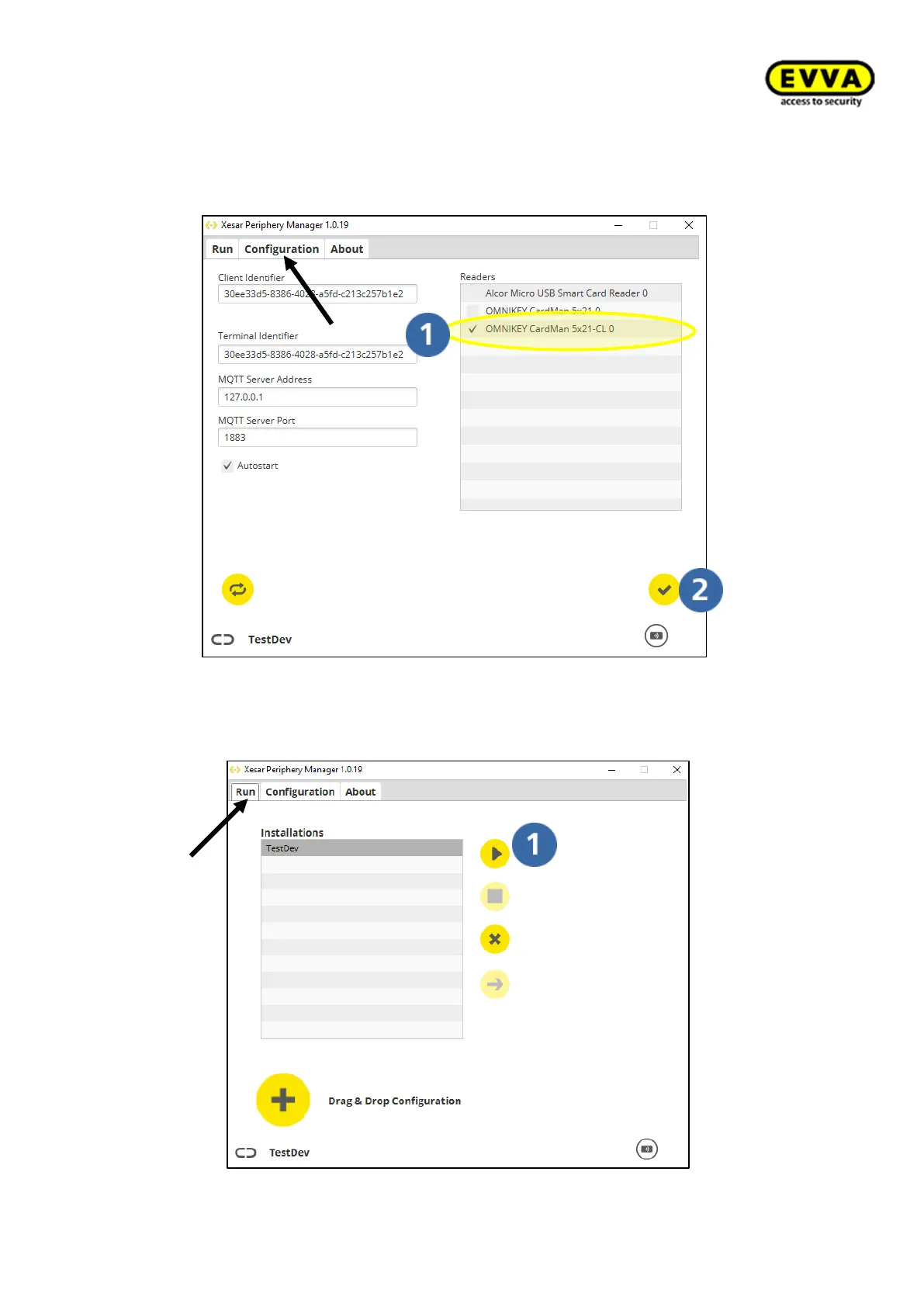
7. Step: select the "Configuration" tab.
a. Select the reader unit designated as OMNIKEY with CL.
b. Click the "Save" icon.
Figure 91 – Periphery Manager, selection of the coding station
8. Step: Select the "Run" tab and click the "Start" icon to start the Periphery Man-
ager.
Figure 92 - Periphery Manager start



 To Next Page