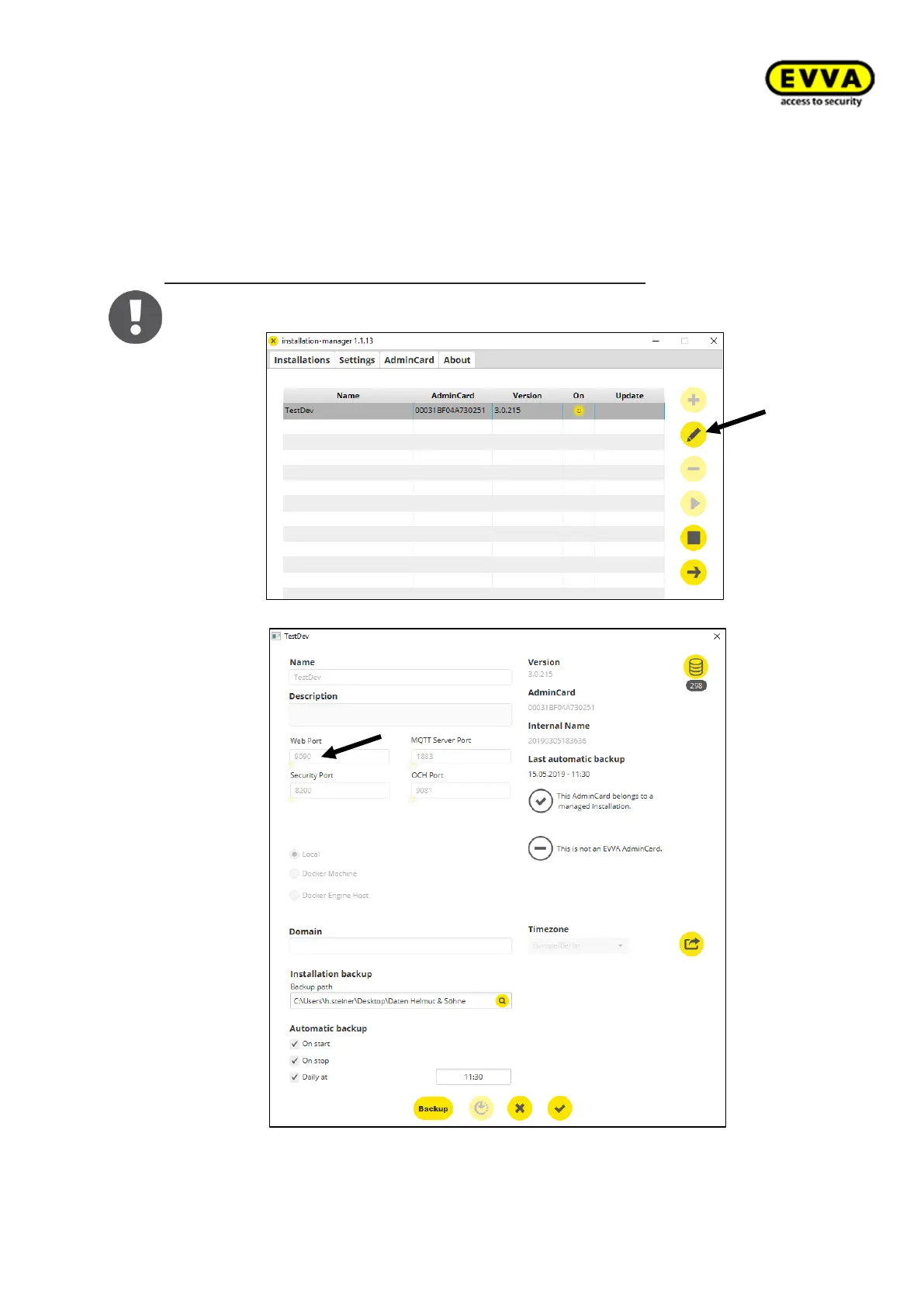
2. Step: Finding the web port number
You additionally require the port number for the IP address for the Xesar tablet. It is
identical to the number configured in the Installation Manager or you may copy the
number from your browser. For example: https:// 172.16.250.35:9090
Alternatively proceed as follows to find the web port number:
Select the "Edit icon" in the Installation Manager and write down the web port
number.
Figure 96 - Installation Manager Tablet Web Port



 To Next Page