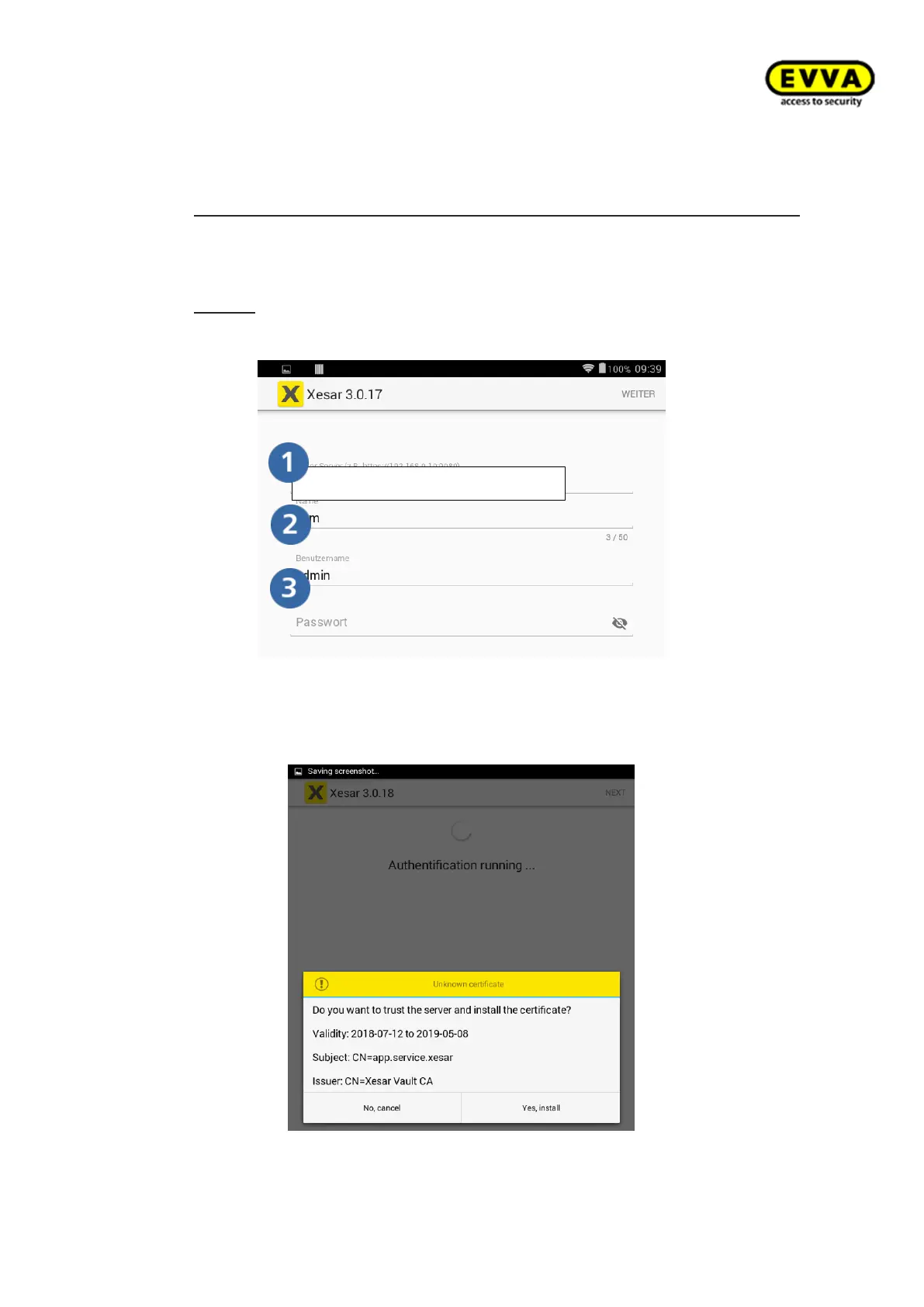
3. Step: Open the Xesar app on your Xesar tablet, click "Synchronise" and enter the
following IP address in the "Xesar server" field:
c. https://IPv4 address of your computer:Port no. of your Xesar system
e.g.: https://172.16.250.35:9090
d. Enter the name of the Xesar tablet, e.g. "Maintenance engineer 1"
e. Log in with the user name and password, e.g. Admin + password.
Notice: Users must have been assigned to the Admin or Maintenance engineer
authorisation group to be able to use the Xesar tablet.
Figure 97 – Tablet app - login
4. Step: A certificate prompt appears. Install the certificate.
Figure 98 – Xesar tablet certificate 1



 To Next Page