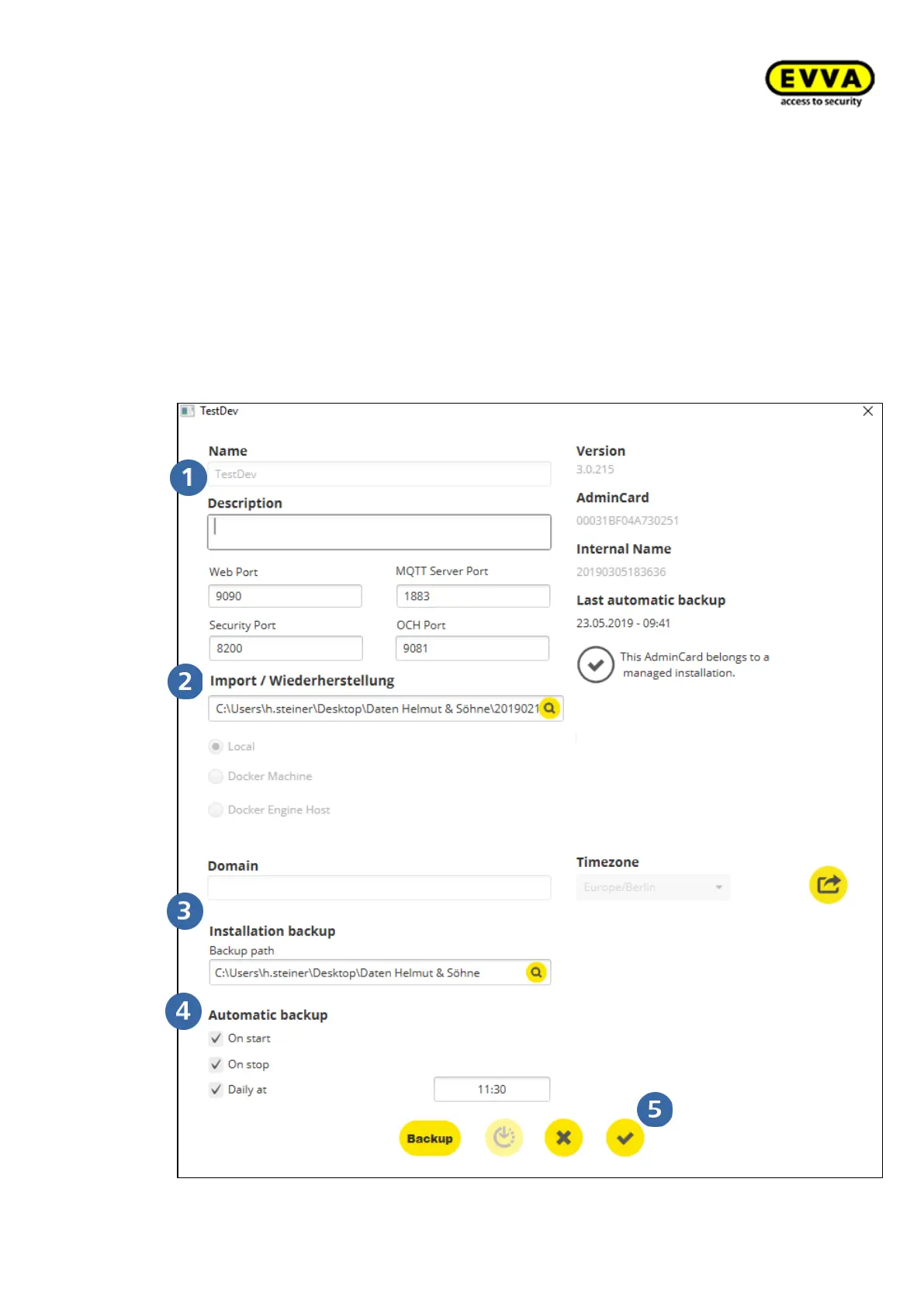
5. Step: Enter the system settings of the new systems in the appropriate fields:
• System name
• the path to the latest valid backup file that is to be reinstalled
• the new path for future backups
• Automatic backup settings
o When starting: When starting the system
o When stopping: When stopping the system:
o Daily at: At the set time (time of day can be selected)
• Confirm entries



 To Next Page