4. Step: Add a new system.
The new installation must have the same software version as the backup file. It
may be necessary to select an older version from the Registry in the Installa-
tion Manager to be able to reinstall the backup. The software update can be
carried out after the backup installation has been completed.
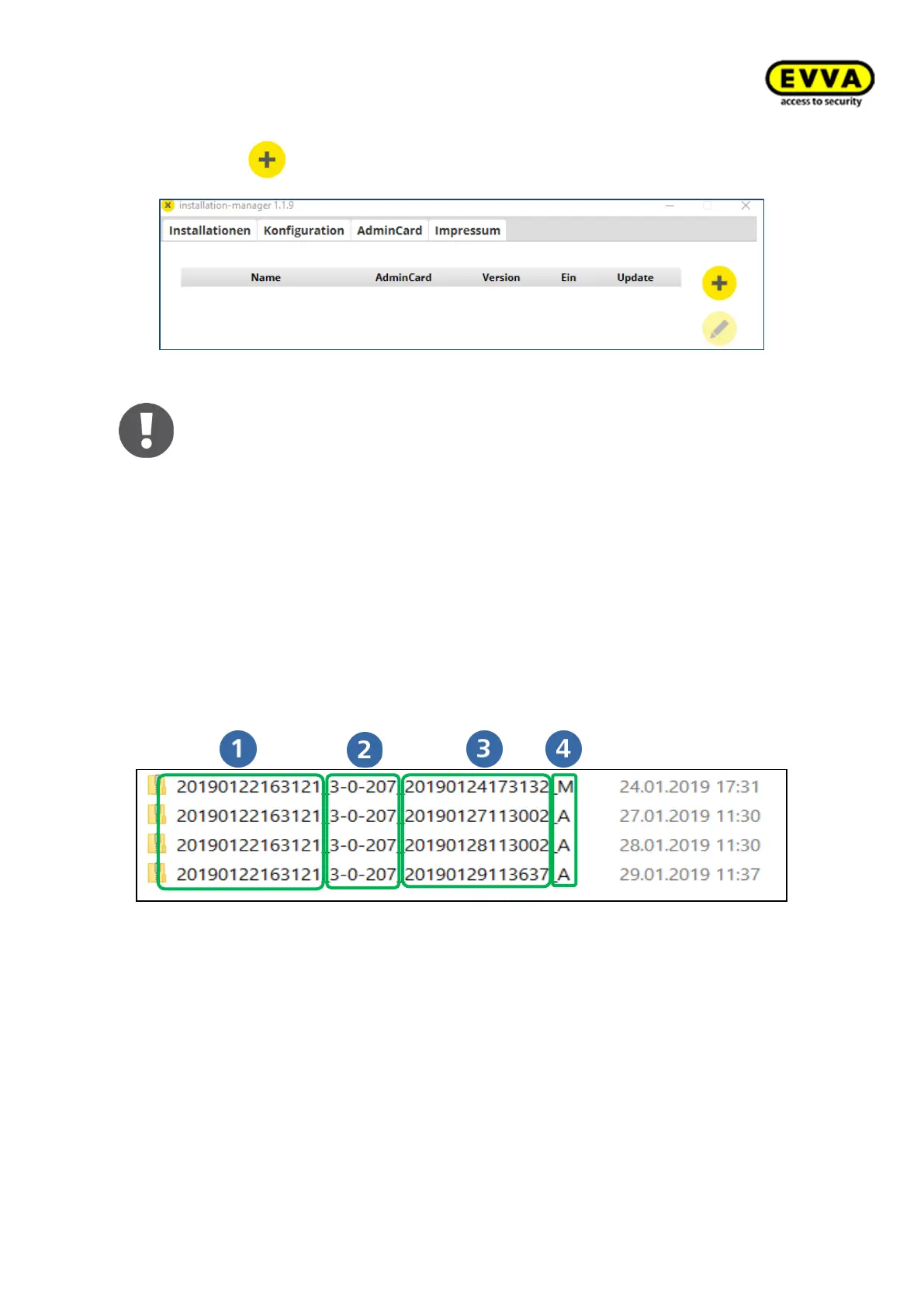
The backup version is described in the backup filename.
The following information is described in the backup filename:
• Internal system name
• Backup Software Version (z.B. 3.0 Version 207)
• Date and time of the backup
• Type of backup (M… manual; A… automatic; U… automatic before update)



 To Next Page